


I can't uninstall adobe creative cloud it says "you still have creative cloud applications installed
Hello
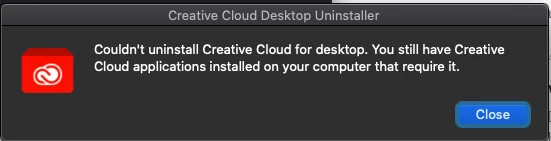
I looked through everything I could find this is driving me insane because nothing I have read has helped me so far. I have been trying to uninstall adobe creative cloud from an iMac and everytime I try it says "Couldn 't uninstall Creative Cloud for desktop. You still have Creative Cloud applications on your computer that require it." I have nothing from adobe creative cloud installed except camera raw I cannot figure out how to get rid of Camera Raw. I have no photoshop or anything from adobe that uses Camera Raw. I tried searching for Camera Raw in finder to uninstall that way or just drag and drop it in the trash but finder is not finding anything for "Adobe Camera Raw".
I have included a screen shot of the alert I get when I try to delete Adobe creative cloud for desktop and a screenshot of the list of things adobe creative cloud says I have installed. How do I get rid of this? I needed to use my parents' computer to do my exams (Graphic Design Major) because mine had to go into the shop but now that mine is back I don't want to clutter up their computer with things that are useless to them.
Thanks to anyone who can help!

 AdChoices