Participant
September 3, 2020
Question

Install on windows virtual machine Acrobat DC

  • September 3, 2020
  • 3 replies
  • 3953 views

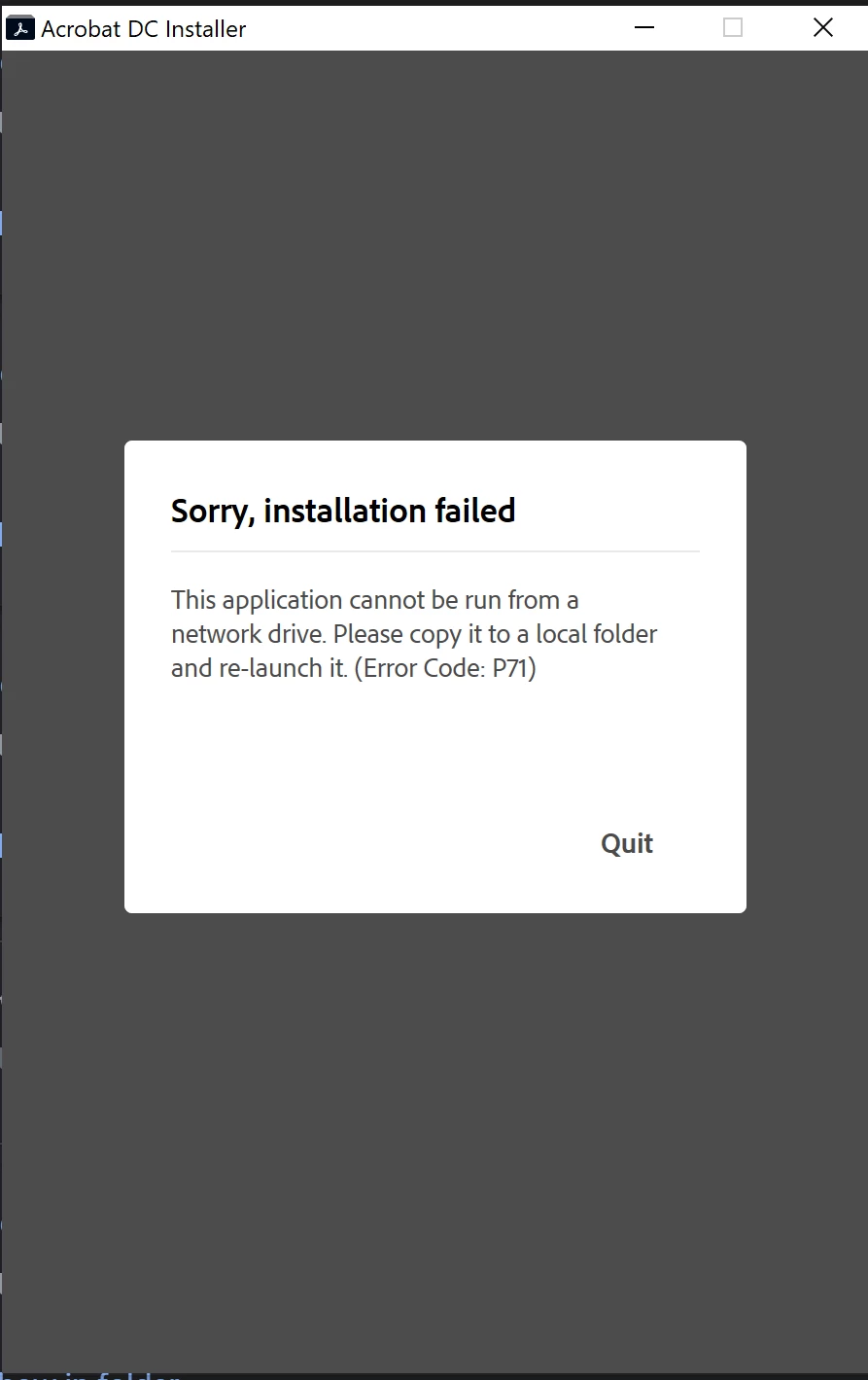
I am using VMWARE for the virtual machine and need to install Acrobat DC.  I logged on, downloaded it but keeps on saying that it is a network version and not the desktop version.  I made sure that I downloaded the desktop verion. 


How do I resolve this issue?


This topic has been closed for replies.

3 replies

Just Shoot Me
Legend
September 3, 2020

I moved your post to a better forum. from Acrobat to the Download & Install forum.


What operating system are you using in the Virtual Machine? Whatever.

you need to run the VM and in whatever OS you are using in the VM you need to Download Acrobat from Adobe into the virtual hard drive used by the Virtual Machine. Then from that Virtual Hard Drive you need to run  the install file to install Acrobat.


The VM is a separate computer and you can't run the install of any program from your REAL computers hard drive.

Participant
October 11, 2022

When running Windows on a PC, running an .exe will automatically place the software you're installing into the "Program Files" folder.  However, when running a VM such as Parallels on Mac, you cannot run the .exe file from the Mac downloads; Parallels will not automatically know where to put it.

The easiest solution (dovetailing with the first comment) is to move the .exe file to the "Program Files" folder on Windows in your VM, then running it.

Legend
September 3, 2020

You need to do what the message says; copy it to a local disk (or rather, an emulated local disk in the VM). 

Peru Bob
Community Expert
Community Expert
September 3, 2020

I've moved this from the Using the Community forum (which is the forum for issues using the forums) to the Download and Install forum so that proper help can be offered.