



Is This The Correct Software To Design GUIs? (Multiple Adobe Disciplines)
Hi,
I'm completely new to graphics design of UIs. Not sure how to put my fingers on things.
I am a railway enthusiast interested in signalling systems. I like to spend time re-creating graphics and UIs of various signalling displays/passenger displays. I have been using Microsoft Publisher to do all these projects. It has served me well but yet it has constraints on what it can offer. I used to be satisfied with just making static drawings using the various shapes, shades and colours.
But Now, I wish to make my graphics interactive, come to life. I want to mimic the exact behaviour of these UIs and displays just as how they are in real life. I want to make interactive applications where a user can see these UIs and graphics and induce certain conditions / input certain information to produce that certain UI/display state.
I realised that if i wanted to do this, I need quality. Yet, working with humongous canvas dimensions on Publisher would hang my computer trying to export that humongous png image file. Yet, Publisher doesn't have the means to design an interacting path across the various objects. Would like to share some of my work below done from Publisher
1. Signal Mimic Diagram GUI
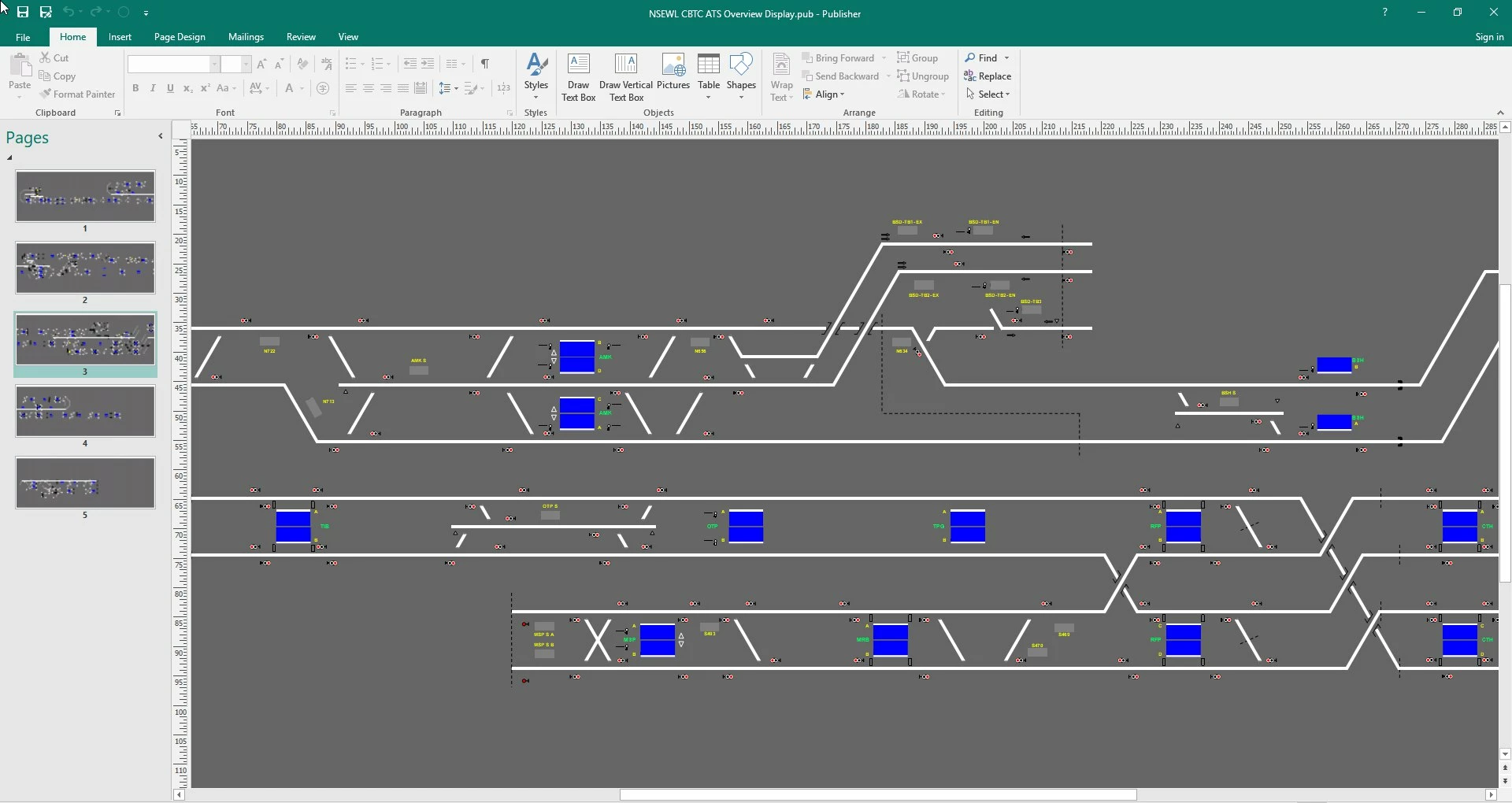
THE GRAPHICS (CAN I USE ADOBE ILLUSTRATOR TO DO THIS?)
This GUI is what u find in train control centers. The movement of all trains and state of all railway devices are shown on such GUI. I needed 5 pages of 300cm+ long canvas to accurately replicate the entire metro network. This hanged my comp when I tried exporting each page as png image. I researched up abit more and realised that if I recreated everything again in .svg format, I can recreate EVERYTHING from end to end w/o need to split. The immense about of GUI objects is also more efficiently handled.
The real life control center's display is ~20m long - but with an .svg, i can make anything as long as I want, just scale it down accordingly and yet i don't lose graphics quality. Is that correct? Can Adobe Illustrator allow me to recreate what you see here very nicely in an .svg?
WHAT I WANT BRING TO LIFE (CAN I THEN USE ADOBE XD TO DO THIS?)
As you can see, such railway mimic GUIs have many many objects/icons to represent various states like for eg
- Stop Signal/Proceed Signal/Failed Signal
- Track Junction In Position A/Position B
- Open/Closed Platform
- etc etc
The displays in reality are meant to show EVERYTHING about the metro line at that point. So I have many many object states to represent different failure modes/operating states. Looking at thousands of objects. I want to make an interactive application where the user can INDUCE such modes/states and make the relevant icons appear/change colour/animate as accordingly. Such inducing can either be done for 1 station/multiple stations.
Is Adobe XD the way to do this? How can I do this?
A BONUS
In the long term, I dream to make my application like a railway emulator. If I could replicate exactly a train icon's movement on this project - I could possibly look to developing an application where a user can import a "train schedule" and these trains icons just move about from station to station in system time. Again - what would I need to reach such a stage?
2. Train Arrival Countdown Display
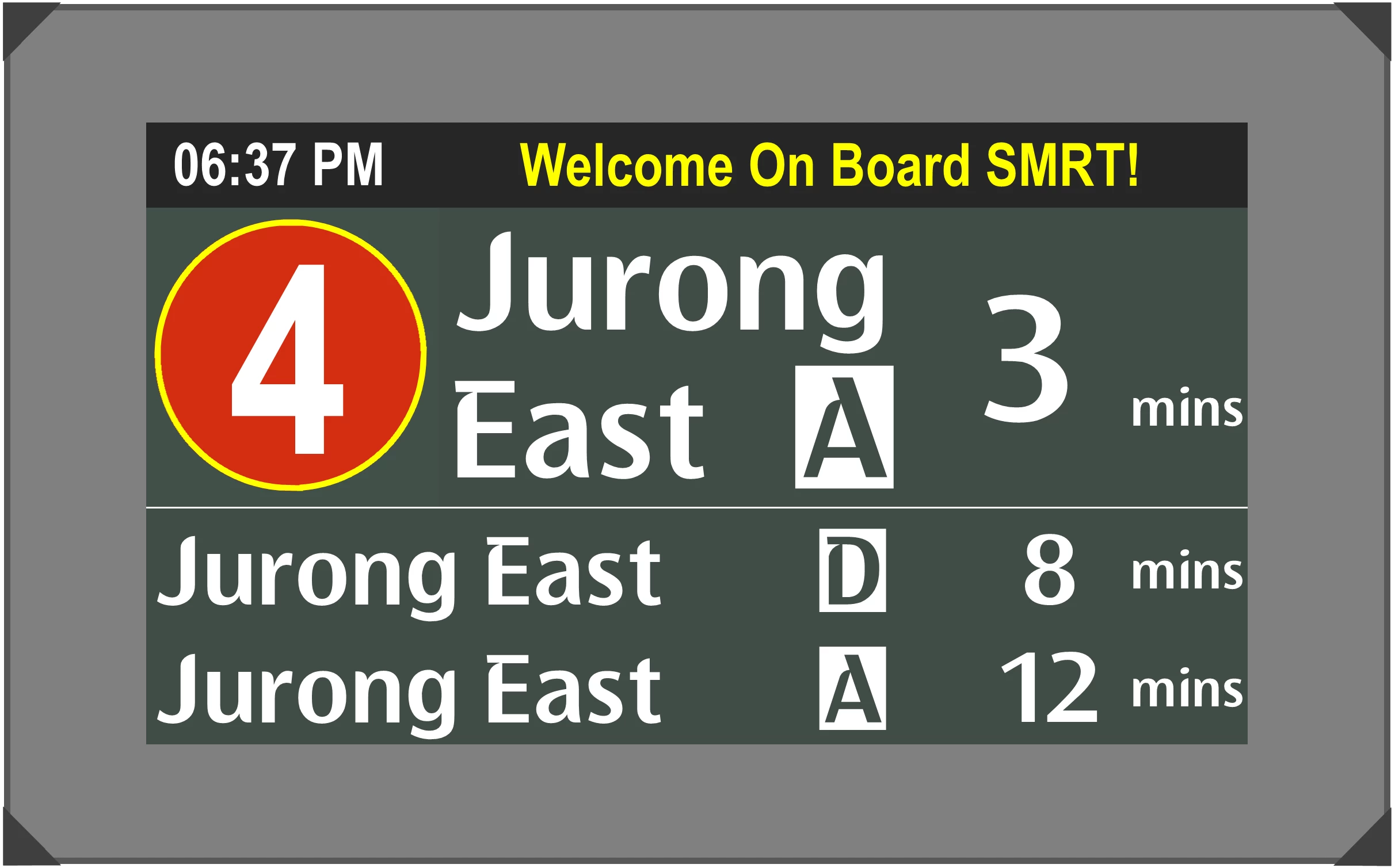
Train Approaching
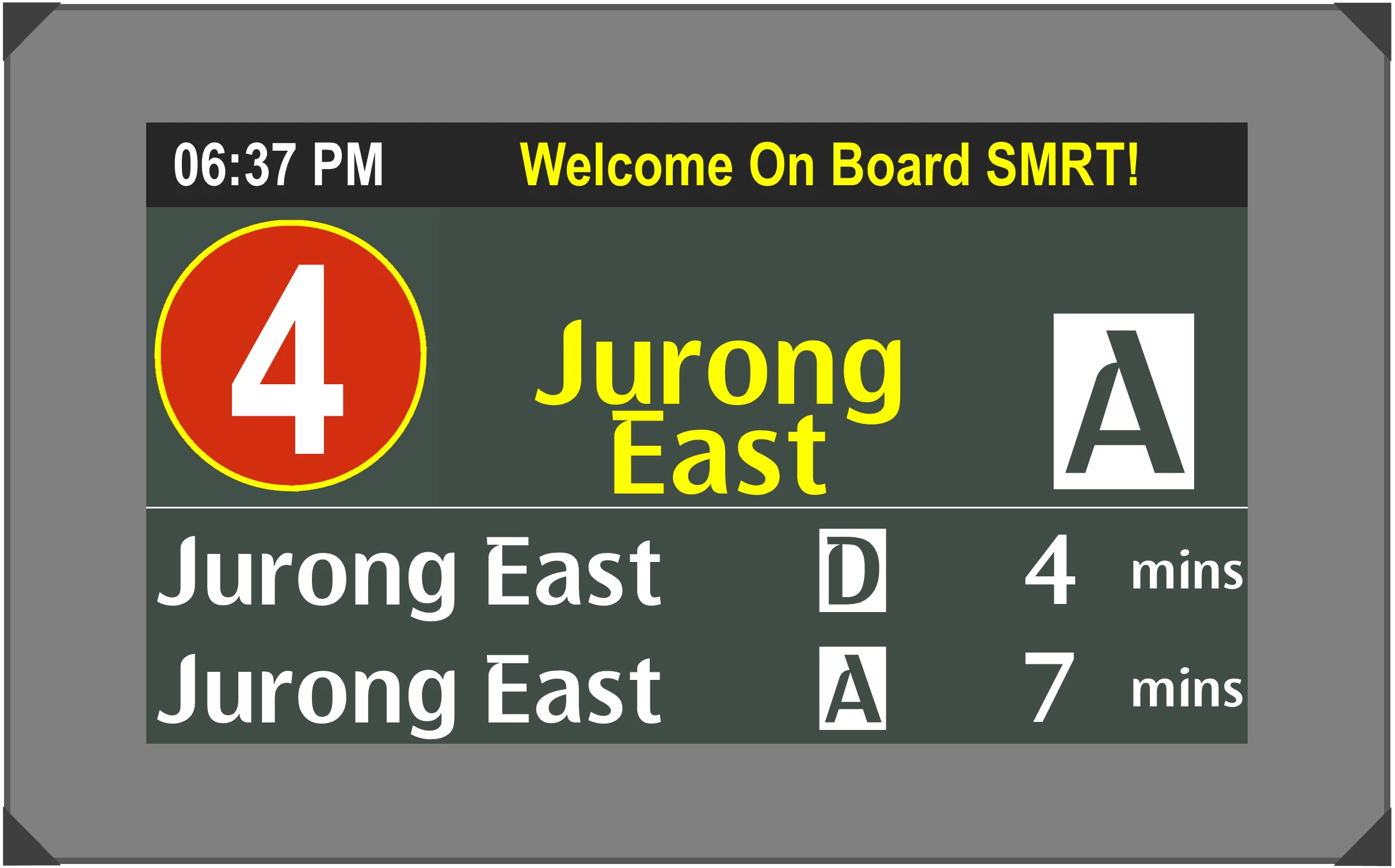
Train Arrived
THE GRAPHICS (CAN I USE ADOBE ILLUSTRATOR TO DO THIS?)
This is self explanatory. This is my metro's countdown clock display screen which i could easily recreate in Publisher on a normal A3 canvas. Top is the display when train is still on the way to the station. Bottom is the display when the train has arrived at the station.
WHAT I WANT BRING TO LIFE (SHOULD I USE ADOBE XD/ANIMATE TO DO THIS?)
Currently, I have 40 over pages x 2 displays each to cover every single possible countdown clock display. That's 80+ displays in Publisher that I'm upkeeping as static editable graphics. I have several different layouts to cover each line and direction of travel. I also manually type in the new station destinations and the arrival timings as accordingly.
I wish i could create an application for this too so that everything is streamlined and that my users can interact and easily change what to show on screen.
- Ability of my screen to toggle between the LIVE time and date (top left hand corner). In reality, that corner will toggle between the actual time and date every 5 seconds.
- Ability of any of my text to toggle between each other. In reality, there are some fields that toggle between different colours OR toggle between different phrases.
- Ability of my screen to sport scroll-by text. The "Welcome Onboard SMRT!" in reality would be scroll by text on travel information.
- A UI window where user can key in based on fields/choose from drop down box his intended destination - after which the display reflects accordingly.
- In built timer to countdown min by min till "train's arrival" before transitioning to the Arrival screen.
When does Adobe XD or Animate come into play?
I just don't know where to start. Which Adobe Products are most suited for my railway graphics and animations needs? Do I need to code for anything?
Appreciate your advice! Thank you so much~
 AdChoices