


dimitroff
Participant
May 27, 2024
Answered

Photoshop or lightroom

  • May 27, 2024
  • 3 replies
  • 183 views

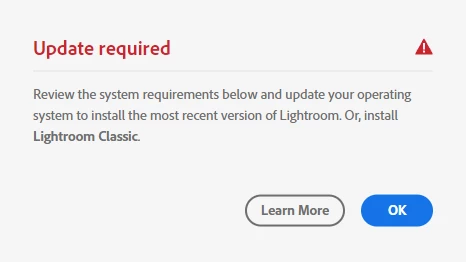
Hello. I purchased a subscription to Adobe products. When I try to download Photoshop or Lightroom, the page says that I do not meet the requirements for the program.

13th Gen Intel(R) Core(TM) i9-13900K 3.00 GHz
64 ram
Windows 11 Pro - 23H2
Geforce rtx 3060
 

This topic has been closed for replies.
Correct answer kglad

install the cc desktop app from here https://creativecloud.adobe.com/apps/all/desktop?action=install&source=apps&productId=creative-cloud and use it to install your adobe subscription and trial programs.


if you have trouble downloading the cc desktop app or you see an error message when trying to install, make sure you have a compatible os (https://helpx.adobe.com/creative-cloud/system-requirements.html), and use the alternative download links at page bottom here, https://helpx.adobe.com/in/download-install/kb/creative-cloud-desktop-app-download.html

3 replies

jane-e
Community Expert
Community Expert
May 27, 2024

@dimitroff 


Does your computer meet or exceed the system requirements for Photoshop and Lightroom?


You might also ask on the forums for LR and PS:

https://community.adobe.com/t5/lightroom-ecosystem-cloud-based/ct-p/ct-lightroom

https://community.adobe.com/t5/photoshop-ecosystem/ct-p/ct-photoshop


If you can't install either, then you have 14 days to cancel without a fee for breaking an annual commitment. Here are the terms:

https://www.adobe.com/legal/subscription-terms.html


Jane

kglad
Community Expert
kgladCommunity ExpertCorrect answer
Community Expert
May 27, 2024

install the cc desktop app from here https://creativecloud.adobe.com/apps/all/desktop?action=install&source=apps&productId=creative-cloud and use it to install your adobe subscription and trial programs.


if you have trouble downloading the cc desktop app or you see an error message when trying to install, make sure you have a compatible os (https://helpx.adobe.com/creative-cloud/system-requirements.html), and use the alternative download links at page bottom here, https://helpx.adobe.com/in/download-install/kb/creative-cloud-desktop-app-download.html

kglad
Community Expert
Community Expert
May 27, 2024

in the future, to find the best place to post your message, use the list here, https://community.adobe.com/

p.s. i don't think the adobe website, and forums in particular, are easy to navigate, so don't spend a lot of time searching that forum list. do your best and we'll move the post (like this one has already been moved) if it helps you get responses.


<"moved from using the community bugs">
