kenany38819762
Participant
February 11, 2017
Answered

Problem in installing CreativeCloud with error code 213

  • February 11, 2017
  • 1 reply
  • 1049 views

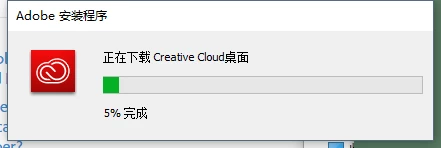
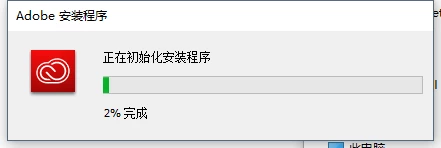
After running the CreativeCloudSet-Up.exe downloaded from adobe website, the program stucked at the progress of 2%,.

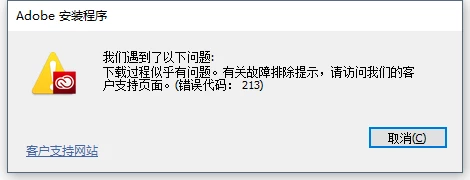
After a while the progress bar went to 5%, and a pop-up said “it seems there's a problem with downloading procedure,..........(Error code: 213)"

Looking forward to the solution to this problem.
This topic has been closed for replies.
Correct answer kglad

quit your desktop app by clicking the gear icon>quit

Remove the OPM.db file.

    Mac OS: Locate the OPM.db file in the \User\<user name>\Library\Application Support\Adobe\OOBE folder. To access the hidden user Library folder, see https://helpx.adobe.com/x-productkb/global/access-hidden-user-library-files.html

    Windows: Locate the OPM.db file in the \Users\<user name>\AppData\Local\Adobe\OOBE folder. To view the hidden AppData folder, see https://helpx.adobe.com/x-productkb/global/show-hidden-files-folders-extensions.html

restart your cc desktop app

retry downloading

[moved from Downloading, Installing, Setting Up to Creative Cloud Download & Install]

1 reply

kglad
Community Expert
kgladCommunity ExpertCorrect answer
Community Expert
February 11, 2017

quit your desktop app by clicking the gear icon>quit

Remove the OPM.db file.

    Mac OS: Locate the OPM.db file in the \User\<user name>\Library\Application Support\Adobe\OOBE folder. To access the hidden user Library folder, see https://helpx.adobe.com/x-productkb/global/access-hidden-user-library-files.html

    Windows: Locate the OPM.db file in the \Users\<user name>\AppData\Local\Adobe\OOBE folder. To view the hidden AppData folder, see https://helpx.adobe.com/x-productkb/global/show-hidden-files-folders-extensions.html

restart your cc desktop app

retry downloading

[moved from Downloading, Installing, Setting Up to Creative Cloud Download & Install]

kenany38819762
Participant
February 13, 2017

Thanks,

I redownloaded it at midnight and it ran normally.

Seems a problem of network.LOL.

kglad
Community Expert
Community Expert
February 13, 2017

you're welcome.