


Participant
February 6, 2022
Answered

reinstaaling Photoshop Elements 19 not possible

  • February 6, 2022
  • 2 replies
  • 425 views

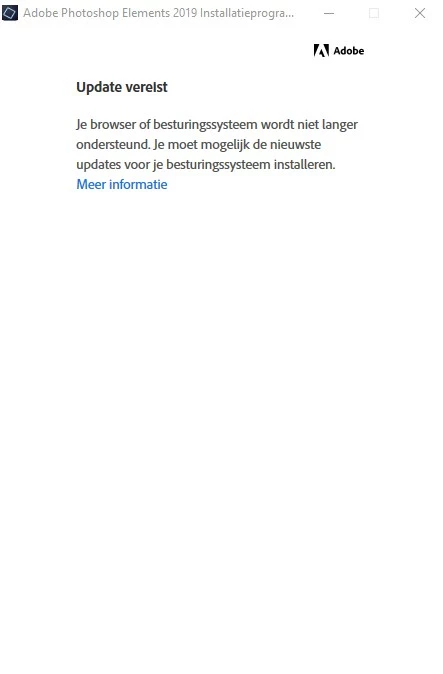
I tried to reinstall Photoshop elements 19 after reinstalling Windows 10 (21H2), but it failed. Got a screen which stated that either my browser or operating system is no longer supported. But I use the latest version of windows 10 (21H2) and the latest Firefox  (96.0.3).

Does anyone know what to do?
 

This topic has been closed for replies.
Correct answer John Waller

Try installing the Cloud desktop 

https://creativecloud.adobe.com/apps/download/creative-cloud


Then install Elements 2019.

2 replies

John Waller
Community Expert
John WallerCommunity ExpertCorrect answer
Community Expert
February 6, 2022

Try installing the Cloud desktop 

https://creativecloud.adobe.com/apps/download/creative-cloud


Then install Elements 2019.

Participant
February 6, 2022

thank you very much, John. That worked like a dream!

Could you tell me if I still need the Cloud desktop for proper functioning of Photoshop Elements, or can I remove it from my computer?

Thanks again!!!

John Waller
Community Expert
Community Expert
February 6, 2022

I regret to say that I don't know the answer to that.


This step of installing Cloud desktop to install a non-subscription app is an unintuitive, undocumented, (and probably unofficial) workaround in itself.


Whether Cloud desktop is then required to use Photoshop Elements on an ongoing basis is really only something which Adobe can answer. I would probably try uninstalling it and see if there are any unexpected behaviours.


Note that Photoshop (subscription only) and Photoshop Elements (one off payment, cut down feature set) are two completely different Adobe products with separate support forums.

Ged_Traynor
Community Expert
Community Expert
February 6, 2022

Moving thread to the Download & Install forum from Photoshop ecosystem