This topic has been closed for replies.
Correct answer puneeta23771395

Hi,

Please try following steps

1) open following link https://helpx.adobe.com/photoshop-elements/kb/photoshop-elements-7-8-9-downloads.html

2) Open a new tab in the same browser

3) open following link in that tab http://prodesigntools.com/trials2/AdobeProducts/KCCC/1/win32/ACCCx3_4_1_181.zip

4) Unzip the files using 7zip or winrar

4) install creative cloud using the stup file obtained after unzipping the file

Note: It is important to do it step by step as opening first link is to make sure you do not get access denied error while using second link in that browser.

5 replies

Participant
March 25, 2016

Followed your instructions carefully but got Access Denied message as soon as I entered second string.

Participant
April 4, 2016

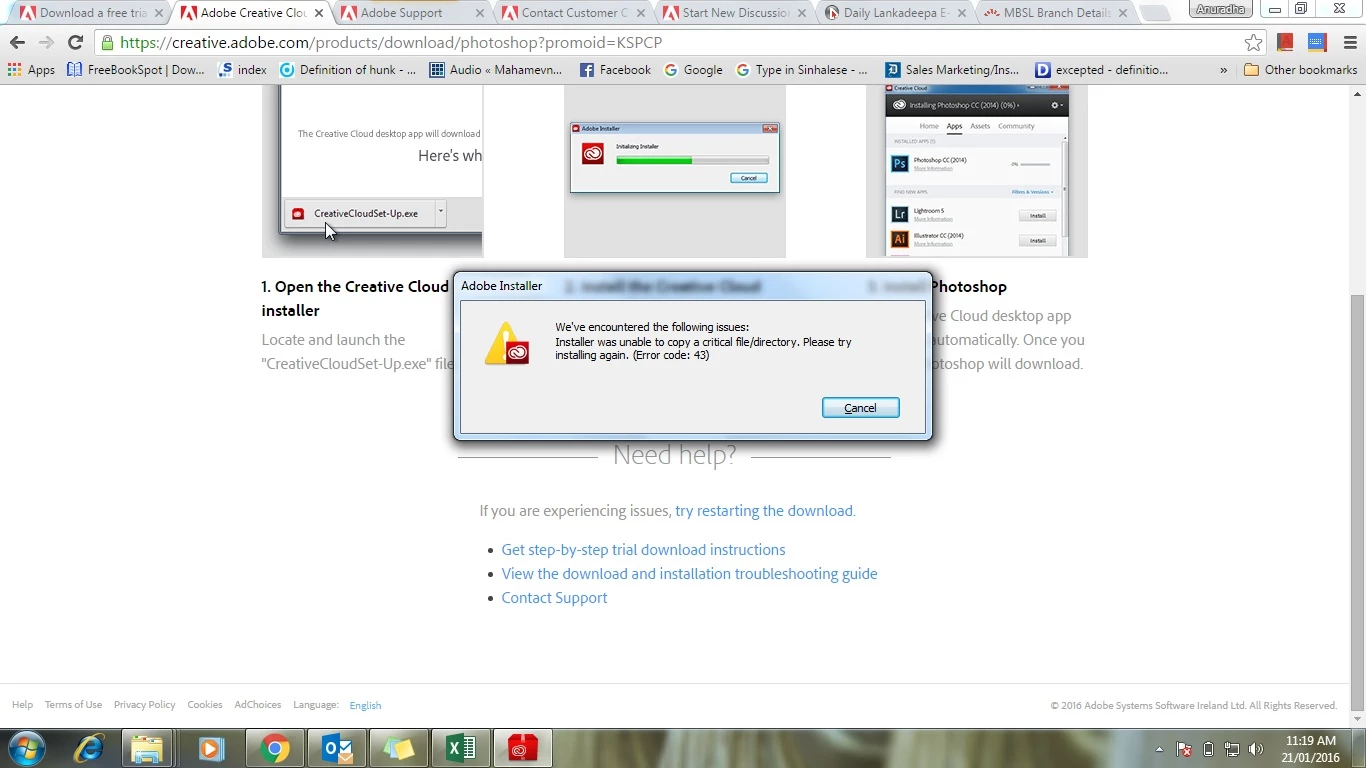
I think you need to wait the first string finished loading page. I have the same problem as you described. Later I wait the first string show the complete page, and I click the second string. i'm downloading the file now. Hope it can solve the error code 43 problem.... Good luck to you, too!

Participant
March 12, 2016

I am trying your suggestion now...Thank you!

Participant
March 12, 2016

It appears to be working...Thank you, very much!

puneeta23771395
Community Manager
Community Manager
March 14, 2016

you are welcome

helenb10210991
Participant
March 2, 2016

Still not working, I am back to error 1001, 1002, 1003. I've saved a copy of the log, would that be of any help?

Many thanks

puneeta23771395
Community Manager
Community Manager
March 2, 2016

Hi Helen,

In this case I would suggest you to contact our Customer support team via chat/phone so that they can help you over a remote session and fix the issue.

Contact Customer Care

helenb10210991
Participant
February 15, 2016

Thank you for your reply, however, I am getting alternatively error code 1001, or 1002 or even 1003... I followed again your instructions, but not working with latest update.

puneeta23771395
Community Manager
Community Manager
February 15, 2016
puneeta23771395
Community Manager
puneeta23771395Community ManagerCorrect answer
Community Manager
January 21, 2016

Hi,

Please try following steps

1) open following link https://helpx.adobe.com/photoshop-elements/kb/photoshop-elements-7-8-9-downloads.html

2) Open a new tab in the same browser

3) open following link in that tab http://prodesigntools.com/trials2/AdobeProducts/KCCC/1/win32/ACCCx3_4_1_181.zip

4) Unzip the files using 7zip or winrar

4) install creative cloud using the stup file obtained after unzipping the file

Note: It is important to do it step by step as opening first link is to make sure you do not get access denied error while using second link in that browser.

Participant
January 21, 2016

Thank you very much... its working...

puneeta23771395
Community Manager
Community Manager
January 21, 2016

You are welcome