


Participant
June 28, 2017
Answered

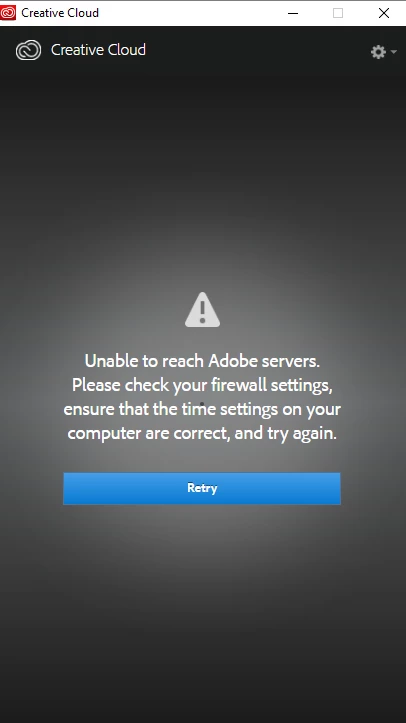
Unable to connect to Adobe servers, please check your firewall settings and time settings

  • June 28, 2017
  • 1 reply
  • 2551 views

I have been unable to download Photoshop on creative cloud and sometimes I cannot even log in! Sometimes it says error code 118 and others, can anyone help me on this, it would be greatly appreciated.
This topic has been closed for replies.
Correct answer Sheena Kaul

I have referred to the steps and it still doesn't work, my date and time is correct and I have an internet connection... it also says:

Exit Code: 113

-------------------------------------- Summary --------------------------------------

- 2 fatal error(s), 0 error(s), 0 warnings(s)

FATAL: Fatal Error '113' occurred while download

FATAL: Error occurred in download of package (Name: AdobePhotoshop18-Core_x64 Version: 18.1.1.252). Error code: '113'


Could you please see the steps mentioned in thread: Error 113 ?

Please share the results.

1 reply

Participant
June 28, 2017

I also have tried changing my DNS and contacted adobe and a lot of other stuff,

Sheena Kaul
Community Manager
Community Manager
June 28, 2017

Hi Sunny,

Have you referred to the steps as mentioned in the help document: Creative Cloud activation and sign-in troubleshooting ?

Let me know if any of it worked for you or share the outcome of the same.

Regards,

Sheena

Participant
June 29, 2017

I have referred to the steps and it still doesn't work, my date and time is correct and I have an internet connection... it also says:

Exit Code: 113

-------------------------------------- Summary --------------------------------------

- 2 fatal error(s), 0 error(s), 0 warnings(s)

FATAL: Fatal Error '113' occurred while download

FATAL: Error occurred in download of package (Name: AdobePhotoshop18-Core_x64 Version: 18.1.1.252). Error code: '113'