


Participant
March 8, 2012
Answered

How to not allow users to check or uncheck Enable Protected Mode

  • March 8, 2012
  • 1 reply
  • 17975 views

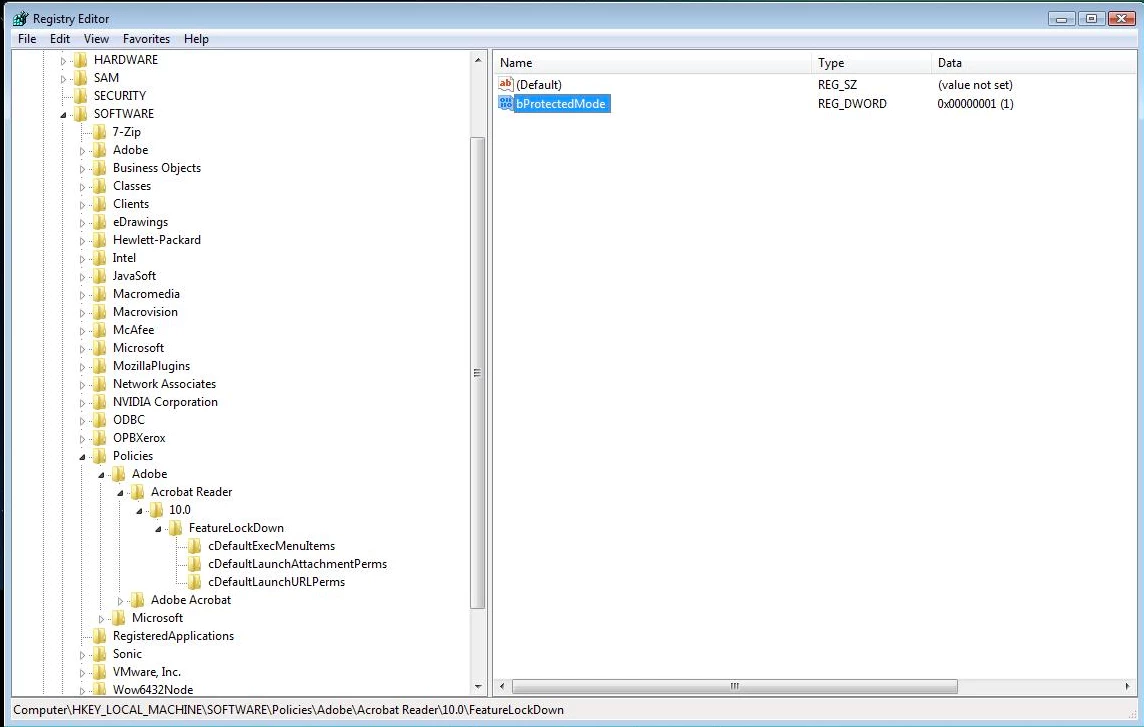
I know how to change the HKLM\Software\Policies\Adobe\Adobe Reader\10.0\FeatureLockDown\bProtectedMode to '1' to set the 'Enable Protected Mode at startup', but how do you disable to checkbox altogether so that users cannot change it?
This topic has been closed for replies.
Correct answer

Correct...


Seeing is believing:

1 reply

March 8, 2012

From AIM (Administrator's Information Manager)  Administrator's Information Manager

Data typeboolean: DWORD value > REG_DWORD
Default1
Since Ver. #10.0
PathPrivileged
Lock PathHKLM\SOFTWARE\Policies\Adobe\(product name)\(version)\FeatureLockdown
SummaryEnables Protected Mode and thereby sandboxes Reader processes.
DetailsProtected Mode is one of the application's most advanced security features and should be enabled to protect user systems and data. Possible values include:
  • 0: Don't enable protected mode.
  • 1: Do enable protected mode.
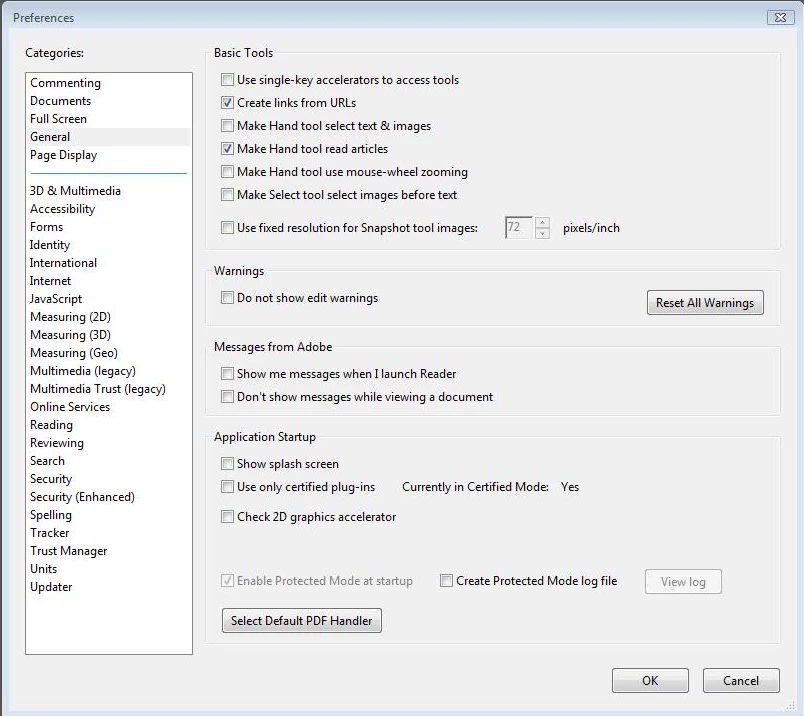
GUI mappingEdit > Preferences > General > Enable Protected Mode at startup
Participant
March 8, 2012

I already understand this...

I want to disable the ability to check or uncheck the 'File -> Preferences -> General -> Enable Protected Mode at startup' checkbox... NOT set it by default

Sandeep_V_
Participating Frequently
March 8, 2012

I guess you want to make it "grayed out/Read only" option so no one can change it. Right?

~Sandeep V.