

Unable to manage apps in Creative Cloud – “IT administrator permission required” on personal account
Creative Cloud says “No access to manage apps – IT administrator permission required” on a personal account (macOS Tahoe)
Hi everyone,
I’m running into a very frustrating issue with Adobe Creative Cloud and I’m hoping someone here has seen this before.
I’m getting the following message in Creative Cloud:
“You do not have access to manage apps. You might need to request permission from your IT administrator to get access to manage apps.”
The problem is — this is not a business, teams, or enterprise account.
Account details
-
Account type: Personal Adobe ID
-
Plan: Creative Cloud Photography Plan
-
Subscription: active and paid
-
The same account works perfectly on another Mac (Photoshop is installed and runs fine there)
What’s happening
-
On my second Mac, the Apps tab is disabled
-
I can’t install Photoshop or any other Creative Cloud apps
-
Creative Cloud behaves as if the account is managed by an IT admin, which is not the case
What I already tried
I went through pretty much every solution suggested online:
-
Signed out and back in to Creative Cloud
-
Fully signed out of Creative Cloud on the other Mac
-
Ended all active sessions so this is the only logged-in device
-
Completely uninstalled Creative Cloud
-
Used the Adobe Creative Cloud Cleaner Tool
-
Reinstalled Creative Cloud from scratch
-
Manually deleted Adobe folders:
~/Library/Application Support/Adobe/OOBE
/Library/Application Support/Adobe/OOBE
-
Restarted multiple times
-
Checked macOS privacy permissions (Full Disk Access, etc.)
Config file confusion
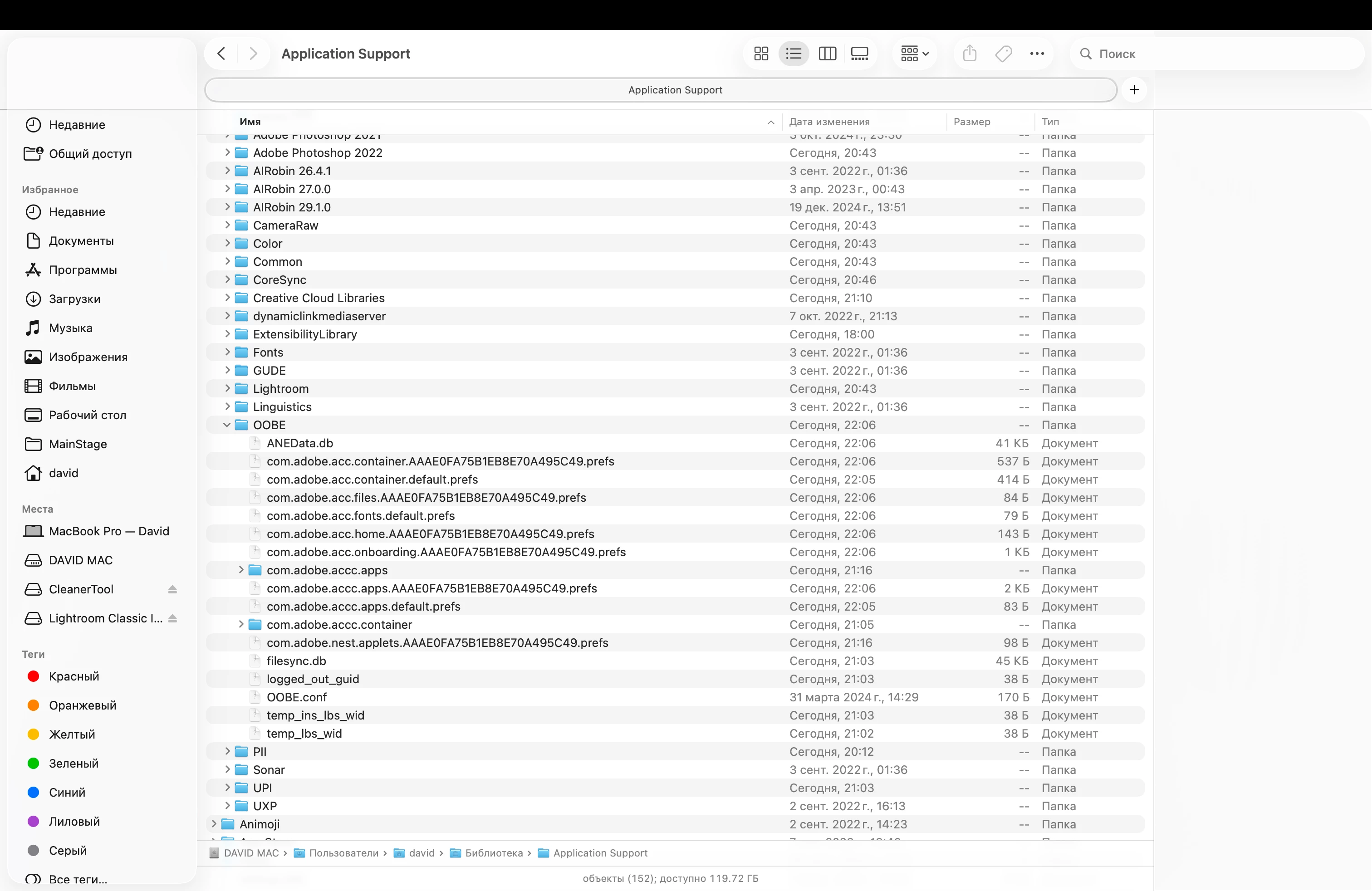
Many guides mention fixing this by editing or deleting a config file (like config.xml) inside the OOBE folder.
On my system:
-
There is no config file
-
There is no config folder at all
-
The files mentioned in those tutorials simply don’t exist
System info
-
Mac: Apple Silicon (M1)
-
OS: macOS Tahoe 26.2
Summary
-
This is a personal account, not managed by IT
-
License is valid and confirmed
-
Account is logged in on only one computer
-
All standard fixes don’t work
-
Issue happens only on this Mac (macOS Tahoe 26.2)
If anyone has found a workaround for this or knows whether this is a macOS Tahoe compatibility issue, I’d really appreciate any insights.
Thanks in advance!


 AdChoices