
Amir Mahdi Moslehi
Participant
June 10, 2021
Answered

Artboard Rotation while using touchpad for zoom in Illustrator 25.3

  • June 10, 2021
  • 64 replies
  • 122652 views

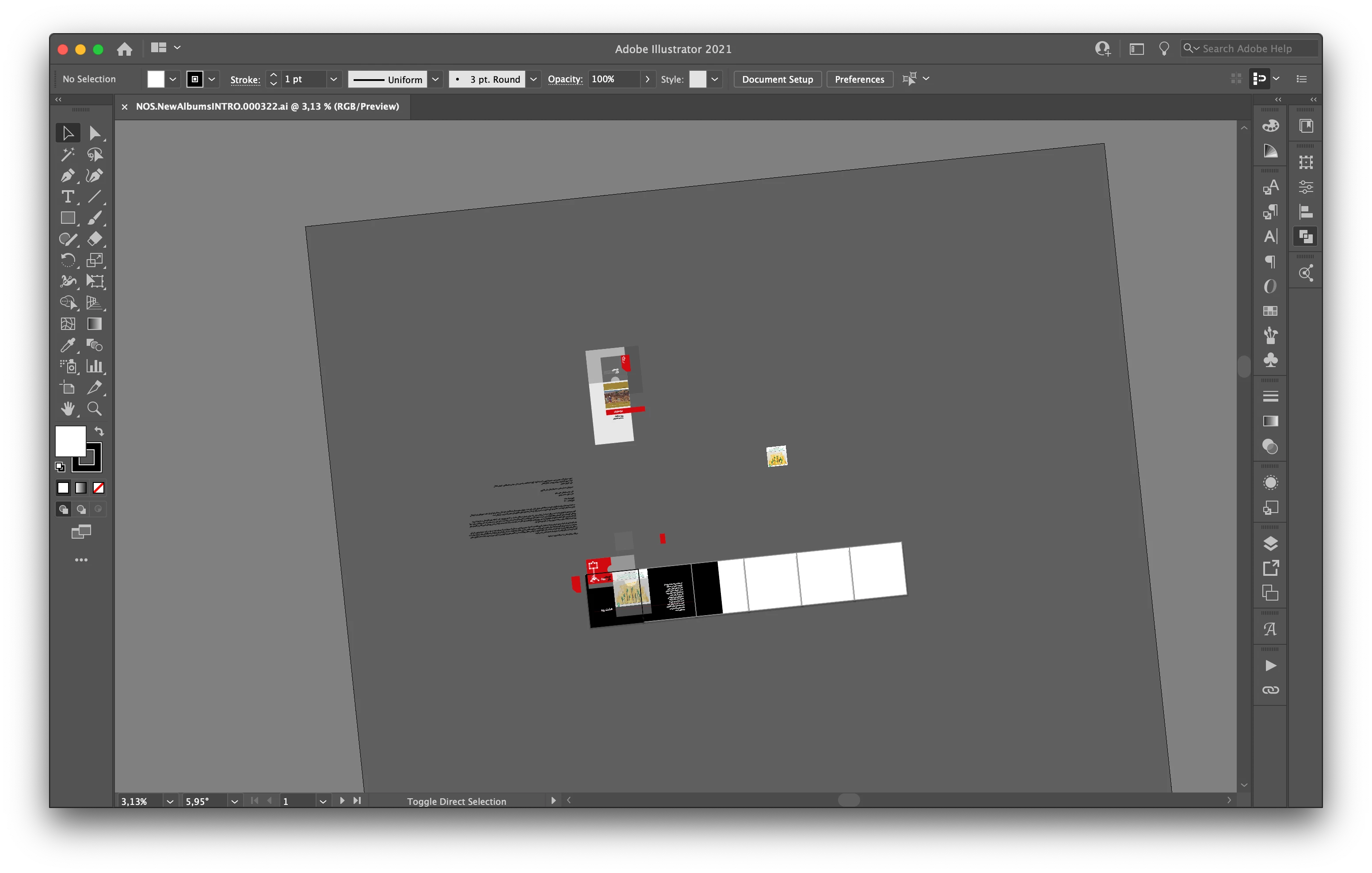
Hi, recently I faced a new problem. When I use the trackpad for zoom-in/out the artboard keeps rotating. I don't know how can I fix this problem.

Correct answer joannem27208843

Hi I solved this problem by going to macbook System Preferences> Track Pad >Scroll and Zoom > Rotate and uncheck rotate with two fingers .


Hope this helps if there isn't already another solution that i have missed. 

Jo 


64 replies

Participant
June 23, 2021

Is there a way to turn off the rotate view tool? I updated recently and I use my trackpad a lot and it's flimsy and rotates the entire rotation view, which is annoying to constantly reset. If there isn't a way, I think it'd be convenient to be able to turn this feature on/off when we want.

Doug A Roberts
Community Expert
Community Expert
June 23, 2021

As long as you don't use it for anything else, you can disable the gesture in your system trackpad prefs. There isn't a way within Illustrator. The screenshot is from High Sierra, yours may differ somewhat:

Participant
June 23, 2021

How do I disable rotate view? It is a nightmare on a macbook


Doug A Roberts
Community Expert
Community Expert
June 23, 2021

As long as you don't use it for anything else, you can disable the gesture in your system trackpad prefs. There isn't a way within Illustrator. The screenshot is from High Sierra, yours may differ somewhat:

Sophie Rawlingson
Inspiring
June 23, 2021

Is there anyway to lock Rotate View on Illustrator while using a laptop / Mac?


I see why the new feature is useful, but every other zoom in or out on my trackpad, I'm accidentally rotating the display which is very frustrating. I just want it to stay at zero degrees of rotation.

Doug A Roberts
Community Expert
Community Expert
June 23, 2021

The only way I can think of is to turn off the rotate gesture in your OS trackpad preferences. There is no way within Illustrator itself.

Sophie Rawlingson
Inspiring
June 23, 2021

Thanks Doug! This works well.

Participant
June 22, 2021

While selecting multiple objects holding down Shift key and then also panning holding down Spacebar, the Rotate View tool is activating and rotating the canvas in the middle of my action of selecting as I pan.  I don't understand this as these are not the short cut keys assigned to the Rotate View tool.  I went into keyboard shortcuts to delete any associated keys with Rotate View tool, but it is still engaging when I select (Shift) and pan (Spacebar).  How can I disengage the Rotate View tool altogether?


sishamIAGD
Community Expert
Community Expert
June 22, 2021
Participating Frequently
June 21, 2021

This new feature is DRIVING ME CRAZY! 

rheag20928400
Participant
June 21, 2021

My canvas on illustrator is getting rotated again and again and I am unable to fix it. please help.

Participant
June 18, 2021

This problem has me HEATED. I zoom in and out with my trackpad all day long with zero occasion for artboard rotation. ESC is the quickest way to reset the accidental rotation, but it also exists from full screen mode (which I work in.) So this new feature requires 4 or 5 keystrokes to correct, and return to my proper workstation. Adobe if you're listening please allow us to disable the trackpad rotation. 

Participating Frequently
June 16, 2021

The rotate view tool In Illustrator Is very sensitive and I keep accidentily rotating the view In Illustrator when Im not even trying too. All I want to do Is zoom In and out, but I have to zoom In and out extremely carefully or else I set off rotate view and the view rotates. I dont want the view to constantly rotate whenever I try to zoom In or out and I don't see myself needing to use this feature anytime soon, so Is there a way I can disable It or turn It off?


Thank you

Dan Rodney
Community Expert
Community Expert
June 16, 2021

I know Photoshop has a gesture that you can disable  Solved: How do I lock rotation view in Photoshop? - Adobe Support Community but I don't know of a rotate view option in Illustrator. I'm trying to do what you describe but I can't do that in Illustrator.

— Adobe Certified Expert & Instructor at Noble Desktop | Web Developer, Designer, InDesign Scriptor
Doug A Roberts
Community Expert
Community Expert
June 16, 2021

The rotate view tool was added in 25.3.


Tracy, can you tell us what hardware you are using? I've seen people mention this a lot but as I can't enable that particular gesture on my machine, I can't test it.


It may be possible to disable the rotate gesture in your system settings.

Participant
June 15, 2021

When I zoom in & zoom out on Adobe Illustrator 2021, my artboards automatically rotate, how to prevent this from happening? Can I disable rotate for artboards? It is very frustrating I will be thankful for any tips.

Doug A Roberts
Community Expert
Community Expert
June 15, 2021

Is this when using a trackpad?

What hardware are you using, to narrow it down? It may be possible to disable that particular gesture in your system settings.

rama_ai11751598
Community Manager
Community Manager
June 14, 2021

Thanks @Monika Gause 

@Amir Mahdi Moslehi you can also use Esc. key to reset the unintended rotation of canvas.

Participating Frequently
June 21, 2021

Guys, please implement a locking option for the rotation view.