ashleyw25736876
Participant
February 11, 2017
Answered

Can someone help demystify how primary text frames actually work?

  • February 11, 2017
  • 4 replies
  • 6202 views

Here's the scenario: I have a document that's set up to use facing pages with a primary text frame, and in that document I have multiple facing page masters, each of which is a mirrored layout: for example, the master named "Object Above" would have a text frame on the bottom and an empty graphic frame on the top of the left and right pages. The text frame on the left page is marked as a primary text frame and threaded to the one on the right. This pattern is repeated through all the masters in the document.

Now, let's say I set up a document with multiple pages based on different masters. While the masters are set up as facing pages, they are often applied to single pages in the document-- so a left page "Object Above" could be next to a right page "Object Outside". My expectation is that because all of the masters use primary text frames, when I paste content into Page 1 it will automatically flow into all of the existing primary text frames on the other pages. What happens instead is either nothing (if I have smart reflow turned off) or the document creates multiple new pages based on whatever master page one is (if I have smart reflow turned on).

In order to text to flow as I expect, I still have to manually thread all of the text frames in the document. But I thought the whole point of primary text frames was that you didn't have to do that-- InDesign would just know that any text should flow to the master frame of the next page.

Am I using the feature incorrectly, or just misunderstanding how it works? I've done a lot of digging on this topic but haven't been able to find any answers. If anyone can shed light on why I'm having this issue, I'd be grateful.

Correct answer rob day

Am I using the feature incorrectly, or just misunderstanding how it works?

I was checking my post and you can do this which might be close to what you are looking for:

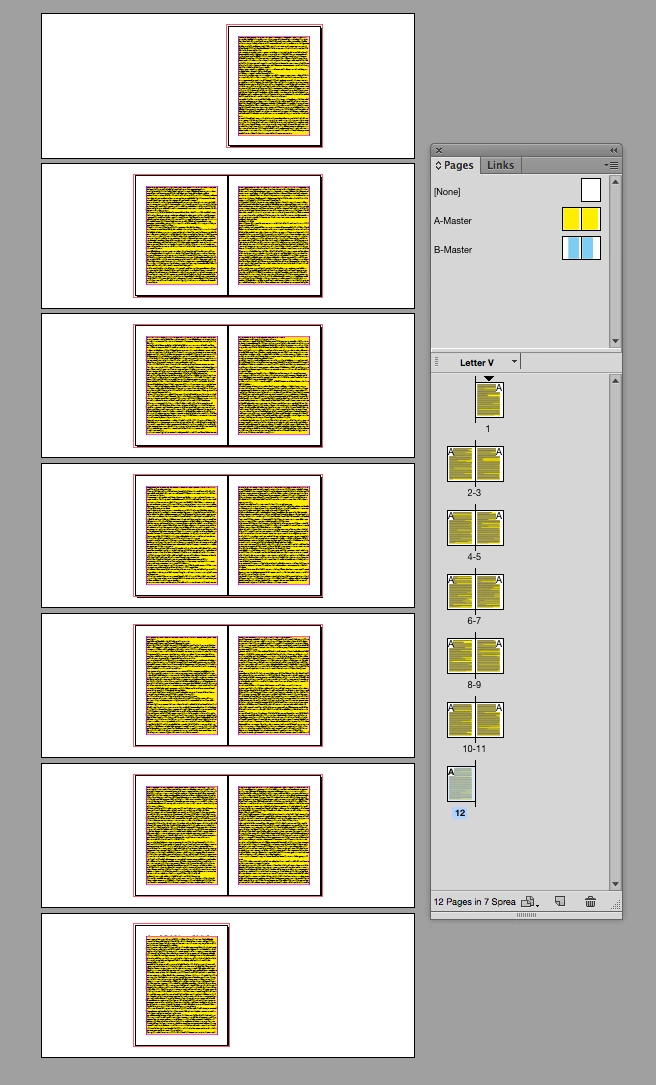
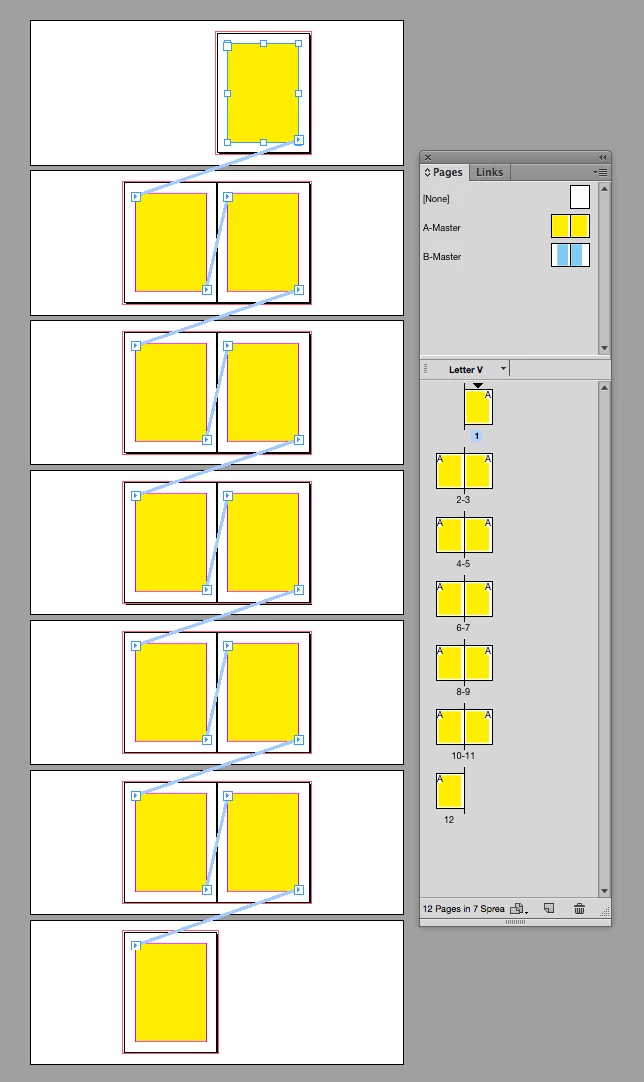
Here I've set up a 12 page doc with all A-master pages that have primary text frames and they are threaded.

If I add text to the primary thread it flows as expected:

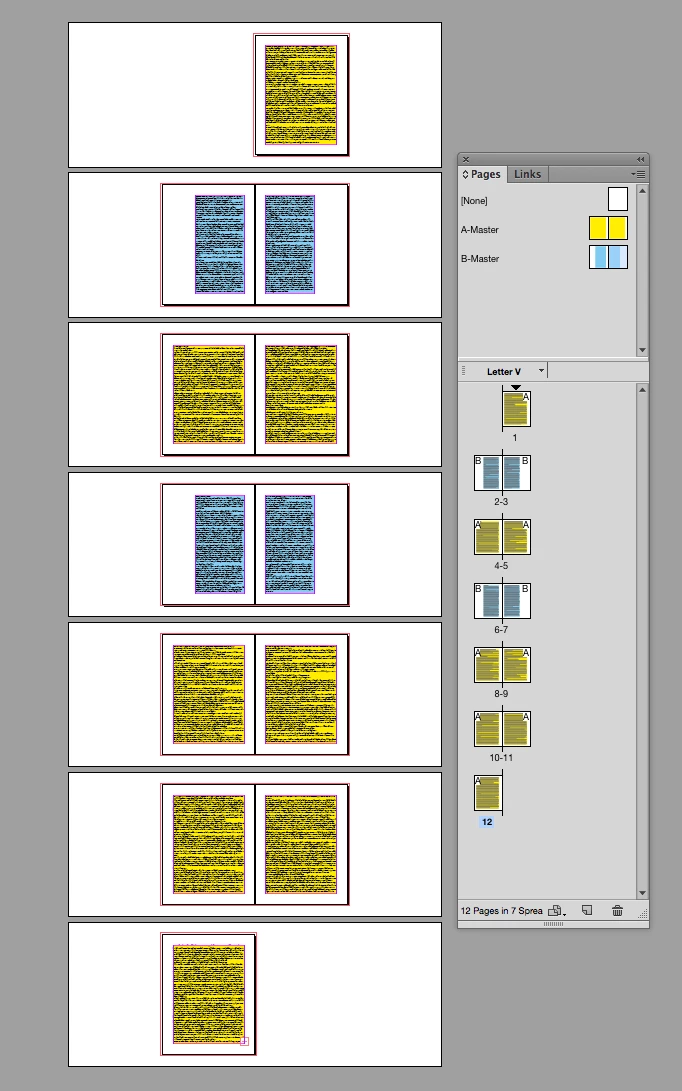
Then drag and drop B-masters (which also have primary text frames) on to 2-3 and 6-7, the primary frames from the two masters are smart enough to re-thread themselves:

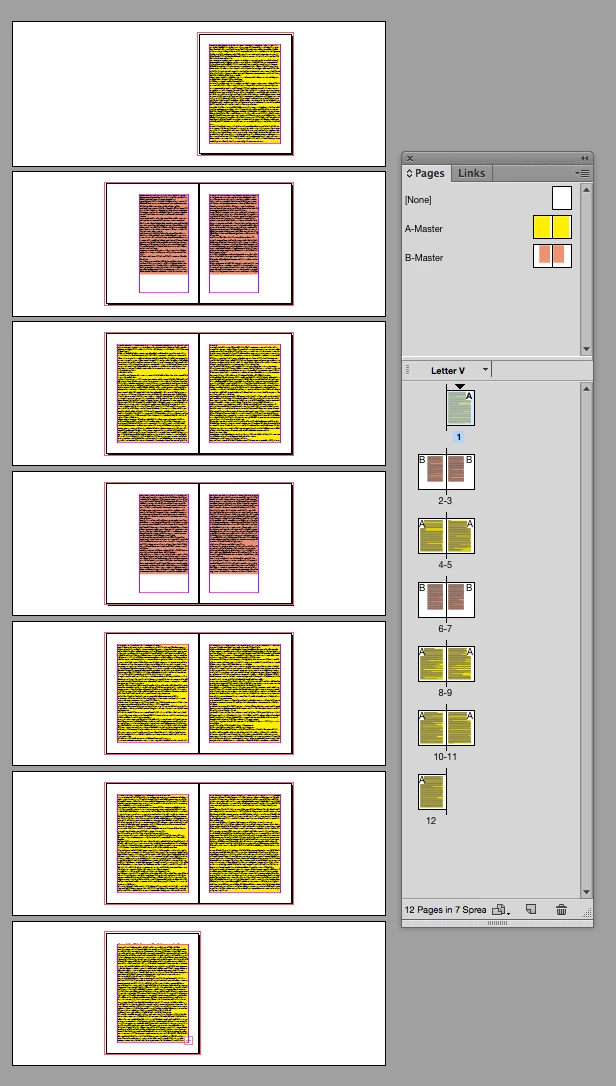
Then the B-master pages respond to a master page change:

4 replies

rob day
Community Expert
rob dayCommunity ExpertCorrect answer
Community Expert
February 12, 2017

Am I using the feature incorrectly, or just misunderstanding how it works?

I was checking my post and you can do this which might be close to what you are looking for:

Here I've set up a 12 page doc with all A-master pages that have primary text frames and they are threaded.

If I add text to the primary thread it flows as expected:

Then drag and drop B-masters (which also have primary text frames) on to 2-3 and 6-7, the primary frames from the two masters are smart enough to re-thread themselves:

Then the B-master pages respond to a master page change:

ashleyw25736876
Participant
February 13, 2017

This is exactly what I wanted! Between your post and Jane-E's I realized that my understanding of how primary text frames work was incorrect (though I think the correct implementation is unintuitive). I'll drag masters onto existing pages rather than inserting pages based on the desired master in order to achieve the setup I'm after. Thanks!

rob day
Community Expert
Community Expert
February 12, 2017

In order to text to flow as I expect, I still have to manually thread all of the text frames in the document. But I thought the whole point of primary text frames was that you didn't have to do that-- InDesign would just know that any text should flow to the master frame of the next page.

A primary text frame is simply a designated master page item that is automatically overridden when a page is created from that master, so autoflowing text wouldn't automatically go from A to some other master. The page's overridden primary text frame remains linked to its master and continues to act like a master page item.

ashleyw25736876
Participant
February 12, 2017

Depends on what you mean by inserting a new page one. What I typically do is set up, most of the pages I think I'll need in advance-- so I'll add a cover, a few spreads with each page set to a different master, then a back cover. I'd then click the text frame of page one and paste the content into it. The result is that the text overflows in that frame rather than automatically flowing into the master text frames on all the other pages. I then have to manually link the text frame to the other pages just as I would if I was working with a normal text frame.

cmgap
Community Expert
Community Expert
February 12, 2017

You may have already seen these but Adobe has articles covering this topic: Create text and text frames

Create text and text frames in InDesign

Thread text among frames in Adobe InDesign

jane-e
Community Expert
Community Expert
February 11, 2017

Are you inserting a new page one? If so, look at the frame with the selection tool and you will see empty ports, meaning it is not linked.

Instead, create the page 1 with a page break and it will be part of the thread.

It's okay to have multiple masters with a primary text frame.