Chris  P.  Bacon
Inspiring
August 17, 2022
Answered

Cannot delete top line of column

  • August 17, 2022
  • 2 replies
  • 826 views

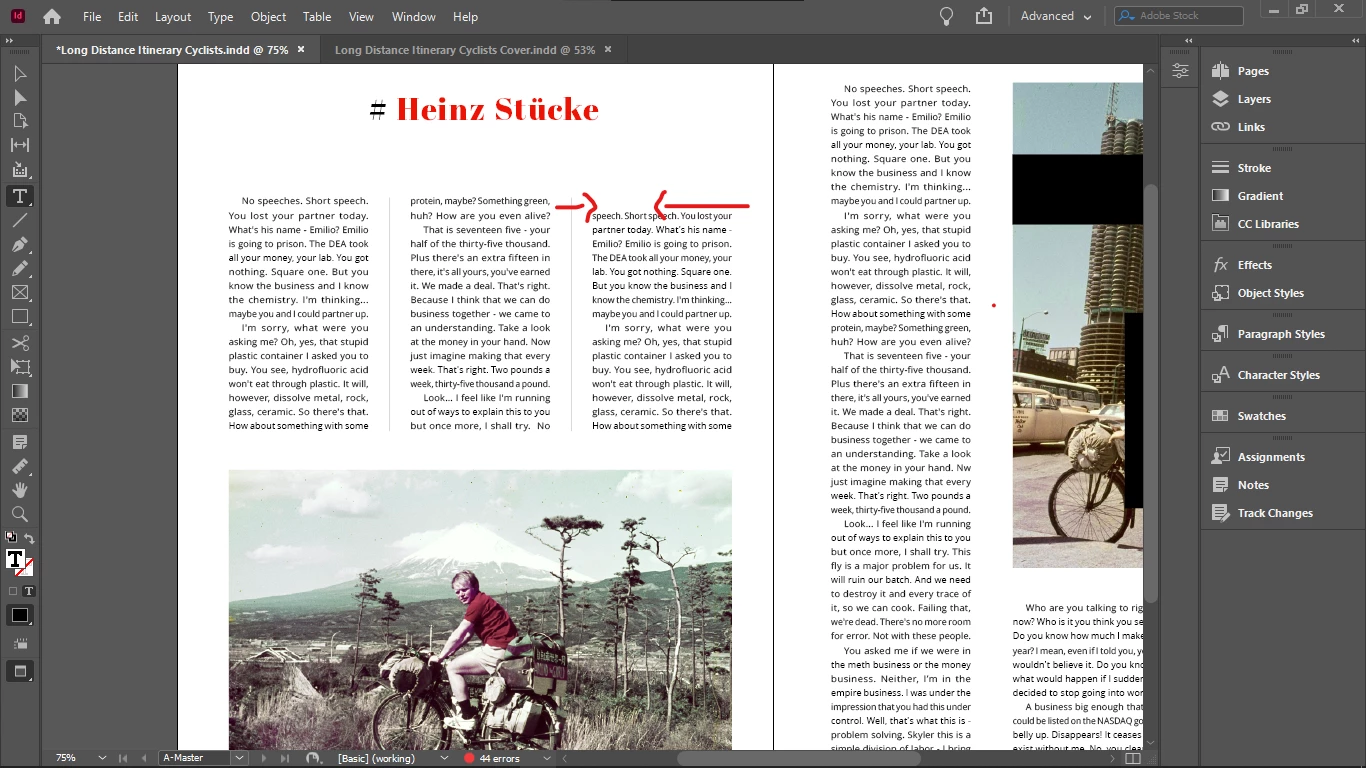
I cannot delete the top empty row from my column:


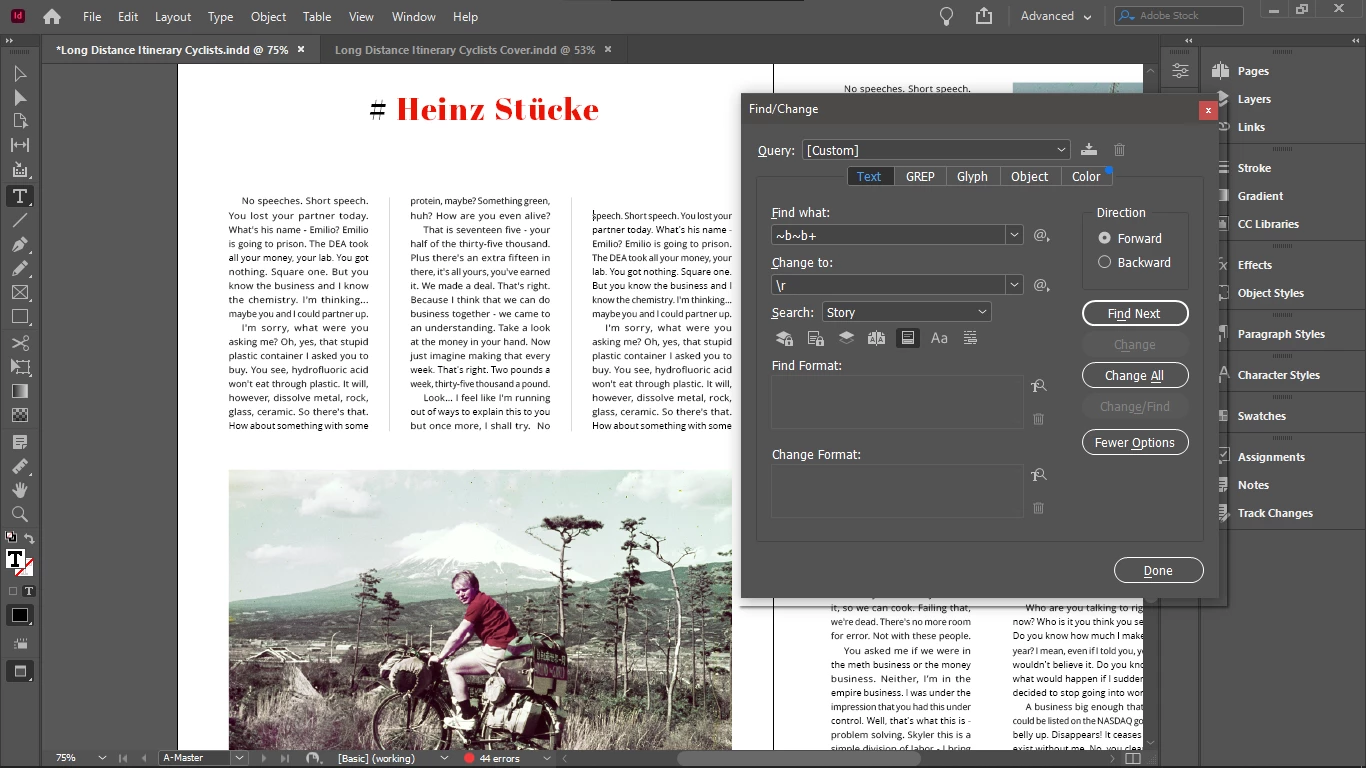
I tried double carriage return replacement:


It did not help. 

There are no hidden characters, i checked.


Here is a video of the issue (if I am allowed to embed Google Drive video):


<iframe src="https://drive.google.com/file/d/1NA5XvybURuXHVlD3CEZ8mmcEyIsBpVbJ/preview" width="640" height="480" allow="autoplay"></iframe>


What could be wrong here?

This topic has been closed for replies.
Correct answer Peter Spier

In my previous thread it was recommended to activate the feature to keep the first 2 and second 2 lines together, so I enabled it, ah, that's why I couldn't delete that empty line, good you told me.

How does keeping lines together help justification? I should know that because that's why it was recommended and that's why I enabled it.

I changed my placeholder text to english, I thought you just meant to use english instead of latin.

So you mean that it's better to copy out some text from real english articles instead and use that as placeholder text?

Or you meant that I should only do the justification when I have my real text that i have written?

So with the top alignment I shouldn't anymore encounter this issue?


Well yes, there's no point in doing final copy fitting until you have final copy to fit. I was just pointing out how, in the situation you illustrated, it would be fairly easy to get the extra line you need.

With top-aligned text that empty line would be at the end of the column. I don't think that would be considered bad form at the end of a story, but I would leave it up to your aesthetic sensibility to decide if it would be a sin to have an unbalanced column mid-story. Personally, I would try to avoid it, but it might be preferable to balancing that page if it makes things look worse elsewhere. There are ALWAYS tradeoffs in copy fitting.


2 replies

Community Expert
August 17, 2022

Is your text frame vertical justification set to Bottom in the Text Frame Options?

Chris  P.  Bacon
Inspiring
August 17, 2022

It was set to center, setting it to top fixed the issue.

Reformatting the text in an online tool and removing all line breaks also fixed the issue.

However because my text is set to be aligned to the baseline grid, the upper row shouldn't stay empty, no matter what is the vertical alignment...

I will see if the problem still persist with vertical alignment changed to top.

It worked though.

Chris  P.  Bacon
Inspiring
August 17, 2022

This is a classic case of where editorial intervention of some sort is required to fix the copy fitting, and tracking the spaces in that last graph in column two slightly should add another line without affecting the next page.


In my previous thread it was recommended to activate the feature to keep the first 2 and second 2 lines together, so I enabled it, ah, that's why I couldn't delete that empty line, good you told me.

How does keeping lines together help justification? I should know that because that's why it was recommended and that's why I enabled it.

I changed my placeholder text to english, I thought you just meant to use english instead of latin.

So you mean that it's better to copy out some text from real english articles instead and use that as placeholder text?

Or you meant that I should only do the justification when I have my real text that i have written?

So with the top alignment I shouldn't anymore encounter this issue?


Chris  P.  Bacon
Inspiring
August 17, 2022