michaela_sue
New Participant
November 19, 2016
Answered

Create a horizontal rule - in Indesign - that will export to epub

  • November 19, 2016
  • 1 reply
  • 5533 views

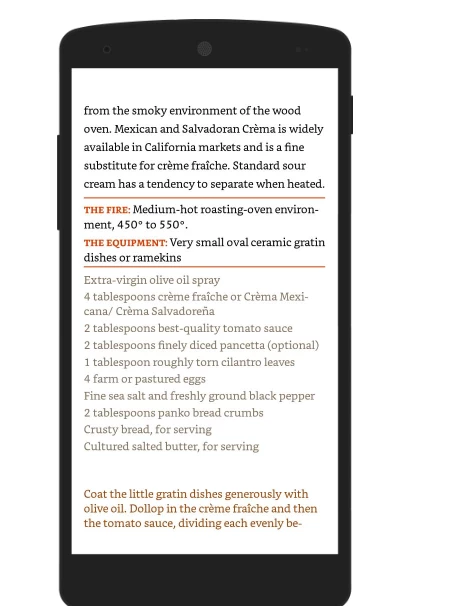
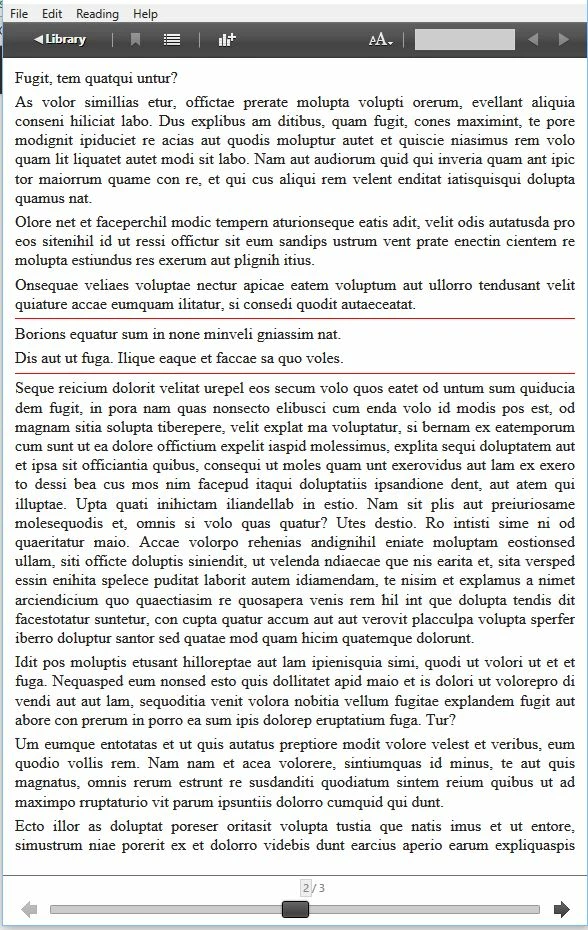
I'm making a reflowable epub in indesign that will be used for kindle devices. Can anyone tell me if it is possible to make a horizontal rule (Just a simple <hr> that will span the width of whatever screen it viewed) in my indesign document that will export? I attached an example of what I want—and I only got that to work by placing it as an above line object.
This topic has been closed for replies.
Correct answer Marvest

Hi,

two things are needed:

1.

two paragraph styles, if this are two paragraphs! Otherwise the two paragraphs could be exported as one para and separated with a shift return.

2. Search the two styles in the css and add.

.myStyleAbove {

  1px solid red;

}

.myStyleBelow {

  1px solid red;

}


Hi Kai,

The ideal situation would be to include Additional CSS using Add Style Sheet while exporting to ePub. That way you don't have to crack open it after the fact. I tried your code but it didn't work. This is what works for me assuming two paragraphs named Rule-above and Rule-below respectively:

p.Rule-above{

border-top: 1px solid red;

padding-top: 5px;

}

p.Rule-below{

border-bottom: 1px solid red;

padding-bottom: 5px;

}

This is the result:

1 reply

Sandee Cohen
Legend
November 19, 2016

I'm interested in the answer. I think the only way to do it is with customized CSS that are defined outside of InDesign.

michaela_sue
New Participant
November 20, 2016

Do you think an HTML snippet might work? I can get a small line to appear when adding an HTML - but I can't seem to change any of it's attributes (ie width, size, align)

Kai Rübsamen
Participating Frequently
November 26, 2016

Hi,

two things are needed:

1.

two paragraph styles, if this are two paragraphs! Otherwise the two paragraphs could be exported as one para and separated with a shift return.

2. Search the two styles in the css and add.

.myStyleAbove {

  1px solid red;

}

.myStyleBelow {

  1px solid red;

}