pariss99445668
Participating Frequently
November 15, 2018
Answered

Create Custom Guides

  • November 15, 2018
  • 3 replies
  • 1326 views

Hi all,

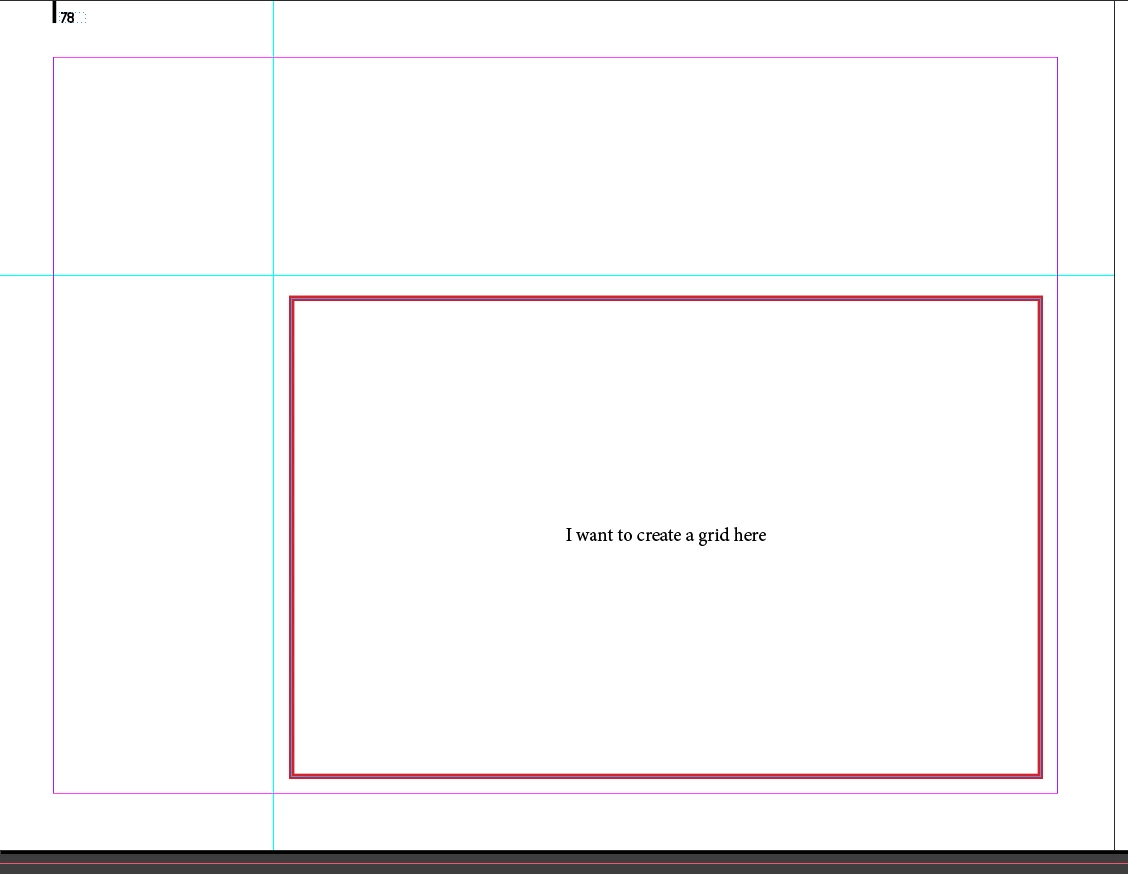
I have two guides that divide my page into four areas. I want to create a grid inside to bottom right.

Apparently, I could do it manually, but wondering if there is a way to have the accuracy and options that the "Create Guides" feature gives you...

Best,

P.
    This topic has been closed for replies.
    Correct answer Laubender

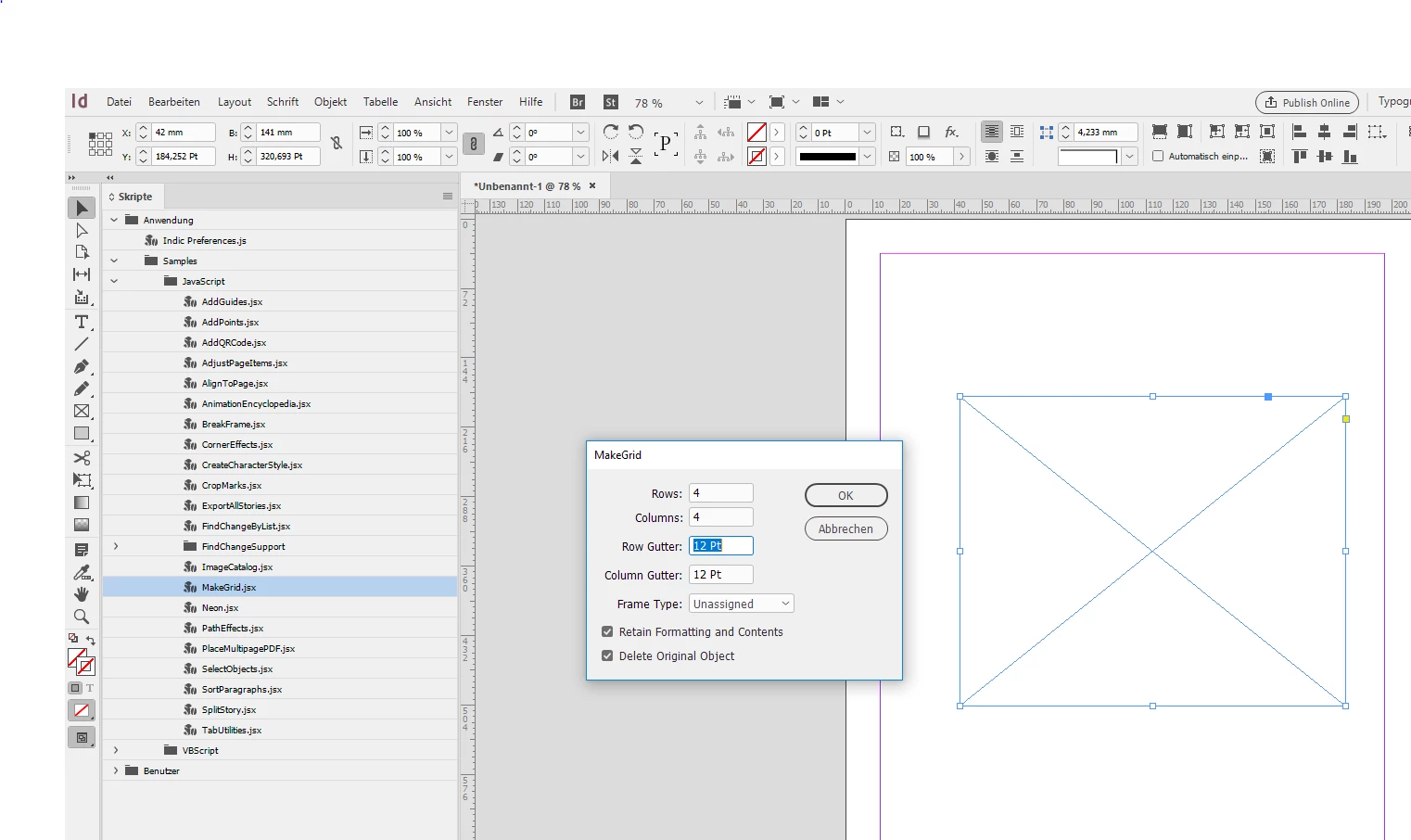
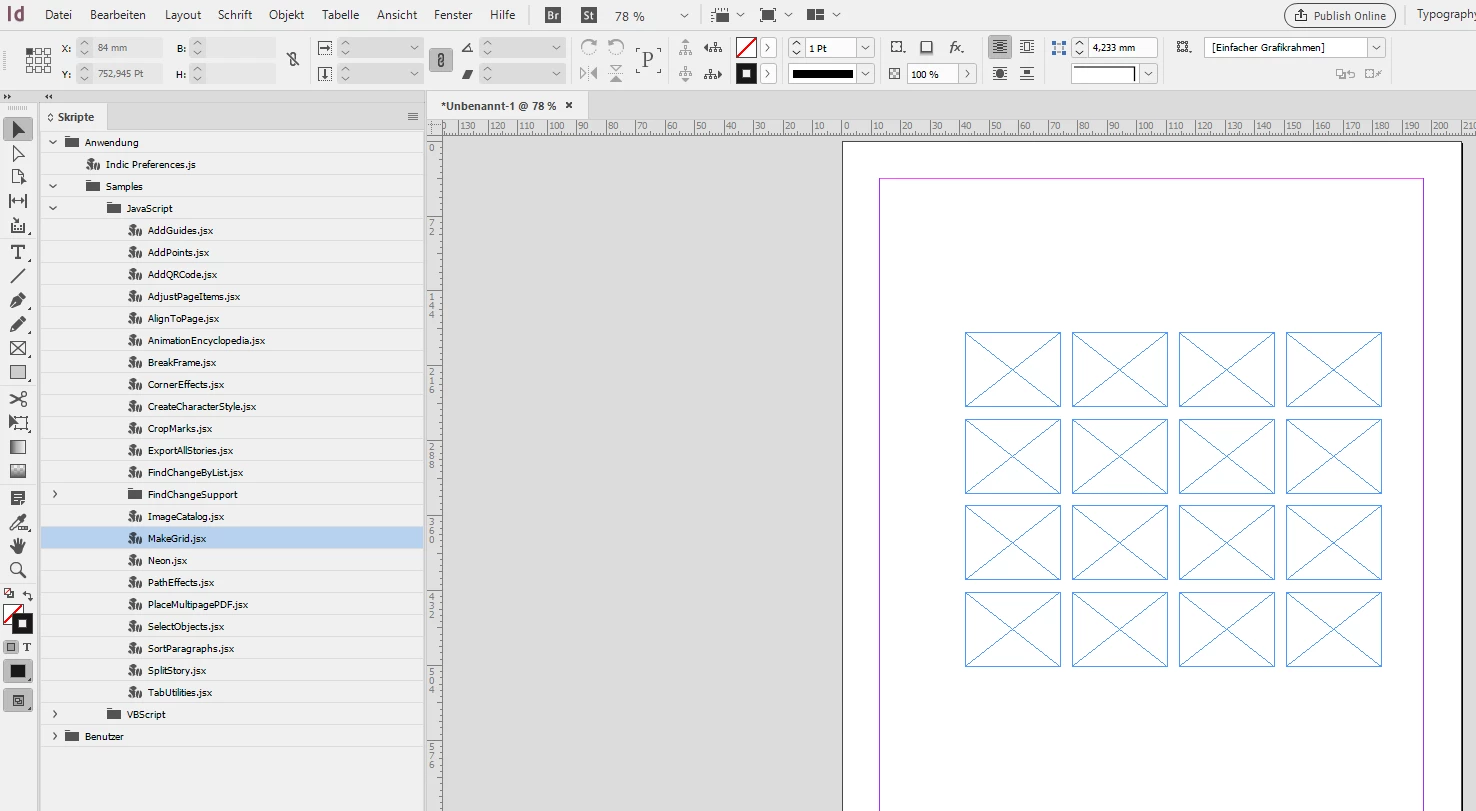
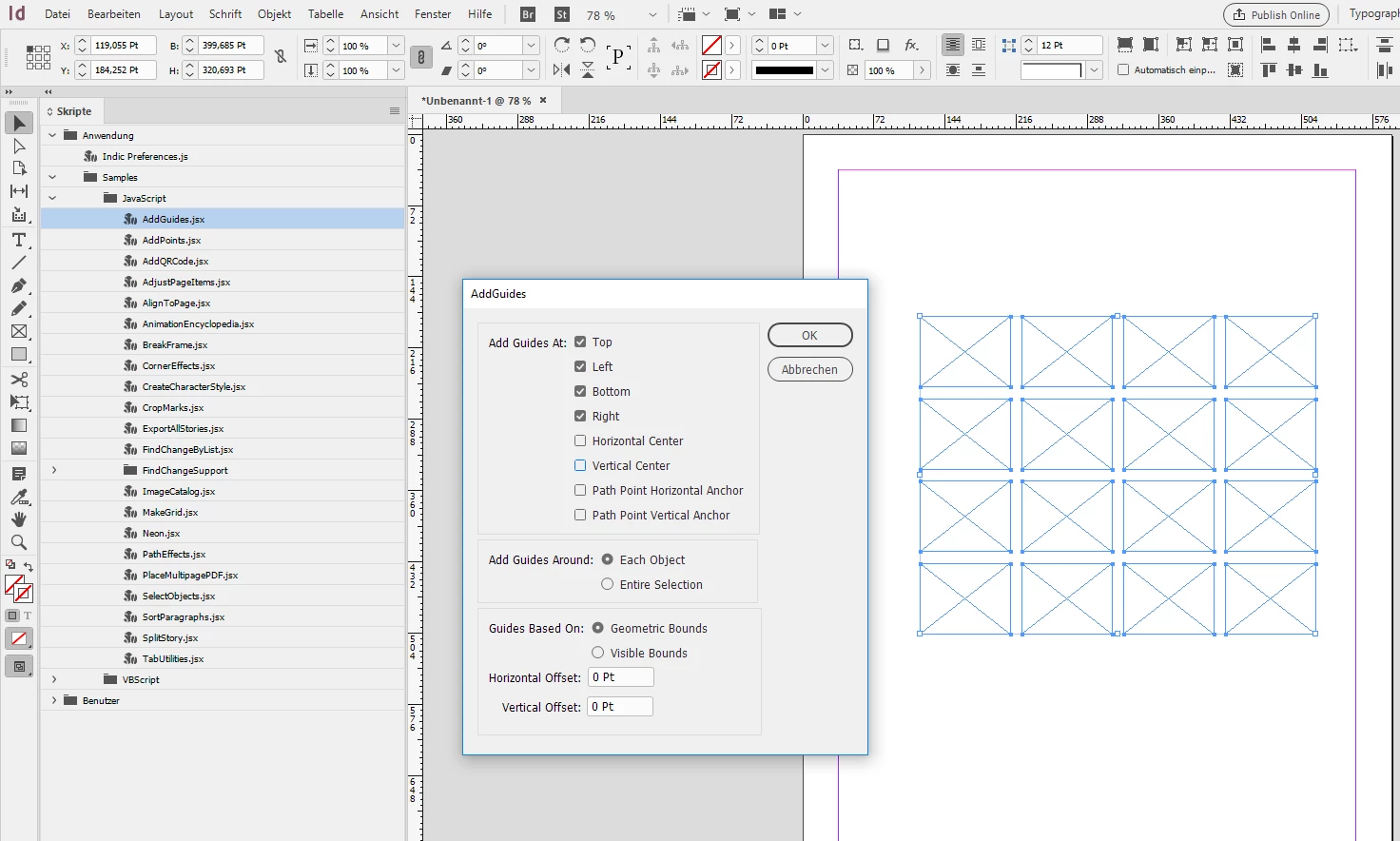
    If you want a grid of guides out of your rectangle, then I suggest a two-step process:

    1. Use the MakeGrid.jsx script that you can access in your Scripts panel:

    2. Then use the AddGuides.jsx script:

    Finally remove the objects that MakeGrid.jsx has done.

    Regards,
    Uwe

    3 replies

    pariss99445668
    Participating Frequently
    January 6, 2019

    vinny38 Yeah! Exactly (sorry for the delay in coming back).

    Community Expert
    January 6, 2019

    Hi pariss99445668 ,

    did you try my suggestion I did in reply 3 ?

    Regards,
    Uwe

    pariss99445668
    Participating Frequently
    January 6, 2019

    Yeah, was great. Didn't even have to do step 2.

    Cheers

    vinny38
    Legend
    November 15, 2018

    Is this what you're trying to achieve?

    Community Expert
    November 15, 2018

    Hi pariss99445668 ,

    what kind of grid would that be?
    A grid of guides? A grid of strokes? A grid of rectangles or squares?

    Regards,
    Uwe

    pariss99445668
    Participating Frequently
    November 15, 2018

    Sorry, yes, a grid of guides. Similar to one one can create with the "create guides" feature.