
jacquesh54260400
Participant
August 23, 2025
Answered

Footnotes at the Bottom of Page

  • August 23, 2025
  • 2 replies
  • 537 views

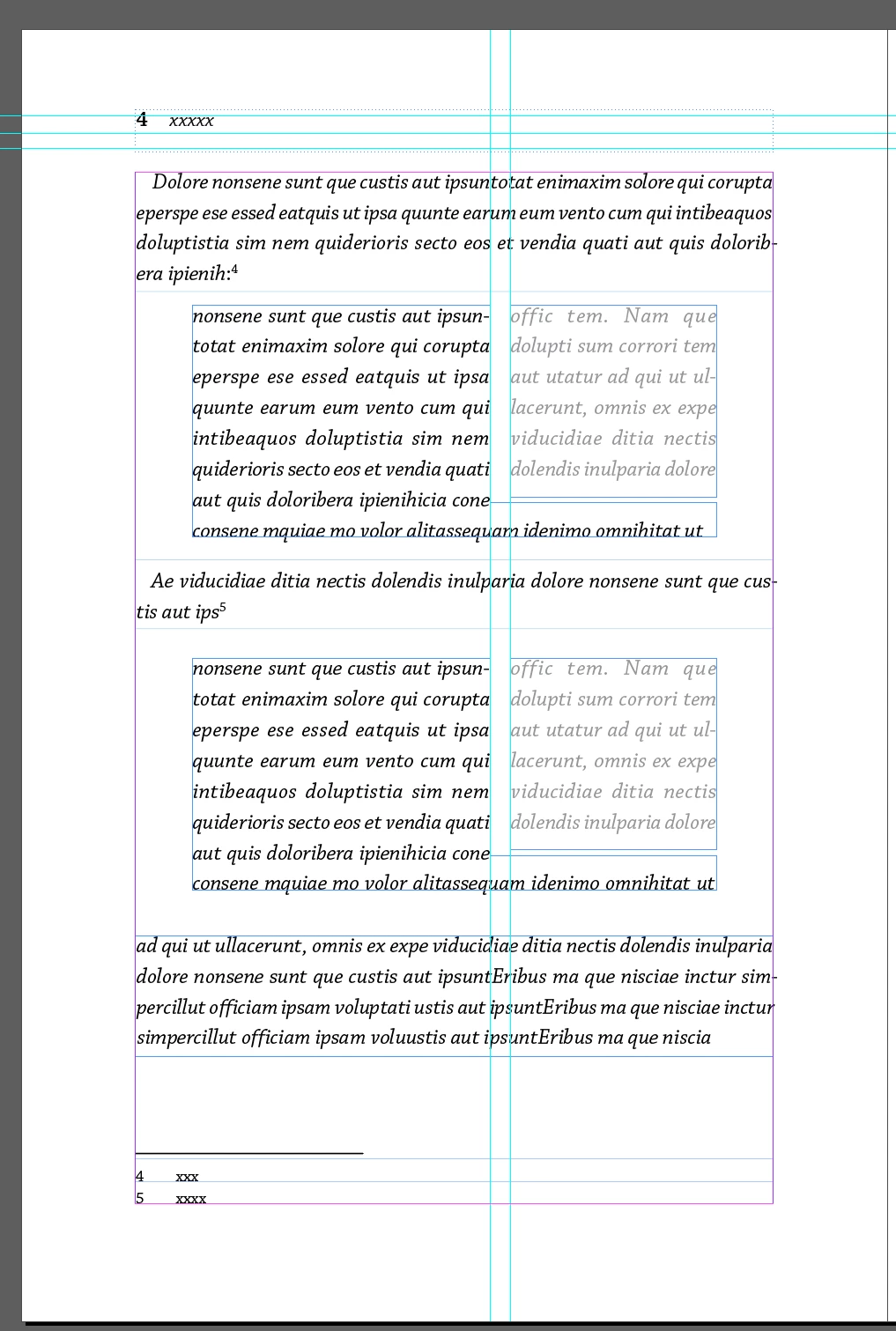
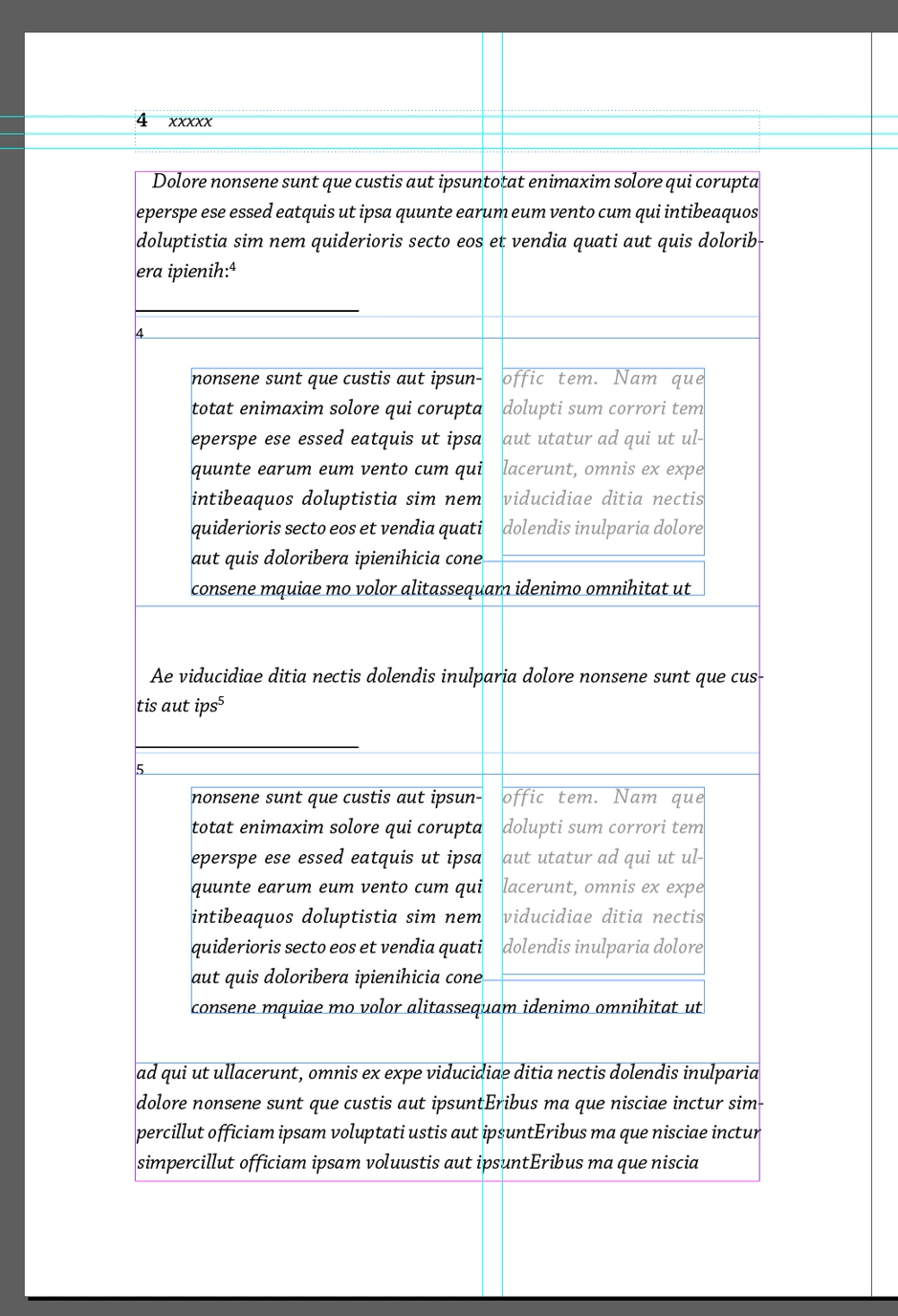
Hi, we are trying to set up a file with some of the text wrapped around side by side, which means there will be several text boxes on every page, we need the footnotes to be at the bottom of each page as shown in the first image and not at the bottom of the text box it is referenced in (second image). Any suggestions how to do it? With a script? Detach the notes? how? Thank you!


Correct answer Eugene Tyson

Think you can convert your Footnotes to Endnotes then manually insert them at the bottom of all the pages. That's the way I used to do it back in the day when footnotes could not span columns. 


But then you're left manually checking the document that the footnote reference is on the same page as the footnote itself. 


Once you have the endnotes - you can then insert a text frame at the bottom of the page and insert the text from the endnote section. 

2 replies

Peter Kahrel
Community Expert
Community Expert
August 24, 2025

As Eugene mentioned, if you want the footnotes at the foot of the page, you'll have to have all the text in a single text frame. That seems possible when you incorporate the text that's now in separate frames into the main text, and set it (what used to be in separate frames) in two columns (Type > Paragraph > Span columns > select Split columns).


Text anchors, also mentioned by Eugene, are an option but they dob't split across pages.

jacquesh54260400
Participant
August 24, 2025

Thank you so much!

Anchoring could be an option - that way text could be wrapped around.

If we do want to keep this layout, is there a script that detaches footnotes? 

Eugene TysonCommunity ExpertCorrect answer
Community Expert
August 24, 2025

Think you can convert your Footnotes to Endnotes then manually insert them at the bottom of all the pages. That's the way I used to do it back in the day when footnotes could not span columns. 


But then you're left manually checking the document that the footnote reference is on the same page as the footnote itself. 


Once you have the endnotes - you can then insert a text frame at the bottom of the page and insert the text from the endnote section. 

Community Expert
August 24, 2025

You don't need separate text frames.


The middle parts could be a table with cells or just indented text. 


Keep everything in a single text frame if possible. 


jacquesh54260400
Participant
August 24, 2025

Thank you! But I need the text to wrap around each other which cannot be done in a table or indented text. (In the picture there is only one line wrapped around below the grey text but many times it's more than that.) Any other suggestions?


Community Expert
August 24, 2025

One text frame is the answer here to all of this. 


There's no need to separate  your text frames and have multipe. 


On the middle items - apply a a Text Wrap 

And keep 1 text frame for the rest. 

https://helpx.adobe.com/ie/indesign/using/text-wrap.html


Ideally to keep all the info together you should anchor your middle items into the text frame too - so it all flows together. 

https://helpx.adobe.com/ie/indesign/using/anchored-objects.html


If you can't figure it out (seems like an unnecessarily complex layout)  export a sample layout to IDML and attach it here can have a look for the ideal way to keep it flowing.