dublove
Legend
June 2, 2025
Answered

How do I apply paragraph styles without affecting other lines that follow?

  • June 2, 2025
  • 4 replies
  • 1293 views

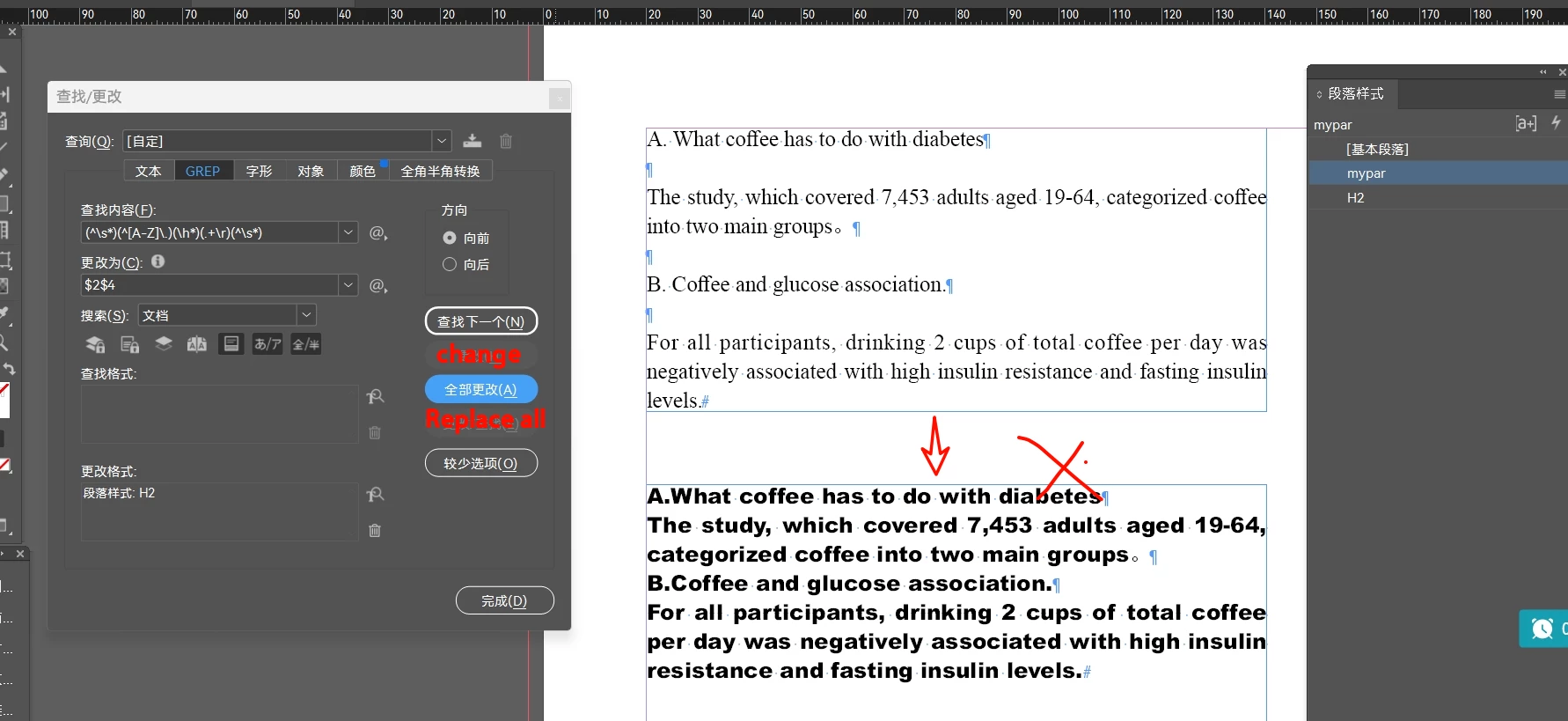
Clicking “Replace” several times seems to be normal.
But click Replace All, and all the text in the back becomes H2.

This question has been bothering me for a long time. I seem to have done it in two parts before.

How to solve it?


Do I need to do this in two steps?
Apply the style first, then delete the null?

Can't it be just one step?

Is it possible to implement this on regular expressions?

(^\s*)(^[A-Z]\.)(\h*)(.+\r)(^\s*)
Correct answer m1b

It just can't delete the empty line after it.
I'm still a little better with 2 steps:
Remove the blank line first, then apply the style.


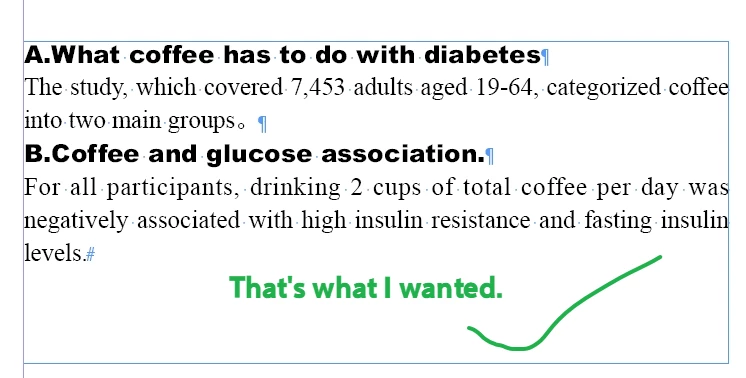
@dublove It *does* delete the line after (and before):


But as I said, it is better to do this in two operations, removing the empty paragraphs first.

- Mark

4 replies

rob day
Community Expert
Community Expert
June 2, 2025

Hi @dublove , It sounds like this might be a case for the Object Styles Options’ > Paragraph Styles > Apply Next Style, which lets you repeat a loop of multiple Paragraph Styles with one click:


The Paragraph Styles’ Next Style setting creates the loop:


dublove
dubloveAuthor
Legend
June 3, 2025

@rob day 

Not saying otherwise, I'm just giving an example.
How to apply styles while deleting blank lines without affecting the text that follows.

Mike Witherell
Community Expert
Community Expert
June 2, 2025

Generally, when searches include \r hard returns, the paragraph style gets applied to both paragraphs. So when you GREP search, it is better to Match... with a Positive Lookahead for a hard return. That way it sees it without including/selecting it.

Mike Witherell
dublove
dubloveAuthor
Legend
June 3, 2025

@Mike Witherell 

I probably know what you mean, we can use (? =\r).
That is, you can't apply styles and remove blank lines at the same time.
That seems to be the only way to do it.

m1b
Community Expert
Community Expert
June 2, 2025

I cannot test right now on my phone but perhaps try this:

^[A-Z]\.

One problem is you are matching text into the next paragraph so it will be styled too. Also, to apply a paragraph style you only need to match *any* text in a paragraph. 
- Mark

dublove
dubloveAuthor
Legend
June 3, 2025

I'm just giving an example, my main purpose is to illustrate:
Finding and applying styles when there are blank lines before and after, as well as deleting the blank lines, and how it doesn't affect the text that follows.

m1b
Community Expert
Community Expert
June 3, 2025

@dublove  Oh sorry, I didn't understand correctly.


I wouldn't recommend doing it in one operation, just because it is much easier to construct the grep and understand the consequences if you do in two, simpler operations.


But if you must do it in one go, maybe something like this should remove leading or trailing paragraphs from the target paragraph:

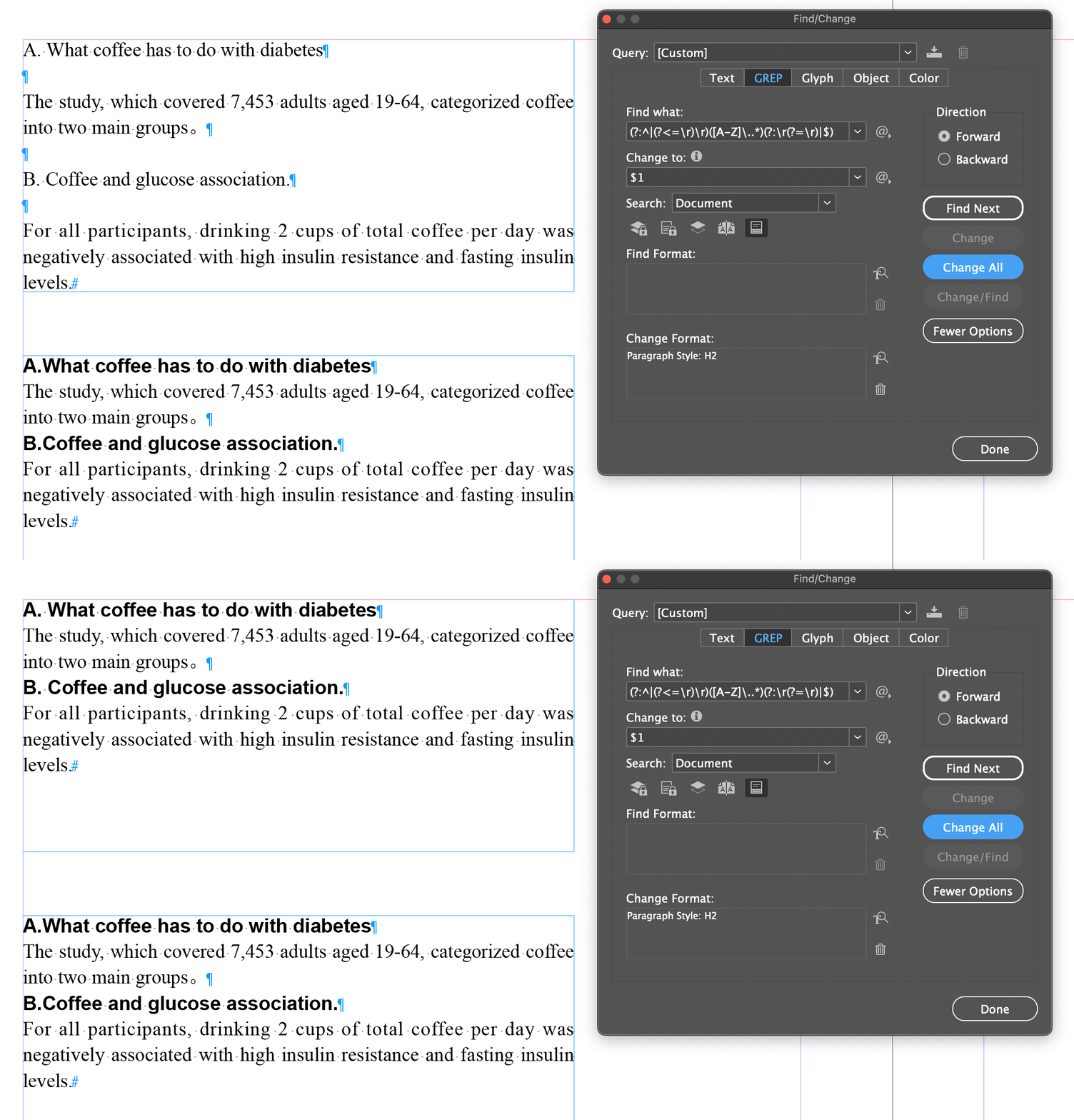
(?:^|(?<=\r)\r)([A-Z]\..*)(?:\r(?=\r)|$)

And replace with:

$1


The critical issue is that your grep doesn't match anything in the surrounding paragraphs because then they will have the paragraph style applied also. In the grep above I used lookarounds to "look into" the previous and next paragraphs without matching them (this is what @Mike Witherell described). I also used two non-capturing groups (?: ) just to keep it cleaner.

 - Mark

Willi Adelberger
Community Expert
Community Expert
June 2, 2025

Click with the text tool once into the text to apply the style to a single paragraph, select several paragraphs to apply text to several paragraphs. Don't select the frame and apply the style. It will apply the style to all text of an unlinked text frame.

dublove
dubloveAuthor
Legend
June 2, 2025

Hi Willi Adelberger

You don't seem to understand what I'm saying.

Frans v.d. Geest
Community Expert
Community Expert
June 2, 2025

Willi missed the GREP part it seems 😏