Known Participant
January 13, 2022
Answered

How do I raise the bar/line in the footnotes up a bit?

  • January 13, 2022
  • 1 reply
  • 440 views

Good afternoon,
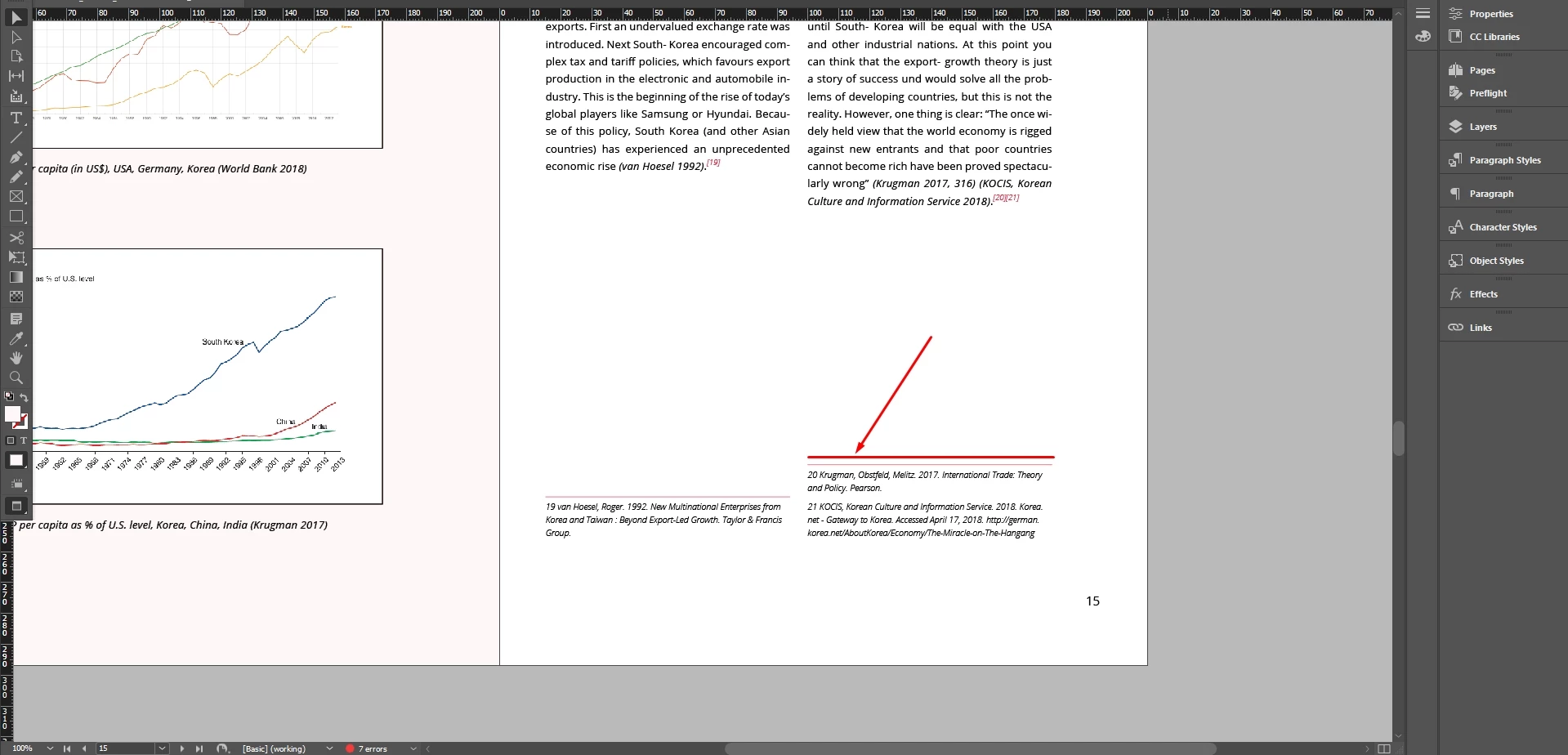
I can't find a function to raise the line slightly above the bottom footnotes. I would be very happy to hear from you (with a skinshot or a link to a video tutorial if possible).

Thank you!
 

This topic has been closed for replies.
Correct answer turner111

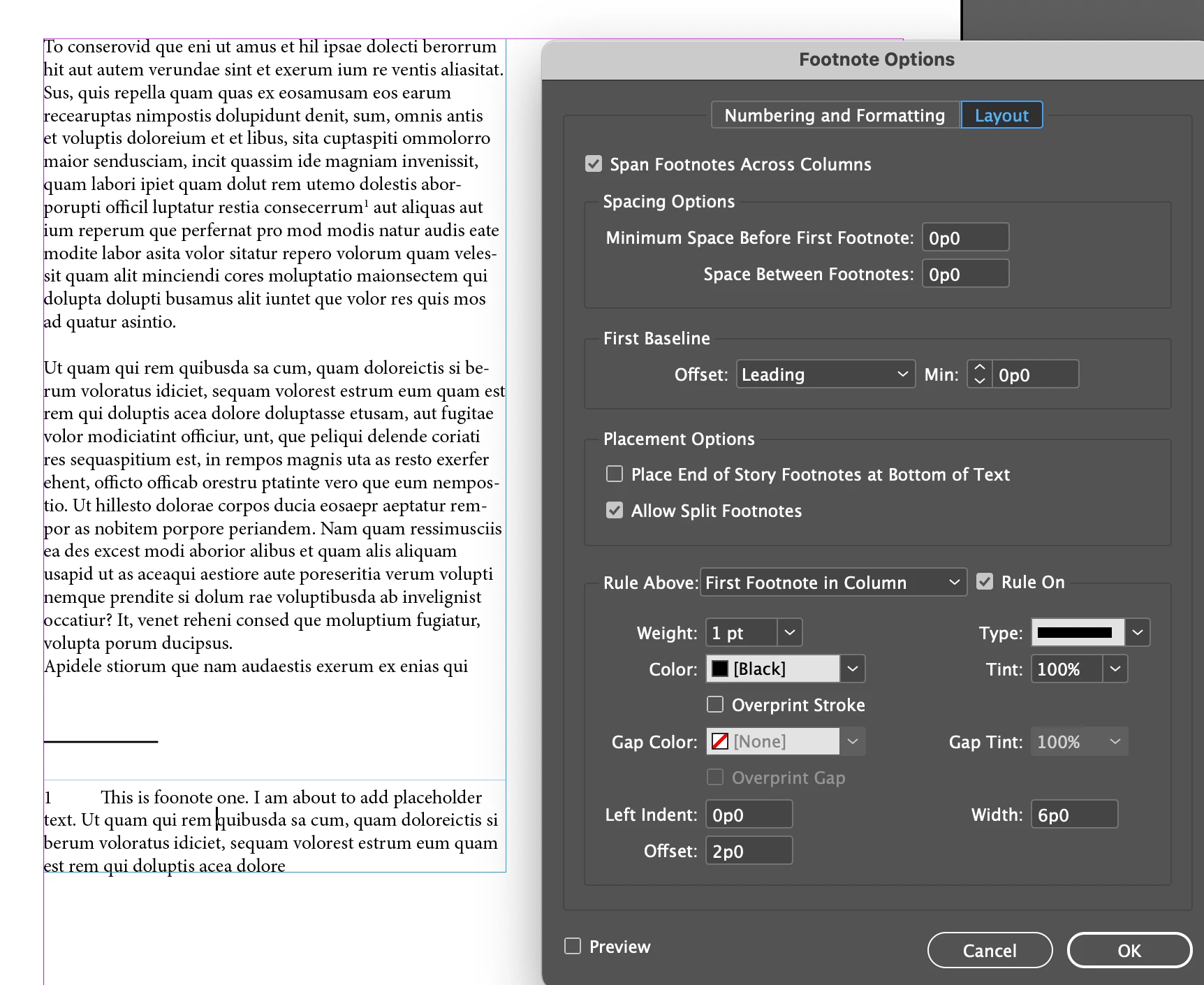
I didn't see if you tried "offset" (at the very bottom of the Footnote Options window) - here I have it set to 24 pt (2p0):


I may be misunderstanding your question, though.... ?

1 reply

Inspiring
January 13, 2022

Hi -


See Type > Document Footnote Options... > Layout


at the bottom - "Offset"


Good luck!

LeoekfwmfAuthor
Known Participant
January 14, 2022

Thank you. 

That's not how it works. When you interact with this function, the distance between the footnotes at the bottom changes as well. You can see it in the video.

All I wanted was to raise the line 2-3 millimeters up. 

Is there anything else you can do?

turner111Correct answer
Inspiring
January 14, 2022

I didn't see if you tried "offset" (at the very bottom of the Footnote Options window) - here I have it set to 24 pt (2p0):


I may be misunderstanding your question, though.... ?