Participant
September 23, 2021
Answered

How to Align Text to the Top of the Frame in Adobe InDesign When Baseline Grid Isn't Aligning

  • September 23, 2021
  • 6 replies
  • 6682 views

Hello, I am trying to align my text to the top of the frame, the lines are not aligned to the baseline grid, the text frame options were set to cap hight, but it still won't align.
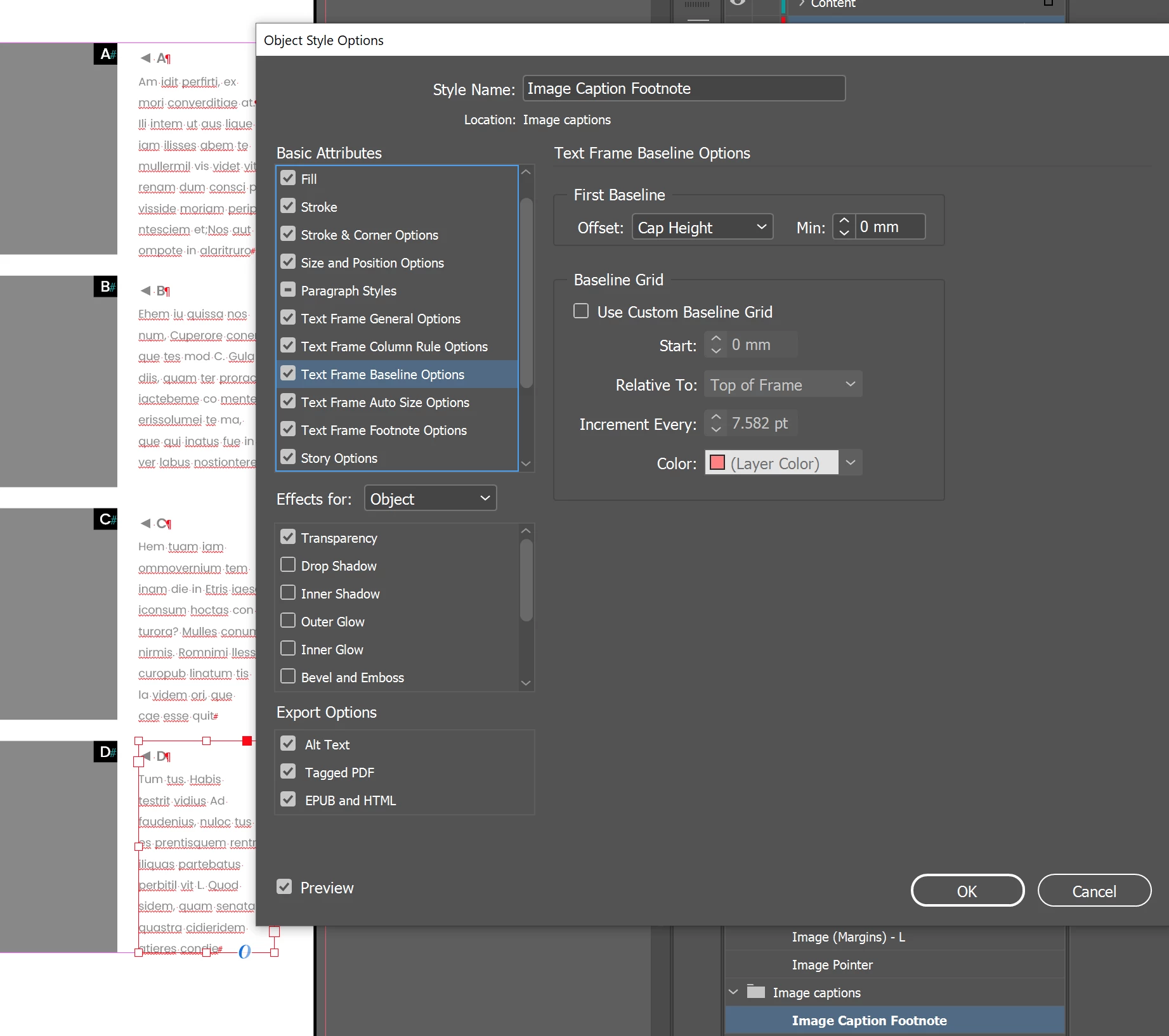
What am I misssing?


<Title renamed by MOD>
 

This topic has been closed for replies.
Correct answer rob day

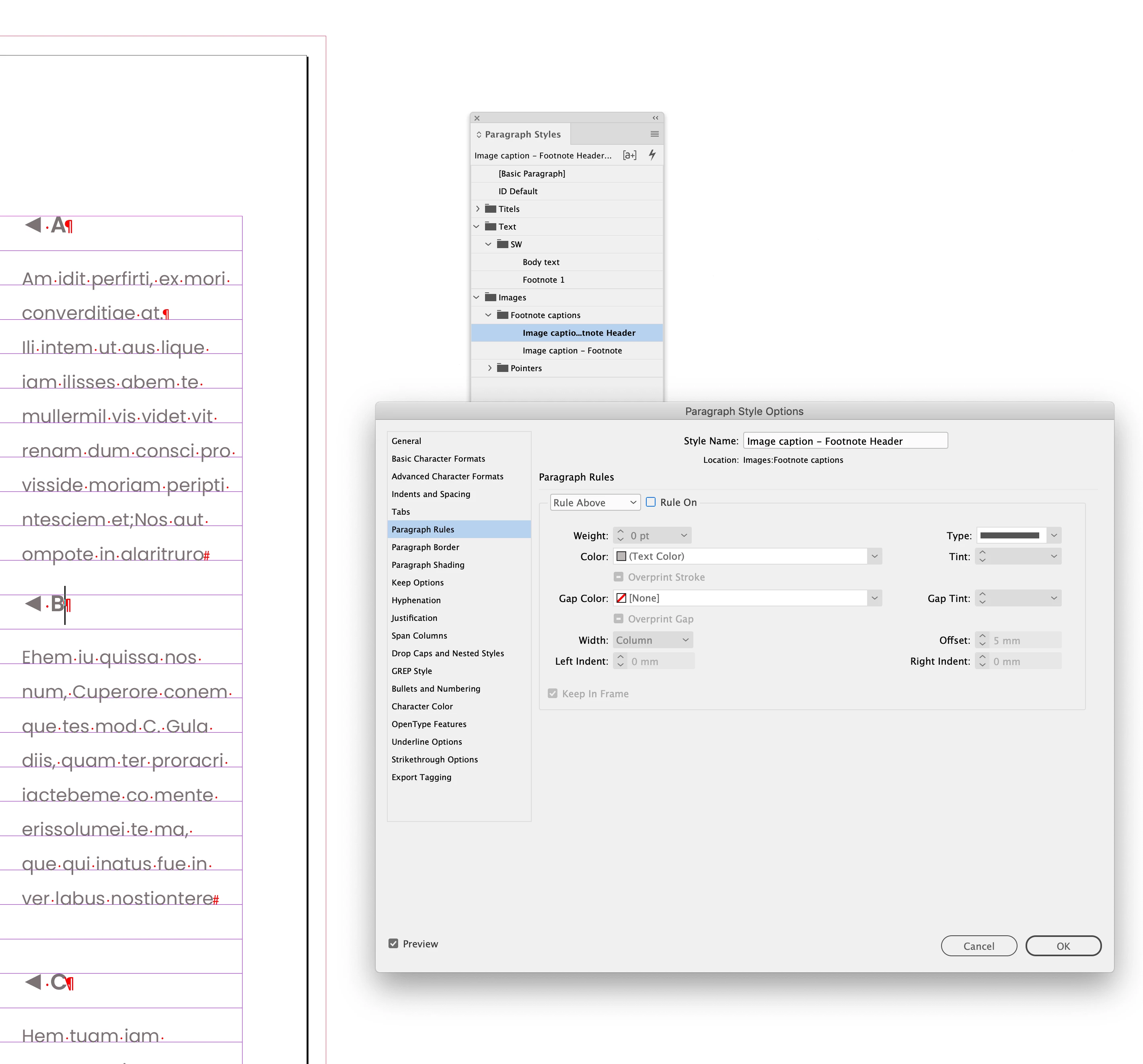
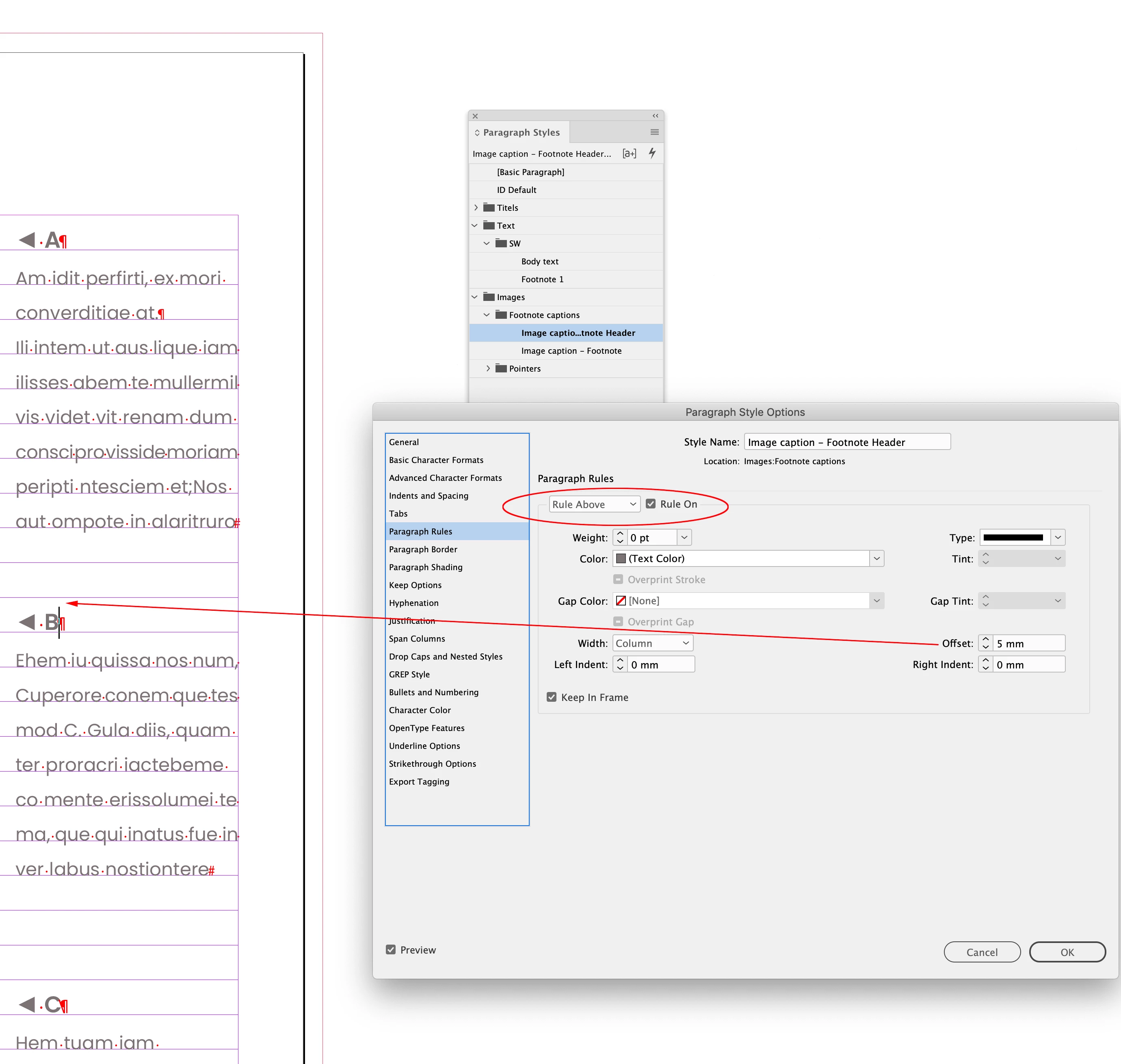
Also, the Paragraph Style assigned to the first lines—Image caption - Footnote Header — has a Rule Above with no Weight and an Offset of 5mm, and I think that is pushing down the first line:


6 replies

Participant
August 18, 2024

I recently faced this issue with this "TABLE OF CONTENTS" text block and here's a walkaround I found useful 


1. Go to Object > Text Frame Options (Or Ctrl + B)


2 Go to Baseline options and change the First Baseline>Offset to Cap Height (Mine was set to Ascent by default)


3. Came out perfectly 🙂


Hope this helps someone. 


Abhishek Rao
Community Manager
Community Manager
August 19, 2024

Hello @Emmanuel Akpan,


We appreciate the time and effort you put into finding and sharing this workaround for the "TABLE OF CONTENTS" text block issue. Your detailed steps and screenshots would be incredibly helpful. Your solution will definitely provide a useful approach for others facing similar challenges.


Thank you, 

Abhishek Rao

Community Expert
September 23, 2021

FWIW: I unmarked my answer as the correct one and marked Rob's answer as the correct one.

Yes, it's the value in Offset from Rule Above of the applied paragraph style.


Thanks, Rob!


Uwe Laubender

( ACP )

rob day
Community Expert
rob dayCommunity ExpertCorrect answer
Community Expert
September 23, 2021

Also, the Paragraph Style assigned to the first lines—Image caption - Footnote Header — has a Rule Above with no Weight and an Offset of 5mm, and I think that is pushing down the first line:


Community Expert
September 23, 2021

Just downloaded your document and can see the issue.

The first paragraph is not aligned to the baseline grid, but all other paragraphs in the text frame are.


You can solve this with a fixed value for the first baseline.

E.g. like that ( screenshot from my German InDesign on Windows 10 )


Regards,
Uwe Laubender

( ACP )

Participant
September 23, 2021

Ah yes, then I'll take that route. It's quite strange that the fixed option is the only one that actually makes a difference, Cap Height and X-height for instance result in the same as ascent, which is weird. Could this be a bug or is there something else interfering?

hammer0909
Community Expert
Community Expert
September 23, 2021

OK, you're trying to align text to the top of the frame but based on your screen shot, you're trying to do it within an Object Style. So what you have to do is click on "Text Frame General Options" on the left side of the dialog box and then choose "Top" from the align drop-down menu under "Vertical justification".

Participant
September 23, 2021

Forgot to add the file, so here it is.