



Chris Panny
Inspiring
July 24, 2020
Answered

InDesign CC 2020 - Index Doesn't Update After Adding New Entryies

  • July 24, 2020
  • 3 replies
  • 2784 views

Windows 10 64 bit, InDesign CC 2020

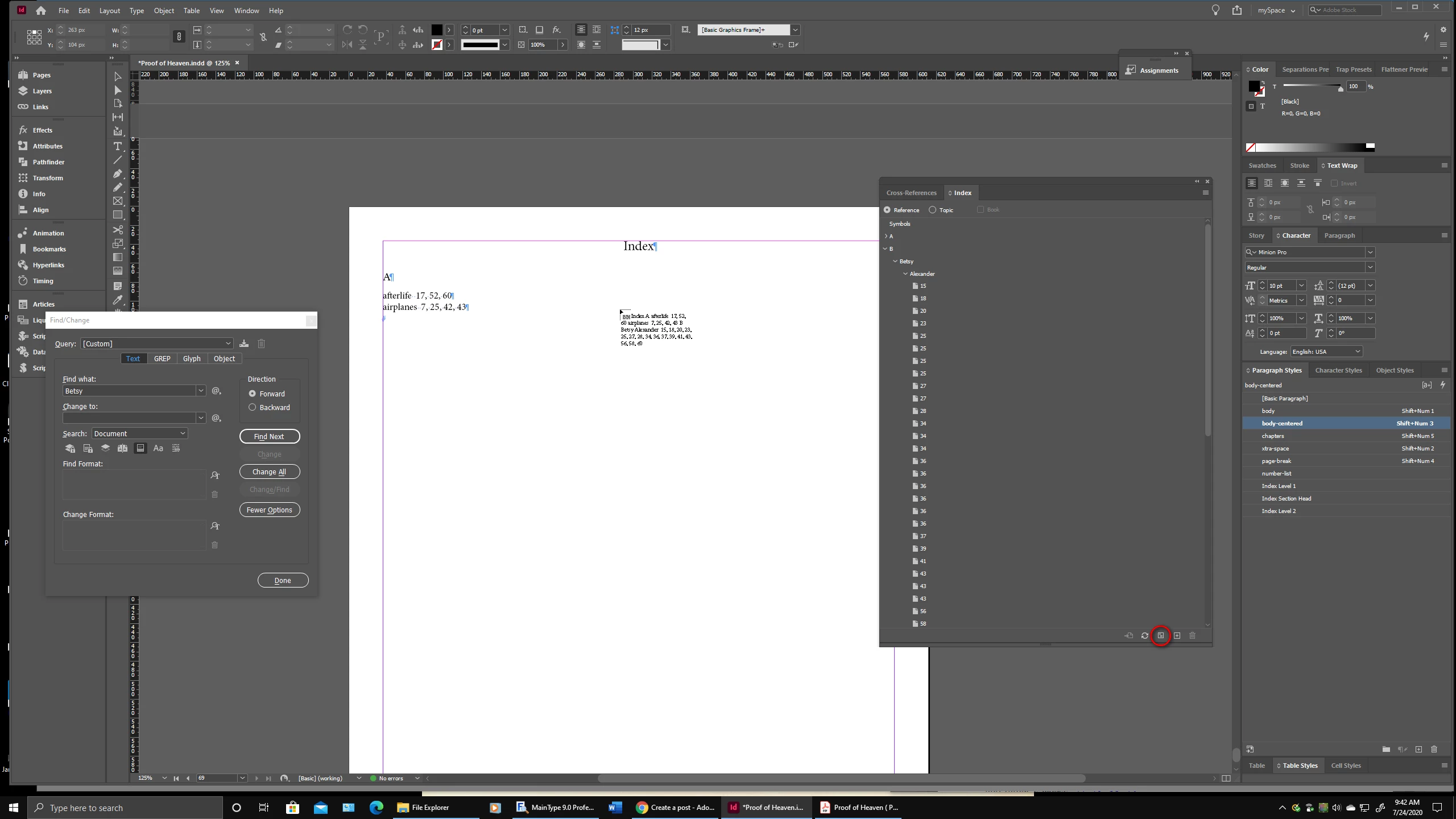
So I'm watching a great training video by Terry White called How to Create an Index and Cross References in Adobe InDesign CC. He ppoints out that after an index is created and placed into the document, you can go back and add new entries and then simply update the existing index to reflect any new entries. Specifically, he says to click the Generate Index command (Index panel). This opens the Generate Index window, click Ok and the index should update. When I try this, nothing happens. InDesign just generates a new index to place as you can see in the screenshot. Any ideas on why this isn't working?


This topic has been closed for replies.
Correct answer Chris Panny

I figured out what's going on with this. When the index is generated, InDesign puts it in its own text frame. If I add new entries and then update the index, the Replace Existing Index is not greyed out. However, if I flow this text frame into the rest of the document, add a new entry and then open the Generate Index window, the feature becomes greyed out. I'm not sure I like the behavior of this, but this is how it's working by design.

3 replies

Participant
June 11, 2024

Unlink the link between the pages and the index start page. Try again.


Barb Binder
Community Expert
Community Expert
July 24, 2020

Click on the existing index and try again.


If that still doesn't work, I would delete the current index and create a new one with that loaded text cursor that you showed us in the first screenshot. Then make an edit and try replacing existing index again.


~Barb

~Barb at Rocky Mountain Training
Chris Panny
Chris PannyAuthorCorrect answer
Inspiring
July 27, 2020

I figured out what's going on with this. When the index is generated, InDesign puts it in its own text frame. If I add new entries and then update the index, the Replace Existing Index is not greyed out. However, if I flow this text frame into the rest of the document, add a new entry and then open the Generate Index window, the feature becomes greyed out. I'm not sure I like the behavior of this, but this is how it's working by design.

It's only an island if you look at it from the water.
Barb Binder
Community Expert
Community Expert
July 24, 2020

Enable the Replace Existing Index checkbox in the Generate Index dialog box.


~Barb


~Barb at Rocky Mountain Training
Chris Panny
Inspiring
July 24, 2020

Hi, thanks for your reply! Mine is greyed out. 

It's only an island if you look at it from the water.