


Participating Frequently
July 2, 2020
Answered

Indesign - Placing PSD file with Spot Channel with shadow

  • July 2, 2020
  • 4 replies
  • 1477 views

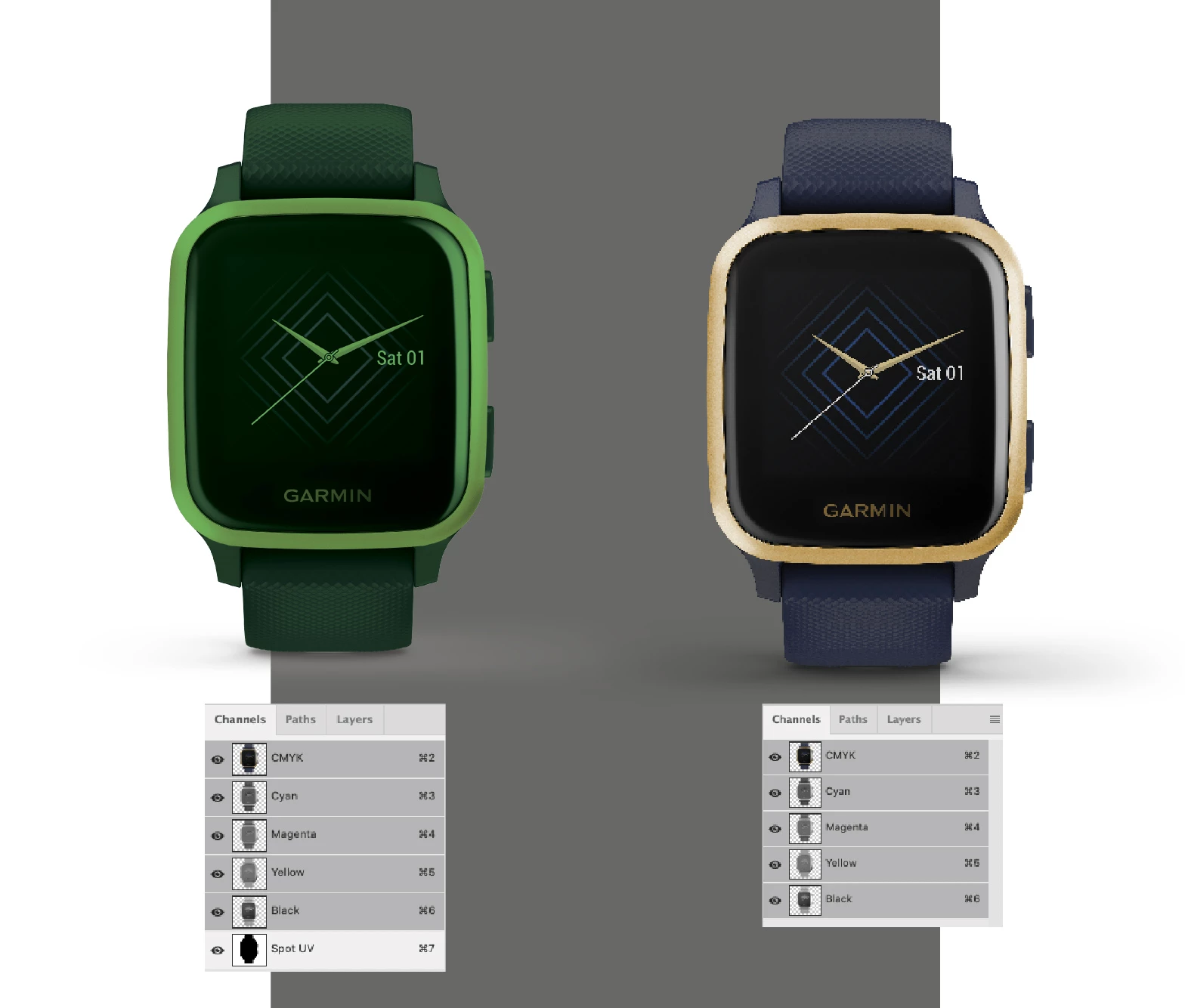
I'm placing into Indesign a transparent PSD file with a Spot channel (left image). However, the drop shadow below the watch (not part of the Spot channel) displays incorrectly – a light grey. The right image is the same file without the Spot channel and displays the shadow as it should.

It's fine when importing into Ai, but seems Indesign cannot handle PSD files with transparency. Any thoughts?!
This topic has been closed for replies.
Correct answer rob day

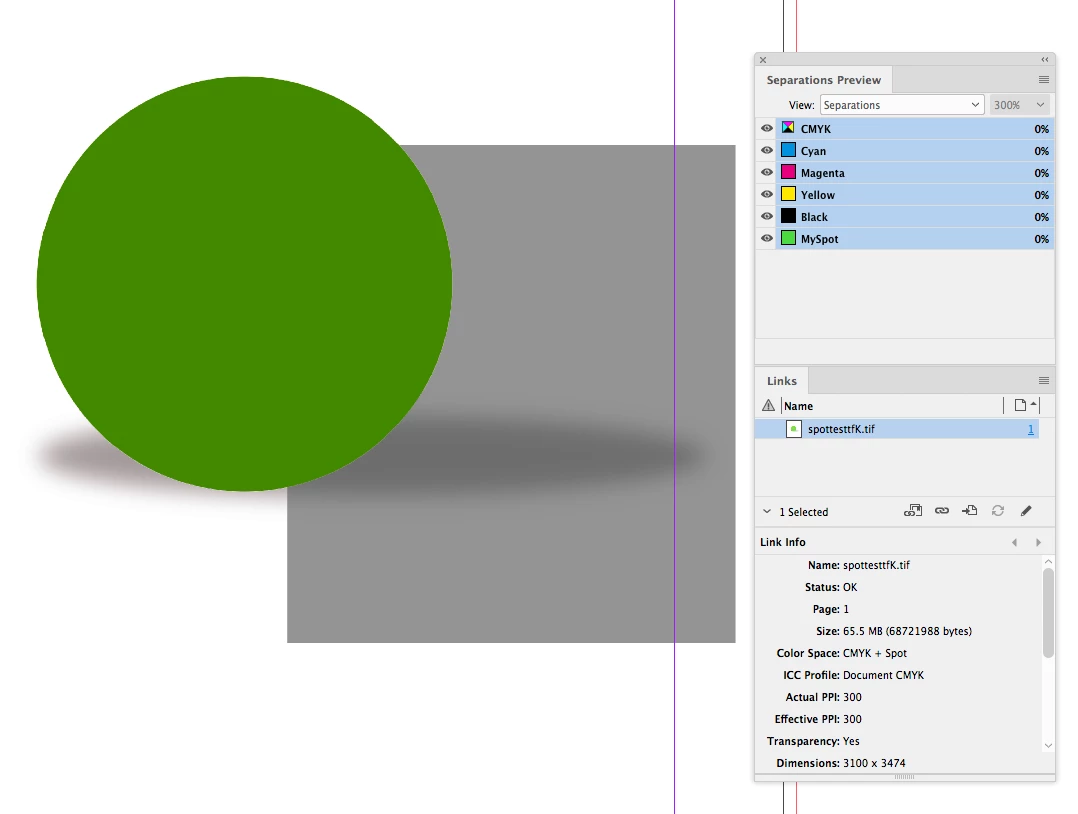
I think this has come up before–seems like a bug with PSDs. Try saving as a TIFF with Transparency checked:


4 replies

Scott Falkner
Community Expert
Community Expert
July 4, 2020

A placed PSD can only have one opacity mode. If your shadow layer is set to Multiply in Photoshop it won’t appear as Multiply in InDesign. Use Layer Options to hide  the shadow one one copy of the PSD. Duplicte the watch then hide all but the shadow layer and set its opacity to Multiply and move it below the other watch PSD.

rob day
Community Expert
Community Expert
July 4, 2020

Hi Scott, that was my first thought, but the addition of a spot channel affects normal transparency in a PSD—only 100% transparent pixels are transparent in InDesign. It’s not a problem with a TIFF.

rob day
Community Expert
rob dayCommunity ExpertCorrect answer
Community Expert
July 3, 2020

I think this has come up before–seems like a bug with PSDs. Try saving as a TIFF with Transparency checked:


Participating Frequently
July 3, 2020

Rob, you're a gentlemam and a scholar. Well done. That is the winning ticket! Thank you!

Michael Bullo
Community Expert
Community Expert
July 3, 2020

Have you reviewed the document within InDesign with the Overprint Preview option turned on that is found under the View menu?

Participating Frequently
July 3, 2020

Yes and no change. When I fill the PSD with the same background flat colour as in the Indesign file, it's fine. So it seems Indesign has an issue dealing with transparent PSD files with a spot channel.

JonathanArias
Legend
July 3, 2020

What if the shadow is an independent psd file?

Participating Frequently
July 3, 2020

Yes, have tried that and it works. A definite way around it. Just a bit annoying when you got to do it to 49 different files.