

Participating Frequently
October 1, 2025
Answered

InDesign Share for Review links not working

  • October 1, 2025
  • 94 replies
  • 15332 views

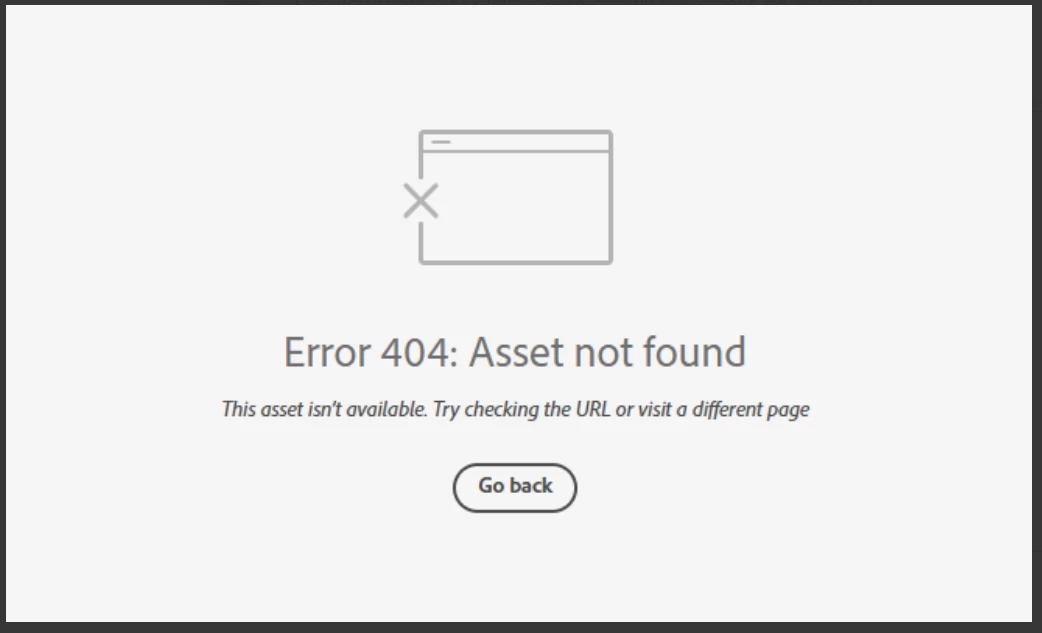
Anyone else having issue with InDesign review links not working today? I have sent out a few and reviewers are getting this message. Other programs seem to be working fine.

 

Correct answer Anubhav M

There is another thread about this specific issue:

https://community.adobe.com/t5/indesign-discussions/text-can-no-longer-be-highlighted-in-share-for-review/m-p/15532194#M637472


Hello everyone,

Thanks for your patience. The problem related to Share for Review links not working as well as the missing options for commenting have both been resolved. Kindly try re-opening your links and let us know if it helps.

Anubhav

94 replies

Participating Frequently
October 7, 2025

We've just had two days where it worked again and as of 10 minutes ago it appears to be broken AGAIN!

Participating Frequently
October 7, 2025

WORKAROUND: 
1. Create your PDF of all pages from InDesign. 
2. Go to Google Drive. 
3. Click  +New in the upper left. 
4. Click File Upload and choose the file to upload. 
5. Doubleclick the file to view. Click the the 3 vertical dots and choose Open in new tab. Go to that tab.
6. In the upper right, click Share and paste the email addresses addresses. Be sure to set each user as Editor. 
7. Click Send. 

Features: 
- To leave a comment, you can doubleclick on text and a + icon pops up. Click on the icon and leave a comment. 
- OR, click the + icon in the top right, draw a box on the error and leave a comment. 
- You can update the same link, and comments will stay put. To do that... 
       - Update your InDesign file and re-export the PDF. 
       - Go back to your Google Drive and find the file on the Home screen of Google Drive. 
       - There, click the vertical 3 dots on that file --> File information --> Manage versions.
       - Click Upload new version and upload your updated PDF. 
       - Go back to the link, refresh and you see the new PDF! 
- On a comment, you can click the checkmark to resolve the comment. It disappears from view, but is not gone forever. Click the 3 vertical dots at the top and choose Show Inactive Comments to see anything that has been resolved. You can toggle that off/on. 

This is helping my team -- I hope it helps yours! 

Known Participant
October 7, 2025

But, those comments don't come back into my InDesign document when they comment, do they? That was the advantage of SFR, they pop up in my InDesign document. 

Participating Frequently
October 7, 2025

No, unfortunately not. But it is a similar way to at least keep working, especially if you are not far along in the process. I feel for the folks who said they had multiple comments on an existing link that they can no longer access. 

Participant
October 7, 2025

I am still getting this error! So when was this fixed??

Participant
October 7, 2025

Had a CC update when I walked in this morning. Fingers were crossed that the 404 error was fixed. Thats a BIG fat NOPE! Please fix. We are a publishing company and we use this daily for proofing.

Participant
October 7, 2025

I was also having issues, just updated InDesign and the review link comments seems to be pulling through again in the in-app panel - might be worth a shot for others

Known Participant
October 7, 2025

That hasn't worked for me or one of my colleagues. Restarting didn't work either.

Participant
October 7, 2025

Hello, we are still experiencing issues with all of our current review links and receiving the Error 404 message. 

Participant
October 7, 2025

Is anyone having the issue with Share for Review links getting 404 page not founf errors today, Tuesday October 7th? It seems to be happening again in Indesign


Good Venture
Known Participant
October 7, 2025

Yes, I'm having the same issue today in InDesign

Participant
October 7, 2025

having the same issue in illustrator

Participant
October 7, 2025

Still having this issue. 


MattheausG
Known Participant
October 7, 2025

@Adobe engineers can this be esculated up to top priority please, I just dont't get a sense that this is being taken that seriously?

Good Venture
Known Participant
October 7, 2025

I’m experiencing exactly the same problem — key tools have vanished, and most Share-for-Review links no longer work.

Frankly, it’s unacceptable that this has been going on for over a week with no resolution. Are we to believe that Adobe still considers this a reliable professional design tool, or is the focus now solely on flashy AI features for new users while longtime professionals are left stranded?


MattheausG
Known Participant
October 7, 2025

here here @Good Venture 

Good Venture
Known Participant
October 7, 2025

We’re watching in real time the complete decline of this platform — features breaking, support lagging, and priorities shifting from professional reliability to hype. It’s frustrating to see a once-essential tool being sidelined in favor of short-term trends instead of supporting the designers who built its reputation.
