Participant
December 9, 2022
Question

InDesign TOC in the wrong order

  • December 9, 2022
  • 5 replies
  • 1647 views

Hi everyone,


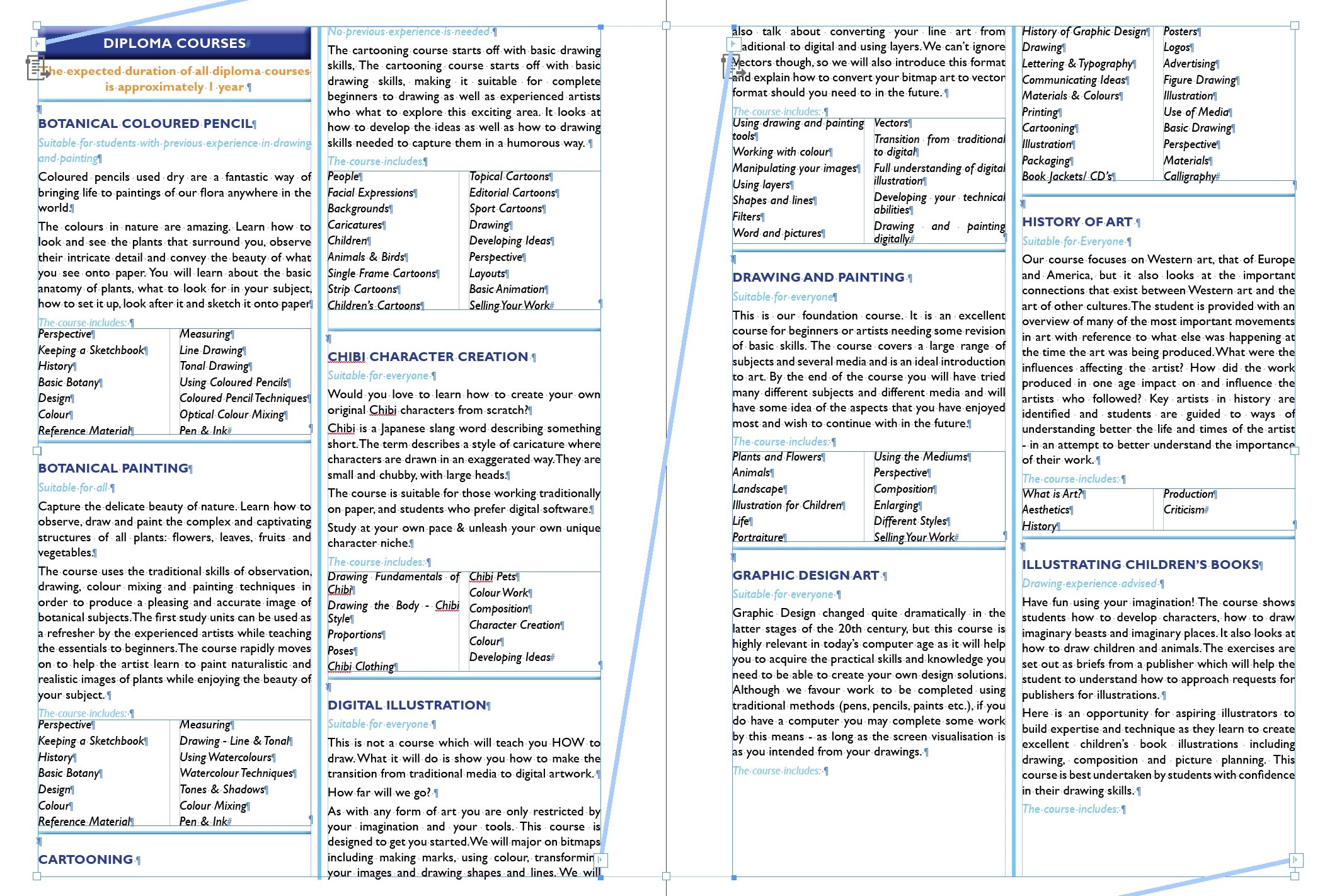
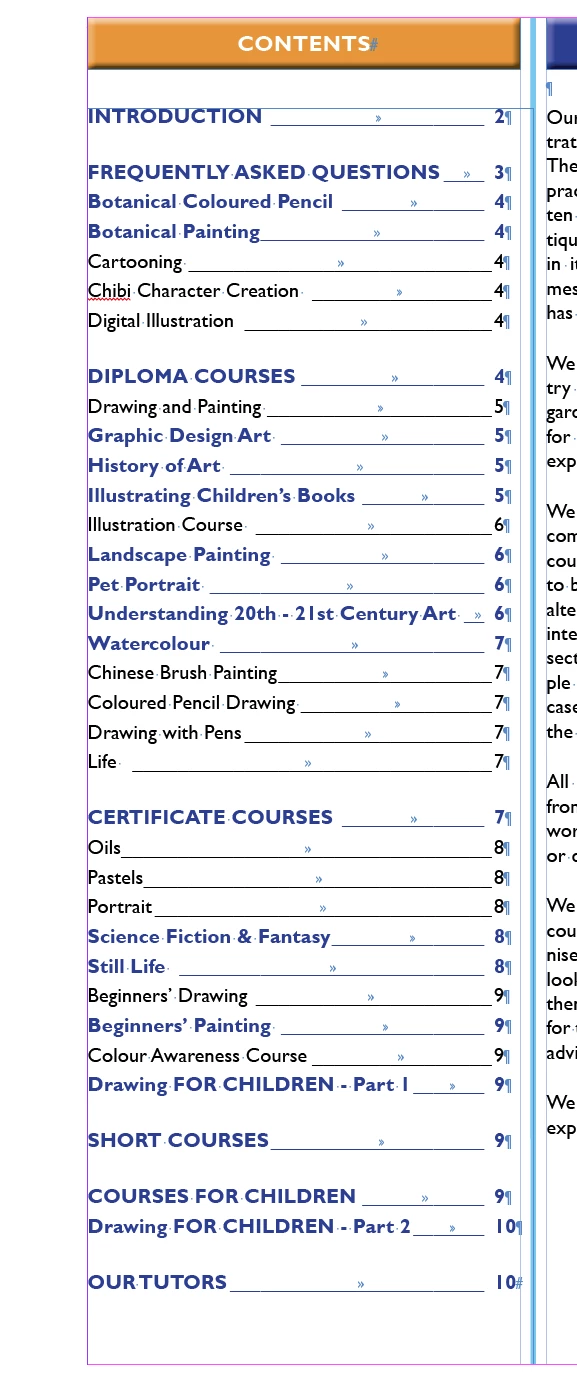
I am finding that the Table Of Contents (TOC) is listing items in a different order to the page.

As a secondary (not as important) you can see the formatting of some varies. Any ideas, please? 
This topic has been closed for replies.

5 replies

Randy Hagan
Community Expert
Community Expert
January 12, 2023

Is it possible that you're using two different paragraph styles as you're generating your ToC?


As an example, I often create two different, identically-appearing styles for headers I want to appear the same in the text but have different designations when generating my table of contents. Usually, for me that means either a [named style] and an identical type spec for [named style] - No ToC or [named style] - Different Tag for ePub or accessible PDF output.


Could you have two different styles applied for your course headers?


Another complication could appear if you tag your ToC to apply different styles to different levels of your ToC generation. It's not quite the same as when you set tiered levels for your index, but this is another area where variances can occur.


Finally, can you fix the issue by re-applying your desired formatting style from the Paragraph Styles panel? That doesn't address the cause of the problem per se, but it would at least let you work your way around the problem. That may not be the perfect solution for your problem, but it would at least be a functional way to get you past it.


Hope this helps,


Randy

Participating Frequently
January 13, 2023

Thank you everyone for ideas and support.

Eventually I deleted all the separate text frames and re-did them which sorted the issue (exactly the same way!).

I do not know why this happened. It makes no sense, but the issue is now resolved. 

Many thanks


Rupert

James Gifford—NitroPress
Legend
January 13, 2023

Any time you start compartmenting content in multiple text boxes, it multiplies the number of (usually small) things that can go wrong. I'd guess that you moved those boxes around in flow order, and InDesign was doggedly following the original flow, not the visual one.


Takeaway here: use styles to group and flow things composed of short entries like your example, not "hard" text grouping with frames. The former will work much better, and with less effort, and with fewer glitches.


James Gifford—NitroPress
Legend
January 12, 2023

The order of TOC processing — what sequence it finds things in — is strictly set by the order of the material within the text flow(s).


Although you seem to be using full page frames for the content, it looks as if your content is in many separate text frames within that. Any time you have such a structure, it's very possible the material is out of order within those frames, and that's how the TOC will read and order its entries.


I'd recommend getting rid of those subsidiary text frames, and using paragraph style formatting to control the layout and flow of each entry. In any case, if your method has been to drag those boxes from place to place to arrange them, that's the cause of the out-of-order TOC. You're going to have to make the content linear one way or the other, or sort out the TOC manually after generation.


Community Expert
January 12, 2023

Hi @RupertDJ ,

check if the text of "DIPLOMA COURSES" is in an anchored text frame running with the main text.

InDesign's TOC will pick up that anchored text frame after all other entries in that threaded story.


We need access to your document to tell what's going wrong.


Regards,
Uwe Laubender
( Adobe Community Expert )

Ged_Traynor
Community Expert
Community Expert
December 9, 2022

Moved to the InDesign forum from Using the Community


RupertDJAuthor
Participant
December 9, 2022

Okay, - thanks. Will do.

RupertDJAuthor
Participant
December 9, 2022

PS. All courses are in alphabetical order in the document.