

Robert at ID-Tasker
Legend
August 24, 2023
Answered

InDesing invoke()

  • August 24, 2023
  • 3 replies
  • 1129 views

Anyone knows a place - if there is any - that lists / filters all the menu commands, with the info, any kind of suggestion, if they require / accept extra parameters or not?


Can be even .h or .c file somewhere in the SDK. 


Like Copy, Cut, Paste, (un)Group, etc. - they are just a "simple" commands, no dialogs and no extra params.

Or like icons that you can click - Align selected objects. 


Checking all those 1000s of commands won't be fun... Getting all the properties for Objects and Text was tedious but this would be a nightmare... 
 

This topic has been closed for replies.
Correct answer rob day

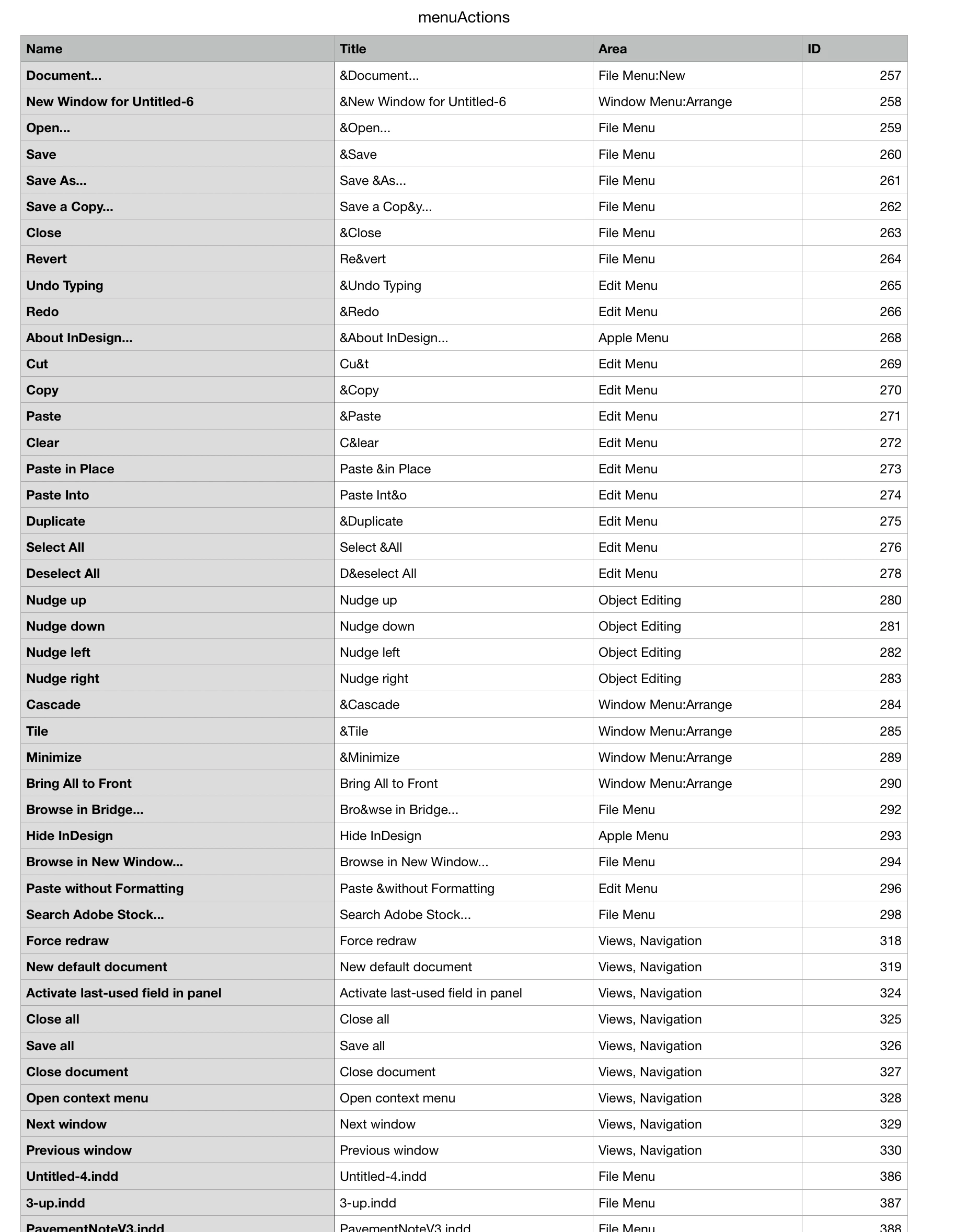
Hi Robert, You could get a list of all the menu actions (which would be different for every user). This outputs a tabbed text file with the name, title area and id properties of every menu action to the desktop:


var ma = app.menuActions.everyItem().getElements()
var s = "Name\tTitle\tArea\tID\r"
for (var i = 0; i < ma.length; i++){
    s+= ma[i].name +"\t"+ma[i].title+"\t"+ma[i].area+"\t"+ma[i].id+"\r"
};   

writeText(Folder.desktop + "/menuActions.txt", s)

function writeText(p,s){
    var file = new File(p);
    file.encoding = 'UTF-8';
    file.open('w');
    file.write(s);
    file.close();
}


My install outputs 4045 items

3 replies

Legend
August 25, 2023

For the SDK side, the actions are listed in the ID.h files - of course missing those added by third party plug-ins and where Adobe does not provide the ID.h file. A plug-in can also examine and eventually modify all of them with an IMenuFilter (for the menu items) and an IActionFilter (guess ...). These include menus and actions hidden from the KBSC editor.


You should also have a look at the IActionComponent interface whose various instances are backing the ActionIDs - responsible for enabling, optional check marks, and the invoke(). Those action components sometimes receive an "IPMUnknown" context to dynamically adjust the action name or refer to more information. When you click on a node in a style palette panel, you'd receive the node widget so the contextual menu has a chance to adjust accordingly, or pick up the panel selection from the given panel, or what-do-you-know. When your script peeks at, or even invokes such actions that information will be missing to the action component so you have to hope it is prepared for that.

Robert at ID-Tasker
Legend
August 25, 2023

Thanks for the tip with ID.h files. 


I think the rest of your comment is when creating real plugin, right? 


rob day
Community Expert
rob dayCommunity ExpertCorrect answer
Community Expert
August 24, 2023

Hi Robert, You could get a list of all the menu actions (which would be different for every user). This outputs a tabbed text file with the name, title area and id properties of every menu action to the desktop:


var ma = app.menuActions.everyItem().getElements()
var s = "Name\tTitle\tArea\tID\r"
for (var i = 0; i < ma.length; i++){
    s+= ma[i].name +"\t"+ma[i].title+"\t"+ma[i].area+"\t"+ma[i].id+"\r"
};   

writeText(Folder.desktop + "/menuActions.txt", s)

function writeText(p,s){
    var file = new File(p);
    file.encoding = 'UTF-8';
    file.open('w');
    file.write(s);
    file.close();
}


My install outputs 4045 items

Robert at ID-Tasker
Legend
August 24, 2023

Thanks @rob day, I know that I can get this list - but I was looking for something that will tell me which ones are "simple" and which one are "complex".


... 


Or... I could filter the results by "..." after the name - which suggests that there would be a dialog?


Derek Cross
Community Expert
Community Expert
August 24, 2023
Robert at ID-Tasker
Legend
August 24, 2023

Thanks, but it's not what I'm looking for.