Inspiring
October 20, 2025
Question

Indexing -- Sort Alphabetically

  • October 20, 2025
  • 3 replies
  • 301 views

Hi Community,

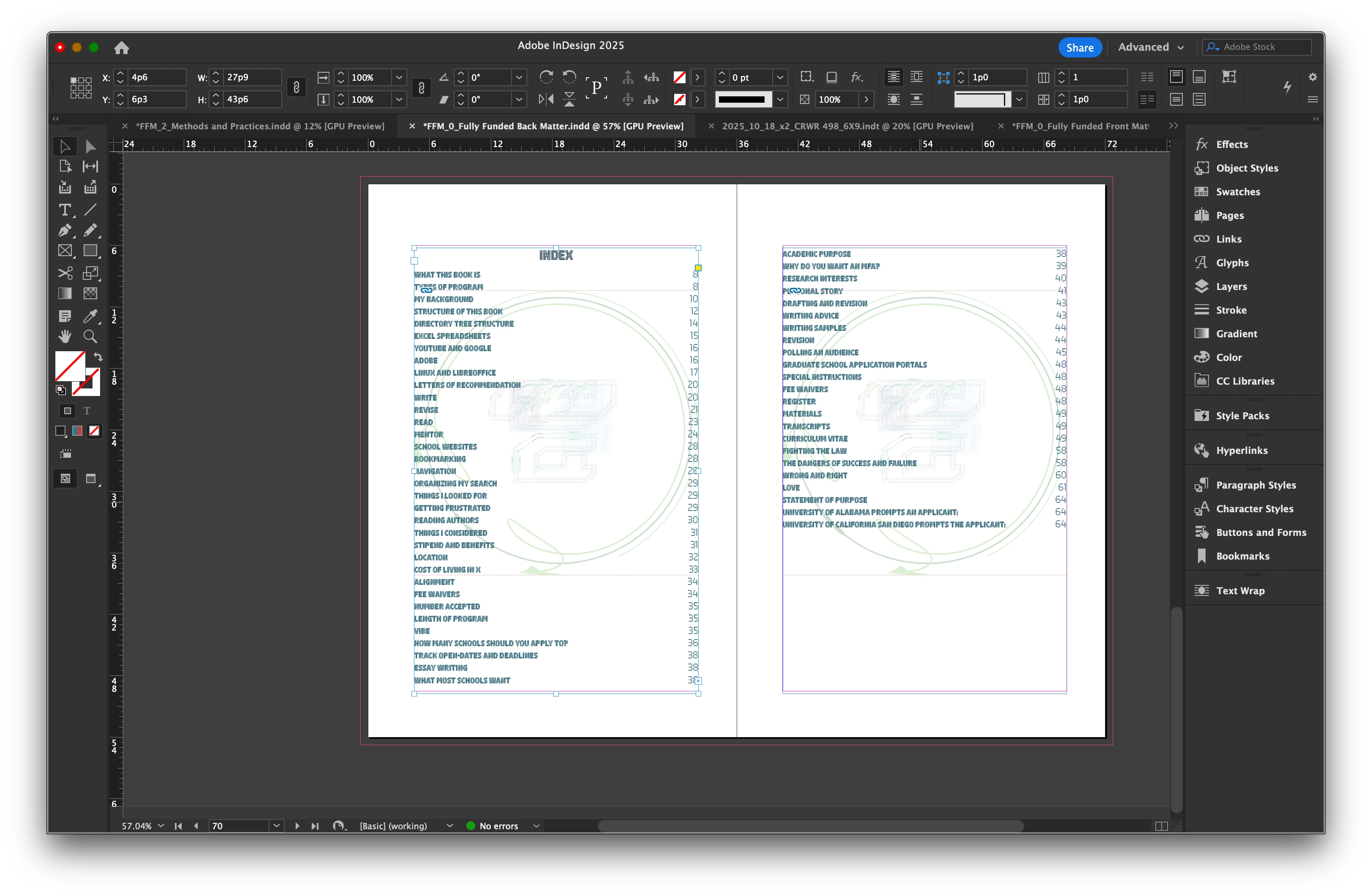
I've looked this up, and I've seen the posts with scripts. It's not vital to my project, but I sure would like it to work. Is this even worth asking people to look at? I don't know.

I don't need anything fancy, just simple names of section headers in alphabetical order. See below, or tell me it's hopeless without scripting, which I haven't had the time to learn, yet.

David
3 replies

Barb Binder
Community Expert
Community Expert
October 26, 2025

Hi @david mcnicholas:


As per the other experts, a table of contents (TOC) and an index are two separate components of a book.


A TOC is chronological list of headings and goes in the front of a book. An index is an alphabetical list of topics, and is added to the end. An index takes a lot more time to set up.


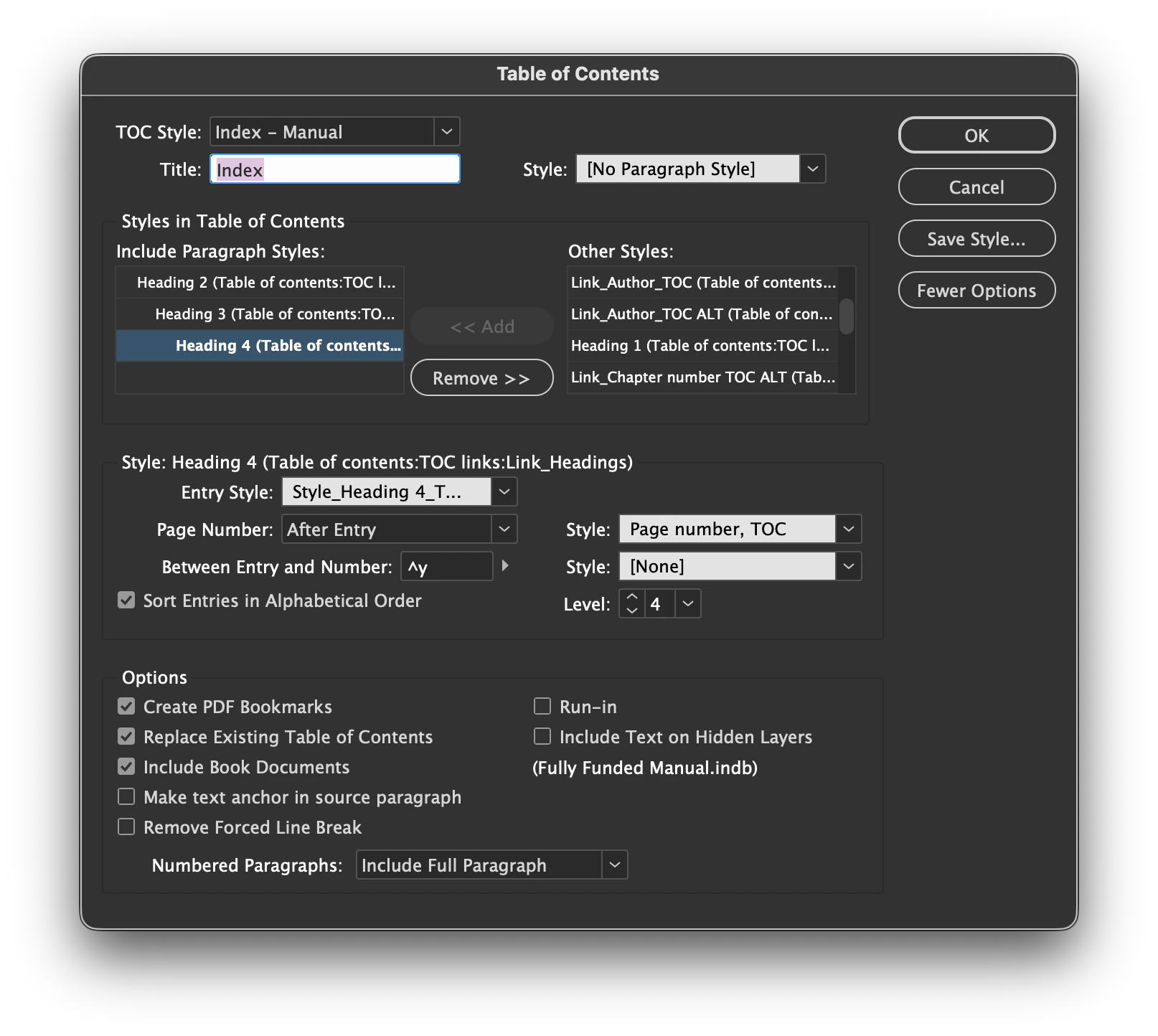
However you are looking for an alphabetical list of heads, and that is an option for a TOC. What I think you are missing is:

  1. you must designate each level as alphabetical
  2. for a multi-level list like yours (you are calling in 3 heads: style name: Heading 2, style name: Heading 3 and style name: Heading 4) are alphabetized within their sections. 


In my demo below, I generate the TOC as an index three times. I used lettered entries to make it easier to follow:

  1. The first time has alphabetize disabled for all levels. The Index exactly matches the two-level list of heads (chronological).
  2. The second time I alphabetize the top level (style name: Heads), the 2nd level remains chronological.
  3. The third time I alphabetize the 2nd level heads (style name: Subheads).


~Barb


~Barb at Rocky Mountain Training
Inspiring
November 6, 2025

@Barb Binder thank you, I've been, per usual, divided among projects and this one has taken last place. I will be getting back to it before the end of the semester, and I will try using your guide to make it work.

thanks
Community Expert
October 24, 2025

I know you mentioned that a script may not work, but with the index that you have shown, and using the  provided script named: SortParagraphs to alphabetize, I can't see how this would not accomplish your task.

Inspiring
October 26, 2025

Jeffrey,

Thank you. I will have to learn the simple task of scripting some day, as there appear to be limitless applications for it.

David

thanks
Community Expert
October 27, 2025

David, your response implies that you would need to write the script. My suggestion is using an existing script that is already installed with Indesign. All you need to do is select the text of index, and click on the script to run.

Community Expert
October 24, 2025

This looks like a Table of Contents and not an index. 


I think they work differently. 


I'm not entirely sure what you are getting at here - have you got more info or a sample of what it looks like and how it should look? 

Does using the Index function insted of Table of Content suit your needs better?

Inspiring
October 26, 2025

Eugene,

Thank you. Sorry, what? I'm going to have to look into this. I do not see* a separate indexing function anywhere. I'll look harder.

David

thanks
Community Expert
October 26, 2025

The Table of Contents functions are separate and distinct from InDesign's indexing features.


Tables of Contents are driven and sorted by the page numbers in your InDesign document(s) and book files. Indexes are driven by user-selected topics and cross-references and arranged in alphabetical order. They also have drastically different workflows and ways to target specific text within your InDesign document(s) and book files. You can learn more about creating and working with indexing within InDesign by following this link.


Be sure to also check on the follow-on links in that help file, and you'll be well on the way to being a trained indexing expert with InDesign.


Hope this helps,


Randy