

Dr Mick Mach
Inspiring
May 31, 2018
Answered

Line splitting in TOC in ePub

  • May 31, 2018
  • 2 replies
  • 646 views

Cheers all,

Working on a children's book and I'm having a problem with the interactive TOC in iBooks when I export it from Indesign - It keeps splitting my chapter titles onto 2 lines if I've put them on 2 lines in the book.  Any thoughts of how to fix this?

Few notes:
Because of the amount of graphics involved I'm using the fixed ebook format.

This is exported using the 'Multi Level (TOC)' option.  I've tried the 'File Name' option, but that was no good either as I have quite a few file docs that I don't want in the menu.

Each chapter is a separate doc within an Indesign book. 

Examples below, thanks in advance.

Example 1:

Chapter title how it looks on the page.  (This is in a single text box)

How I've managed to make it look in the in book menu (with some style tweaks, tho ignore the page # discrepancy, I just messed up there)

How it converts to the iBooks interactive menu:

Example 2:

Chapter title how it looks on page (this is in two separate text boxes)
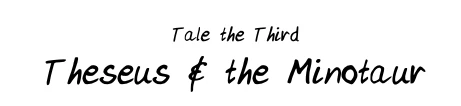
Book menu:

In iBooks menu:

This topic has been closed for replies.
Correct answer BobLevine

That navigation TOC is exactly what I'd expect to see based on those screenshots. Why are you using hard returns and separate text frames for one chapter title? They should be one style and if you need to, set up a nested style to use with those chapters.

You're making a lot of extra work for yourself the way you've set this up. AFAIK, the navigation TOC for the EPUB is based on the content, not the TOC that you've tweaked.

2 replies

Dr Mick Mach
Inspiring
June 1, 2018

Good ideaBobLevine,  here you go:

BobLevine
Community Expert
BobLevineCommunity ExpertCorrect answer
Community Expert
June 1, 2018

That navigation TOC is exactly what I'd expect to see based on those screenshots. Why are you using hard returns and separate text frames for one chapter title? They should be one style and if you need to, set up a nested style to use with those chapters.

You're making a lot of extra work for yourself the way you've set this up. AFAIK, the navigation TOC for the EPUB is based on the content, not the TOC that you've tweaked.

Dr Mick Mach
Inspiring
June 1, 2018

Cheers BobLevine,  first time using InDesign for digital content so Nesting styles was all new for me (as was using the TOC function). But once I knew what I was looking for, a bit of research sorted it all out. Thanks for pointing me in the right direction. Much appreciated.

BobLevine
Community Expert
Community Expert
May 31, 2018

Can we see some screenshots with hidden characters showing?