



dublove
Legend
December 2, 2020
Question

Long tables with multiple rows and multiple pages, How to make the last table line of each page bold

  • December 2, 2020
  • 4 replies
  • 1560 views

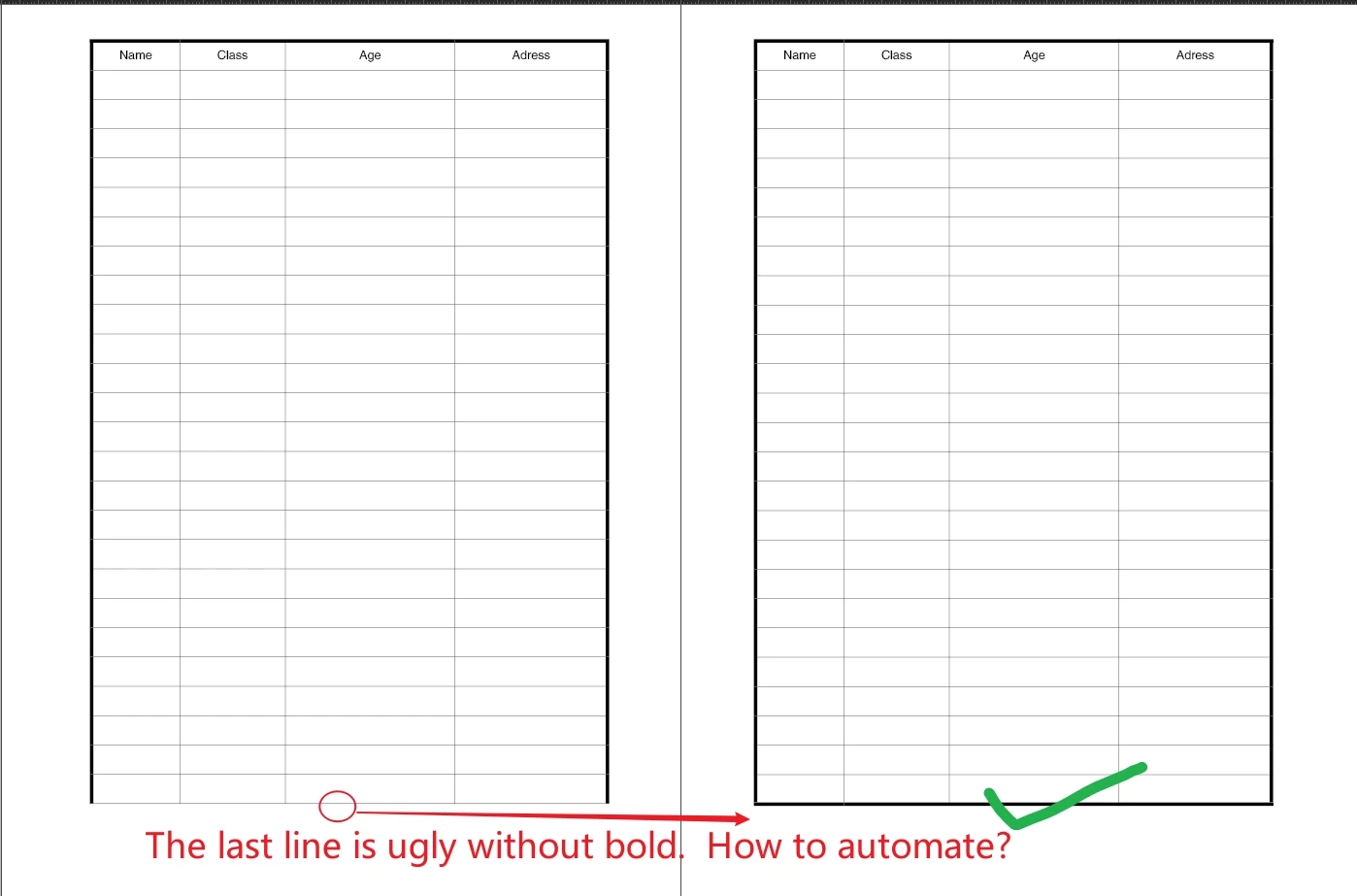
In InDesign, if a table has 200 rows, there are many pages.
How to make the table line of the last row of each page as thick as the table header?
Can it be automatic?
I set it manually now. If the problem is modified, it needs to be dealt with again when the line jumps.

This does not seem to be the end of the table, but the last row of each page.


This topic has been closed for replies.

4 replies

FRIdNGE
Inspiring
December 5, 2020

Maybe time for someone to imagine a "Tables" palette to play easily, just clicking on a button, painful tasks like here! …  😉


(^/)  The Jedi

Dave Creamer of IDEAS
Community Expert
Community Expert
December 5, 2020

Is this a free script or a commercial script? 

David Creamer: Community Expert (ACI and ACE 1995-2023)
Barb Binder
Community Expert
Community Expert
December 4, 2020

Hi @dublove:


If you're going with @Jens Trost's suggestion, just let us know and we can mark that answer as correct.


If you would prefer to get more details from me on using a footer row, I'm happy to provide them. Just let me know. Once the footer row is in the table it will not require adjustments as you add or delete rows. 


~Barb

~Barb at Rocky Mountain Training
Dave Creamer of IDEAS
Community Expert
Community Expert
December 5, 2020

For Table format automation, I would go with Barb's suggestion--especially if using Table styles.

David Creamer: Community Expert (ACI and ACE 1995-2023)
FRIdNGE
Inspiring
December 5, 2020

Try: add bottom strokes to the current cells and add a footer row!


… and see the result (you could already see in Barb's screenshots)!


You could try too with a "true" footer with text!


As you see, things become less cool!  😉


(^/)


[PS: It's a beta-script; its code could be maybe included in a "Palette with buttons" to make tables manipulations, let's say, globally more simple and relevant!]

Jens Trost
Inspiring
December 4, 2020

Hi @dublove ,
another way besides Barbs method:
you could set the outer stroke of the table to 0 and set the stroke of the textframe instead.
Preferably via object style, so you can change it easily across all pages later if necessary.

dublove
dubloveAuthor
Legend
December 4, 2020

This method is good, haha
Thanks~

Barb Binder
Community Expert
Community Expert
December 2, 2020

Hi @dublove:


The reason it is working at the top is because your first row is defined as a header row. You can use this logic and add a footer row—just leave it empty and set the size to exactly 0p3 (the smallest possible value) and remove the cell insets. 


~Barb 


~Barb at Rocky Mountain Training
dublove
dubloveAuthor
Legend
December 4, 2020

I can't understand what you said thoroughly
I hope it will be automatic after setting