Participating Frequently
May 30, 2023
Answered

PDF placed in InDesign changes color when entire file exported to PDF

  • May 30, 2023
  • 1 reply
  • 812 views

Using InDesign and Acrobat Pro 2023, Mac OS Ventura 13.3.1


I placed an ad from a client in a magazine file (Screen shot of how it looked on my screen). When I output the entire file into a PDF for press, one of the colors in the ad changed. (See PDF p9). It does not matter what type of PDF I export- or if I check no color conversion...nothing helps. I sent the ad to my pre-press guy and he doesn't see a problem with the ad itself. But I've attached incase anyone can find anything (Cheriots).


Any ideas?  
This topic has been closed for replies.
Correct answer rob day

but I haver never encountered anything like this before.


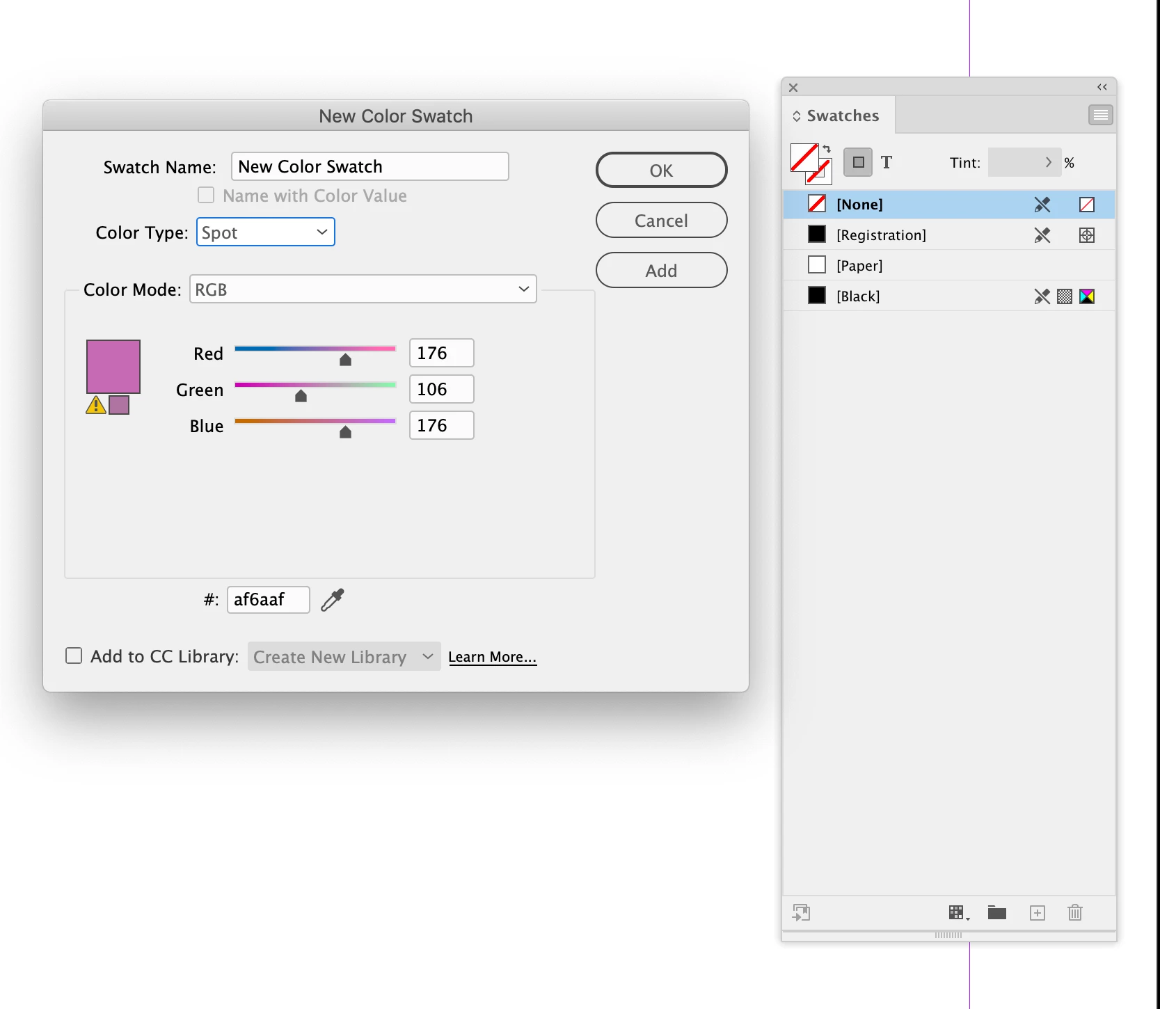
Try making a new InDesign doc, create a Spot Swatch named New Color Swatch, give it a random color definition, then place the Cheriots0623.PDF. Because a swatch named New Color Swatch already exists before I place the PDF with the same named spot color, the existing swatch spot color definition is used:


1 reply

rob day
Community Expert
Community Expert
May 31, 2023

Hi @Admirable_Buttercup01AC , The Cheriots0623.PDF is using 3 Spot colors, and without seeing your InDesign file it looks like the spot color named New Color Swatch is being aliased to a different color. I assume you magazine is not printing extra spot plates and the 3 extra colors are intended to be process—you can convert spot colors to process using AcrobatPro.


Participating Frequently
May 31, 2023

I was thinking that was the only explanation- but I haver never encountered anything like this before. 

Thank you SO much for getting back to me. 

rob day
Community Expert
rob dayCommunity ExpertCorrect answer
Community Expert
May 31, 2023

but I haver never encountered anything like this before.


Try making a new InDesign doc, create a Spot Swatch named New Color Swatch, give it a random color definition, then place the Cheriots0623.PDF. Because a swatch named New Color Swatch already exists before I place the PDF with the same named spot color, the existing swatch spot color definition is used: