
Question
Python Indesign script _ How to insert a picture into a page and autofit the size?
I need to find a way to insert pictures into an InDesign project through a python script. But the code doesn't work.
myPage = myDocument.Pages.Item(1)
myRectangle = myPage.Rectangles.Add()
myRectangle.GeometricBounds = [7, 1, 9, 7]
import matplotlib.image as mpimg
import matplotlib.pyplot as plt
img_path = r'C:\...\In-Design Project\AA.jpg'img = mpimg.imread(img_path)
img = mpimg.imread(img_path)
myRectangle.Place(img) **# Error**
The error is :
com_error: (-2147352567, 'Exception occurred.', (35869, 'C:\\Program Files\\Adobe\\Adobe InDesign 2020\\InDesign.exe', 'Cannot create the link resource from the given URI.', None, 0, 0), None)
I found some functions that might be helpful as below but still haven't found a solution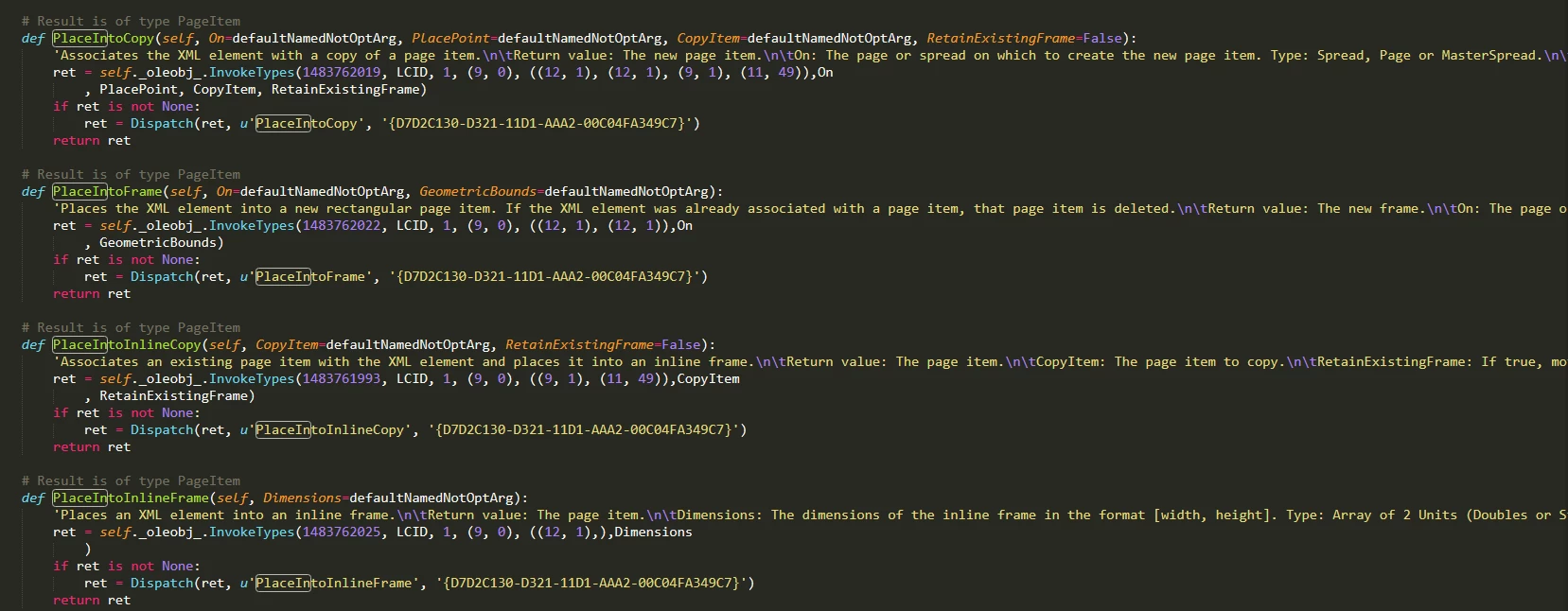
Whether the picture is inserted into an existed frame or into a new frame doesn't matter. I just really need a feasible way to achieve it. Thanks.
 AdChoices