

Answered
Remove horizontal line in document
Hi,
I inherited a InDesign document and the document has several thick horizontal lines that run underneath the titles. How do I remove these lines?
Thanks,

Hi,
I inherited a InDesign document and the document has several thick horizontal lines that run underneath the titles. How do I remove these lines?
Thanks,
Rules can be added two ways—either by drawing them with the Line tool (on a body page or a master pages), but if they move with the titles when you add text ahead of them, then they are paragraph rules, as per Dave.
To elaborate on his answer, you need to go the panel menu at the top right of either the Paragraph panel or the Control panel to find Paragraph Rules.
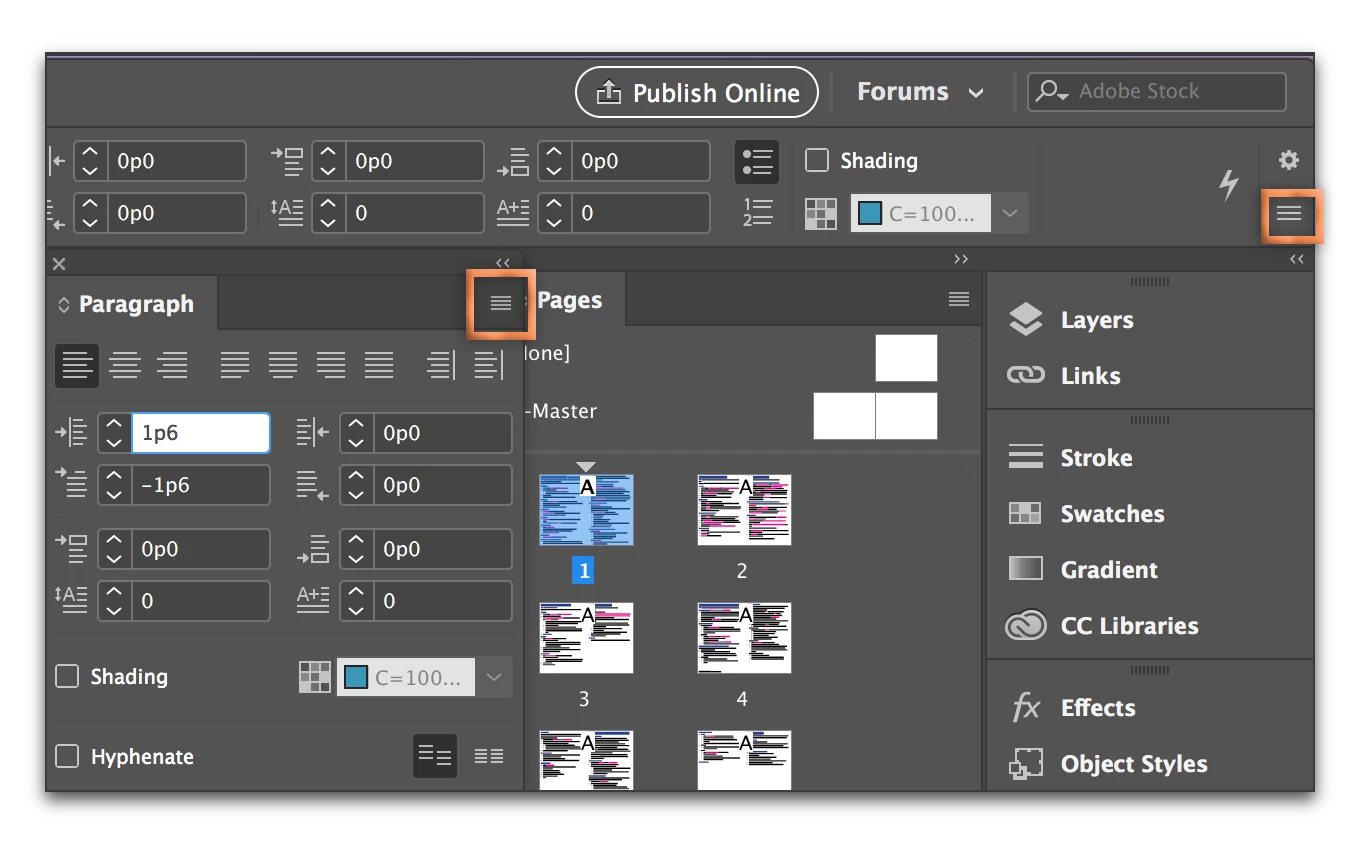
If you are using styles, you can disable the rule on one title, then right click the style controlling it in the Paragraph Styles panel and Redefine Style to remove it from all of the titles.
Already have an account? Login
Enter your E-mail address. We'll send you an e-mail with instructions to reset your password.
 AdChoices