


Legend
October 23, 2019
Question

right-aligning figure numbers in table of figures

  • October 23, 2019
  • 4 replies
  • 2942 views

This is not about right-aligning page numbers, but right-aligning the figure numbers in a table of figures. For example, this is what I get. The numbers left-align with a space between the "Figure" and the <number>.
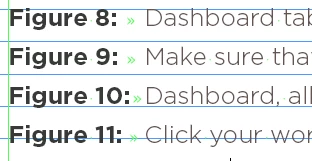
 

I have a meticulous client who expects the list of figures to line up on the colon (:), thus producing a variable space between "Figure" and <number>. I can get the text of the caption to line up properly, and I can get the second line of a long caption to line up properly under the first line. What I can't seem to do is get the numbers/colons to right-align.


In the body of the document, here is my definition for a figure caption (there are two -- one for starting the series and one for continuing the series, but other than that they are the same):
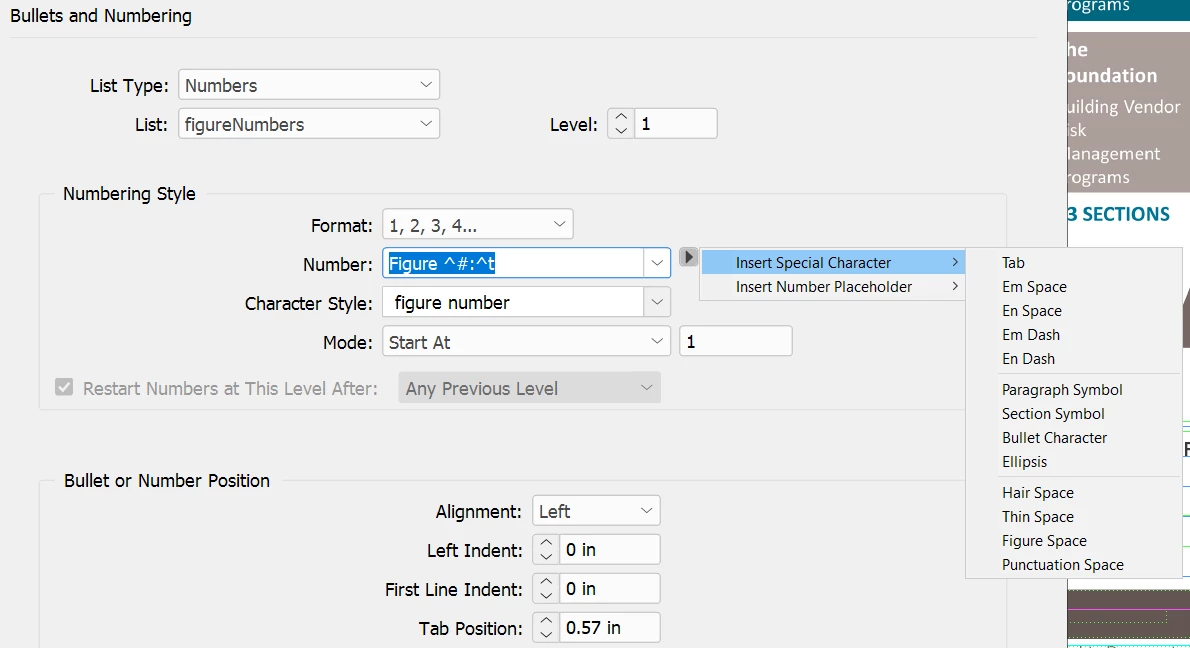
 

In the number field, I have Figure<space>^#:^t -- which produces "Figure<space>9:<tab>Make sure..."

As shown in the image, I have tried to insert a tab between "Figure" and ^# both manually and from the pulldown -- but InDesign displays an error that tells me this is not permitted.


Here is the paragraph definition for the Table of Figures:
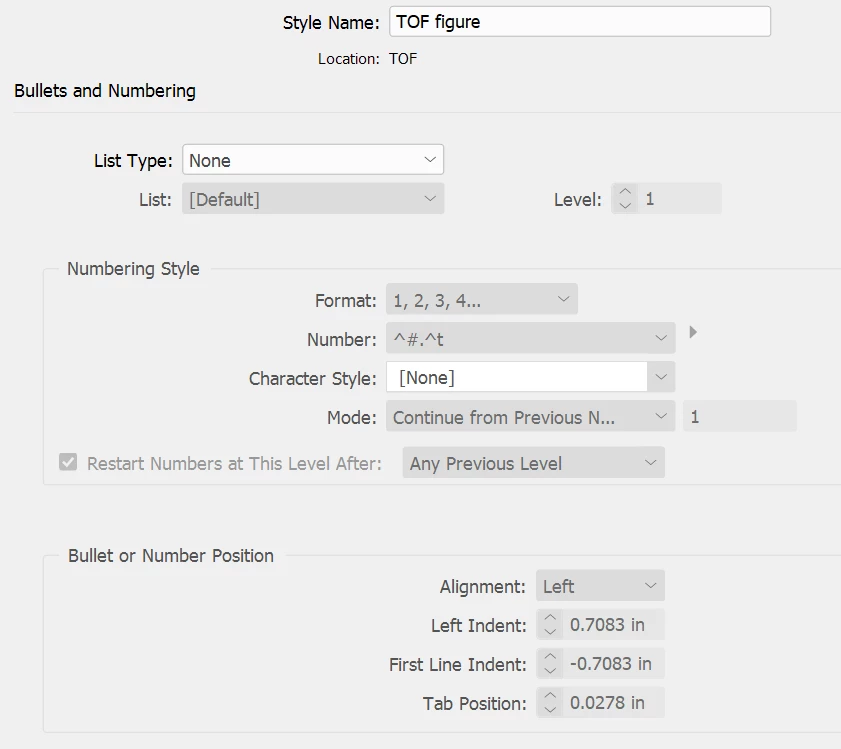
 

There does not seem to be any way to insert a tab here, either. Simply setting a tab in either definition doesn't do the trick if I  can't put the tab character in the numbering of the figures -- except at the end where ID permits it.


I have told my client that I can't do this because of an InDesign limitation... and they are not particularly gruntled, but they've let it pass. It bothers me that I can't put a right-tab between Figure and <number> and have those numbers right-align in the table. After all, I could do this if I were setting type by hand, or pasting it up with a waxer. Is there any other solution to getting the figure numbers to right-align?


Thanks.

This topic has been closed for replies.

4 replies

Community Expert
October 24, 2019

If you use tabular lining numerals as per Derek's suggestion and insert a figure space before the single digit numbers everything should align. Make sure you are not using Optical automatic kerning as this will conflict with the monospaced nature of the tabular numerals. 

Community Expert
October 24, 2019

NedlawAuthor
Legend
October 24, 2019

Thank you -- was just about to ask how I triggered the correct variant.


I understand from your post that by entering Figure<figurespace>^# then the monospaced glyph will be inserted for the number.

Jongware
Community Expert
Community Expert
October 24, 2019

I can't do this because of an InDesign limitation...

No, it's because your client asks this in combination with a font that cannot do it! You've done your best so far.

You could manually adjust the tracking if this wasn't an automated list – if you want to try it, convert to text.


Alternatively, create a new font containing just these digits spaced out equally and use this in a GREP style. I would have recommended trying my own IndyFont for this but unfortunately the free demo allows only single character fonts - you need ten.

Derek Cross
Community Expert
Community Expert
October 24, 2019

Jongware: Tabular lining figures are available for this font and I've posted a link for the OP.

Derek Cross
Community Expert
Community Expert
October 24, 2019
Jongware
Community Expert
Community Expert
October 24, 2019

Possibly OP has an older version ... Hold while I check mine.

Jongware
Community Expert
Community Expert
October 24, 2019

Derek, you're right! There is no difference between Book and Bold, both indeed have lining tabular digits.


Derek Cross
Community Expert
Community Expert
October 23, 2019

You have proportional numbers and you need tabular numbers, where all figures are the same width. Some typefaces have both (including old style and aligning figures, in both tabular and proportional - four kinds in all). Your font seems to have just lining proportional -- maybe you could change the sans serif typeface to another one that does have them.

NedlawAuthor
Legend
October 23, 2019

An excellent suggestion.... However, the client's corporate branding requires the Gotham font. I've just checked the glyphs panel for that font, and the bold variety (at least) doesn't include monospaced characters. Good idea, though. Thanks.