coradyne
Participating Frequently
January 26, 2020
Answered

Rotating image inside a frame

  • January 26, 2020
  • 3 replies
  • 9088 views

Hi, 

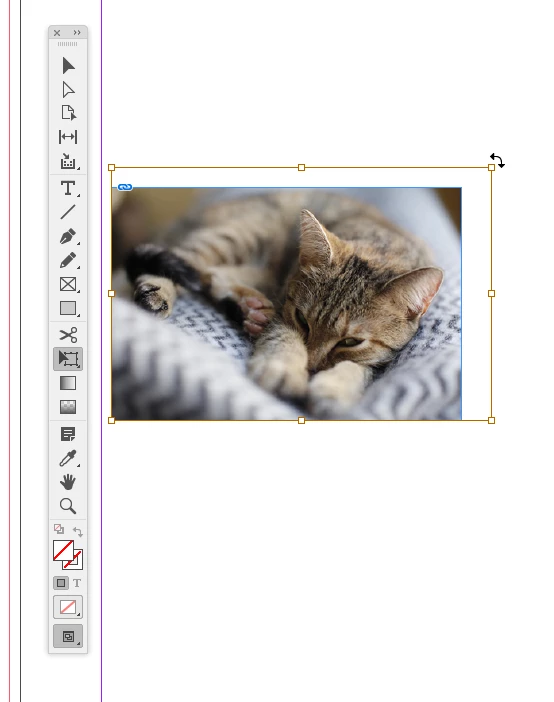
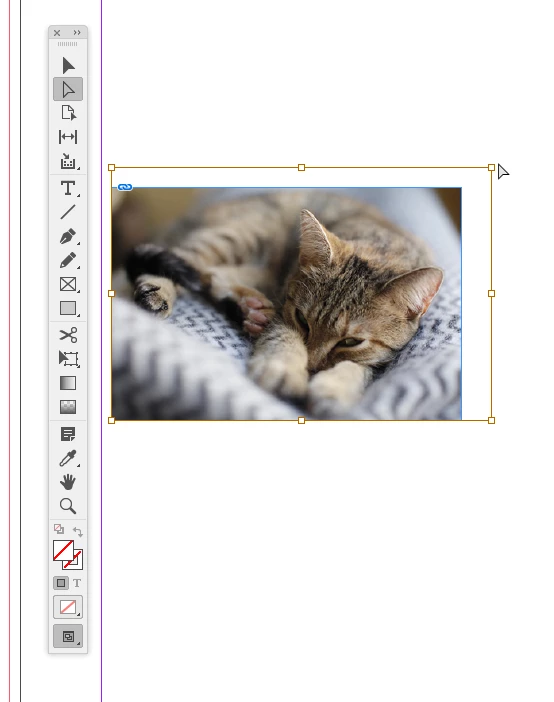
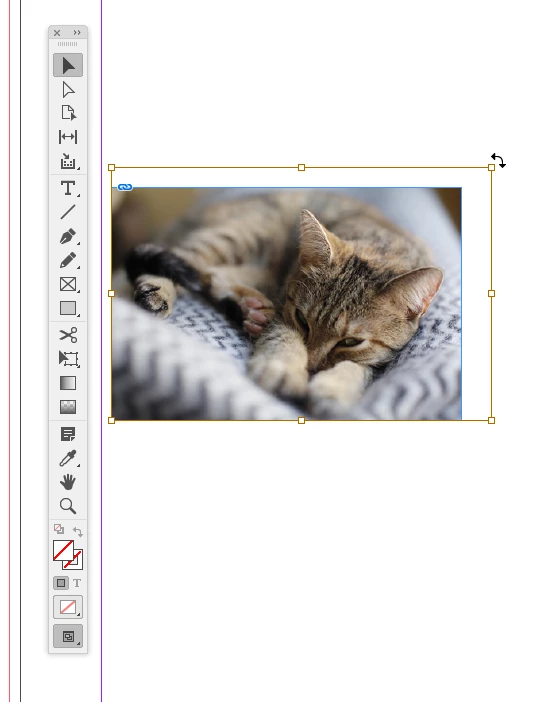
I want to rotate an image inside a frame, without rotating the frame. I select the image, but the rotating arrows on the corners don't appear anymore. It works fine if I rotate the whole frame. Is this normal? I hope not...


p.s. I noticed it only happens when I direct select an image (mostly using the A shortcut which I am used to). If I select it with the black arow through content grabber, the rotating arrows appear.
 

This topic has been closed for replies.
Correct answer rob day

The tool context matters. After you direct select the image switch to the Free Transform tool (E), or the Selection tool (V).


3 replies

rob day
Community Expert
rob dayCommunity ExpertCorrect answer
Community Expert
January 26, 2020

The tool context matters. After you direct select the image switch to the Free Transform tool (E), or the Selection tool (V).


coradyne
coradyneAuthor
Participating Frequently
January 26, 2020

Thank you, I noticed I can change the tool to get the arrow to show up, but I am pretty sure this was not the case on the previous version I had so this is why I thought it is a bug or something. If it is supposed to behave this way, ok, I will adapt, but if it's a bug, maybe it can be fixed. 

BobLevine
Community Expert
Community Expert
January 26, 2020
It's not a bug
Barb Binder
Community Expert
Community Expert
January 26, 2020

I'm getting the same result, though I hadn't noticed because I normally use the Content Grabber, which—as you noted—still works. Let us know if resetting prefs works, otherwise you can file a feature request/bug report here: https://indesign.uservoice.com/.


~Barb

~Barb at Rocky Mountain Training
Community Expert
January 26, 2020

Which version of InDesign and which OS?

You should see the rotation que when you hover your cursor on one of the anchor point markers after selecting the placed image using the direct selection tool. So what you describe does not sound normal. As an alternative you can also use the toolbar or the properties panel to rotate once the image is selected. Try resetting InDesign preference to see if that helps


-Manan 

-Manan