


Inspiring
December 23, 2020
Answered

Selecting text without the background turning black

  • December 23, 2020
  • 4 replies
  • 1022 views

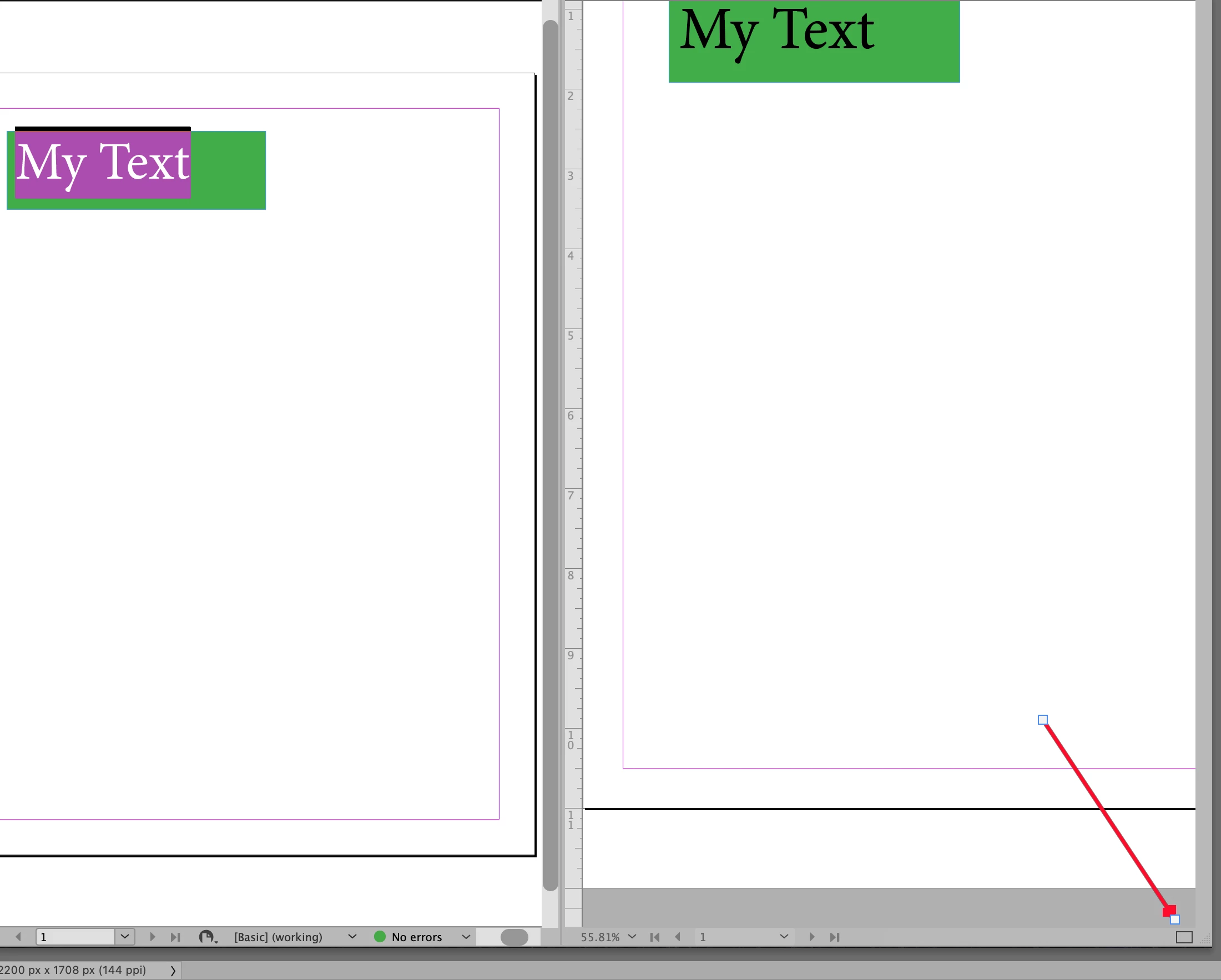
I am using colored type, and I want to tweak the color "on the fly". However, when I select the text, the selection background goes black, the color of the text goes to its negative, so I can't see the actual color. I have known before how to select text without the black background, but I forgot. Help?
This topic has been closed for replies.
Correct answer Steve Werner

You can click the Split Layout View button at the bottom right of the workspace. It will show you the "real" color appearance in the second window.


4 replies

Barb Binder
Community Expert
December 23, 2020

Clever, Steve. 


~Barb

~Barb at Rocky Mountain Training
Barb Binder
Community Expert
December 23, 2020

I don't think InDesign offers that anymore. Photoshop will drop the background color when you are tweaking the text color, but InDesign keeps the color set to black. I can change the highlight color on my Mac with Apple menu > System Preferences > General > Highlight Color, but InDesign ignores it. 


~Barb 

~Barb at Rocky Mountain Training
Inspiring
December 23, 2020

How does Photoshop do it? I can do this job in either, so whichever one is easier, I'll use.

Steve Werner
Steve WernerCorrect answer
Community Expert
December 23, 2020

You can click the Split Layout View button at the bottom right of the workspace. It will show you the "real" color appearance in the second window.


Inspiring
December 23, 2020

That works! Thanks.

Carol

Brainiac
December 23, 2020