



ajabon grinsmith
Community Expert
Community Expert
November 25, 2022
Question

Sharing another knowledge of the means of scrolling the page panel

  • November 25, 2022
  • 2 replies
  • 784 views

Hi there.

In the page panel, you can scroll outside the page thumbnails by dragging the mouse.
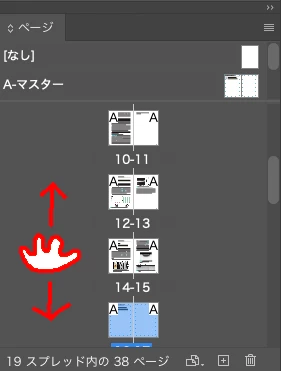

However, the master page area can only be scrolled horizontally.
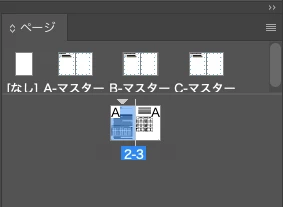
 

I happened to discover this yesterday and posted it on social networking sites, but most people didn't seem to know about it. So I thought I would share it with the world.


Did you know that?

This topic has been closed for replies.

2 replies

Community Expert
December 4, 2022

Yep knew about it. 

But not a very descriptive title. I will change it so it's discoverable. 

Thanks for sharing.

ajabon grinsmith
Community Expert
Community Expert
December 4, 2022

I accept the proposed title change. Thank you.
But there should not be a correct answer to this thread.
I will change it back.

Community Expert
December 4, 2022

You asked did you know about this feature. And I did. So it's correct.

If the answer is correct please change it back. Otherwise the 'question' remains unanswered.

If you like I'll mark yours as correct. 


I have no idea why you posted this as a question. 


Omar.Fathy
Community Expert
Community Expert
November 26, 2022

Sure, from the panel options you can choose the option you prefer:


ajabon grinsmith
Community Expert
Community Expert
November 27, 2022

The specification I show is that scrolling is possible by mouse dragging in the gray area.

okay?