Known Participant
May 27, 2020
Answered

Two columns with separate text flows

  • May 27, 2020
  • 3 replies
  • 1055 views

Hi, I want to create a two-column iPad doc with separate text flows: one for original material and another for commentary following along with the original material. What is the best way to achieve this?

This topic has been closed for replies.
Correct answer Laubender

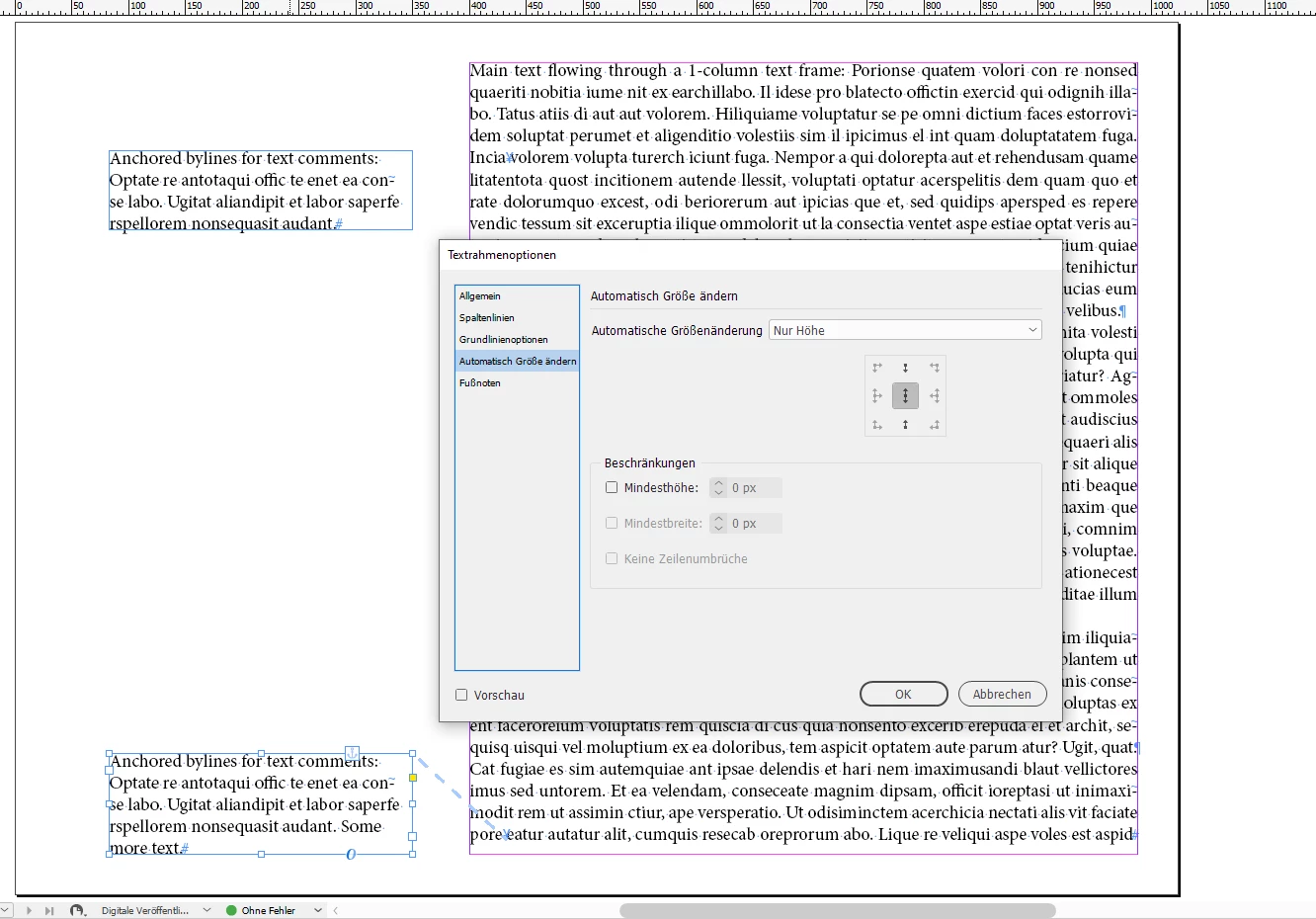
With an exported PDF you could use anchored text frames for the comments. That would flow with the main text as "bylines". The anchoring behavior could be adapted to not leave the margins of the page at the bottom and at the top.

The main text will flow in a 1-column text frame. The anchored frames are set to auto-height.


From my German InDesign:
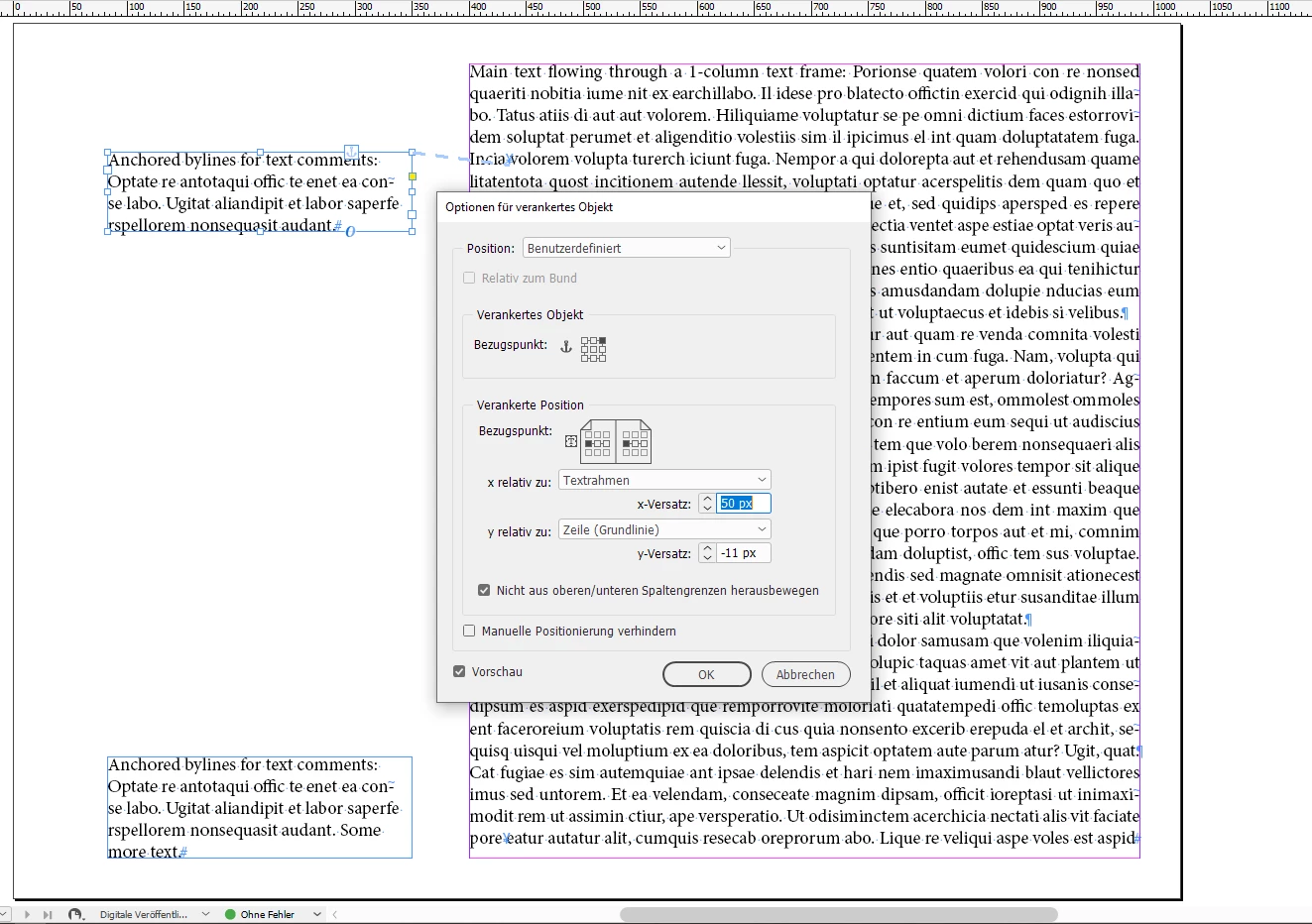


Note: Both anchored frames are using the same anchored object settings and the same text frame options with auto height.


Regards,
Uwe Laubender

( ACP )

3 replies

Community Expert
May 28, 2020

If you aim for an app for the iPad see into the in5 plugin for InDesign:

https://ajarproductions.com/pages/products/in5/


Regards,
Uwe Laubender

( ACP )

LaubenderCommunity ExpertCorrect answer
Community Expert
May 28, 2020

With an exported PDF you could use anchored text frames for the comments. That would flow with the main text as "bylines". The anchoring behavior could be adapted to not leave the margins of the page at the bottom and at the top.

The main text will flow in a 1-column text frame. The anchored frames are set to auto-height.


From my German InDesign:
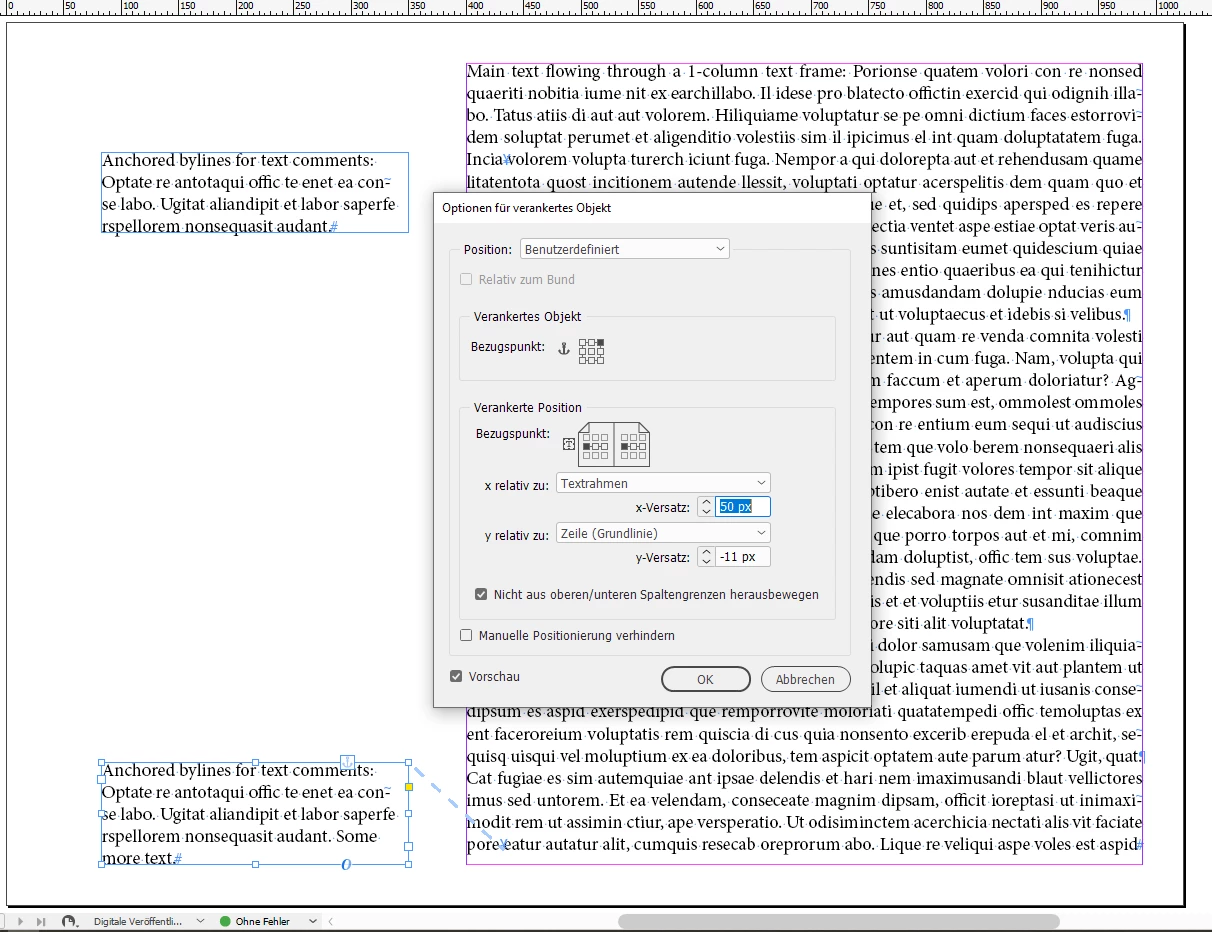


Note: Both anchored frames are using the same anchored object settings and the same text frame options with auto height.


Regards,
Uwe Laubender

( ACP )

anthony01Author
Known Participant
June 7, 2020

Hi Uwe, thanks for the response. I put together a master page & 1st page based on what I was able to figure out from your advice. It's two columns. On the right-hand side, there are two text frames: header & text flow. The left has one: for images, text, etc.


I looked at anchored frames, as you suggested, for the left-side text frame, but I don't think they would be necessary, as this text frame will appear in the same place on every page.


Does that sound right? If you have a chance, please take a look at the master & first page (link below) to see if this set up will meet my goals. Thanks!!! https://www.dropbox.com/s/fgbfzx4e750a2c0/master%20page.indd?dl=0

Community Expert
May 27, 2020

Hi Anthony,

what is your export workflow for what target media?


Thanks,
Uwe Laubender

( ACP )

anthony01Author
Known Participant
May 28, 2020

Ideally, this would end up as an interactive iPad app, if such a thing is possible... is that what you're asking? However, a simple .pdf would still be worthwhile.