

Known Participant
January 29, 2026
解決済み

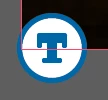
What is this new "T" icon on my images?

  • January 29, 2026
  • 返信数 17.
  • 3864 ビュー

I have an indesign document with a ton of different images, 1 on each page of the doc. I’ve updated a few of these links today and the newly linked updated images have this icon on the bottom left corner which I’ve never seen before. Any idea what this is or what it means? These are not text boxes, there are no primary text frames in this document and no threaded text.

It is definitely attached to the linked image and nothing else, as it moves around with the image when I move the image. 


    解決に役立った回答 Abhishek Rao

    Hi everyone,


    We’re currently investigating the issue where the “Auto-generate Alt Text” option appears greyed out in Preferences and cannot be toggled. We haven’t been able to reproduce this consistently on our end yet.

    If anyone is still facing this issue and would be willing to join a quick debug session with the product team, it would really help us move this forward. Please share your contact number (with country code), email address, and your availability via DM so I can coordinate this further.


    Appreciate your help on this.

    Abhishek

    返信数 17

    Community Expert
    June 5, 2026
    Known Participant
    June 4, 2026

    Where is the picture???? You can see the bounding box. I have never had this happen before the “T”


    Known Participant
    June 4, 2026

    not only does the T appear, but when I place and image the picture is NOT THERE!! So frustrating. Is anyone else having this issue? 


    leo.r
    Community Expert
    Community Expert
    June 4, 2026

    This issue has not been reported before. Did you try to disable the T icon and Generative AI Preferences as described earlier? Does it fix the issue? If not then does it happen with all images or only specific ones?

    Participant
    May 14, 2026

    I’ve disabled this option in my settings, and the T is still all over my files.

    leo.r
    Community Expert
    Community Expert
    May 14, 2026

    Did you disable this:


    Participant
    May 7, 2026

    OMG please Adobe provide a way to hide these badges, whether the feature is on or not! Working on a 76 page book with hundreds of images and it’s SUPER irritating.

    Abhishek Rao
    Community Manager
    Community Manager
    May 13, 2026

    Hi ​@Fitz_rt,


    Sorry for the frustration around this. Could you please try toggling View > Extras > Show/Hide Alt Text Badge and check if that helps reduce the visual clutter from the badges?

    Also, please make sure the Auto-generate Alt Text options are disabled under Preferences > Generative AI, then completely restart InDesign and reopen the document to test again.


    Let us know how it goes after trying this.

    Abhishek 
     

    Known Participant
    April 29, 2026

    it would be far better if this feature was disabled by default, and it was an active process to switch it on - rather than the other way around. If you asked your users “do you want inDesign to add AI generated copy to your document, which will not be proofread, may not be accurate, and may put you into litigation with your client” The answer would universally be ‘NO’

    Abhishek Rao
    Community Manager
    Abhishek RaoCommunity Manager解決!
    Community Manager
    April 29, 2026

    Hi everyone,


    We’re currently investigating the issue where the “Auto-generate Alt Text” option appears greyed out in Preferences and cannot be toggled. We haven’t been able to reproduce this consistently on our end yet.

    If anyone is still facing this issue and would be willing to join a quick debug session with the product team, it would really help us move this forward. Please share your contact number (with country code), email address, and your availability via DM so I can coordinate this further.


    Appreciate your help on this.

    Abhishek

    Mike Witherell
    Community Expert
    Community Expert
    April 28, 2026

    Don’t forget this View setting switch:

    View > Extras > Show/Hide Alt Text Badge.

    This should be hidden if you turn off the Generative AI Alt Text feature at the end of Preferences

    Mike Witherell
    Known Participant
    April 30, 2026

    The problem isn't the visibility of the badge - the problem is inDesign doing this in the first place. 

    Mike Witherell
    Community Expert
    Community Expert
    April 30, 2026

    You are so right! Did you read this whole thread?

    Mike Witherell
    Participant
    April 1, 2026

    what an obnoxious feature - especially one enabled without user notification or the ability to opt-out before it’s turned on. By all means offer it, but DO NOT EVER alter my work without permission.

    nickmartello
    Participant
    March 24, 2026

    How do I delete out all the garbage alt text that was applied to my document without my permission? Do I have to comb through every single image?

    leo.r
    Community Expert
    Community Expert
    March 25, 2026
    nickmartello
    Participant
    March 25, 2026

    Thanks!