
Participant
April 27, 2015
Answered

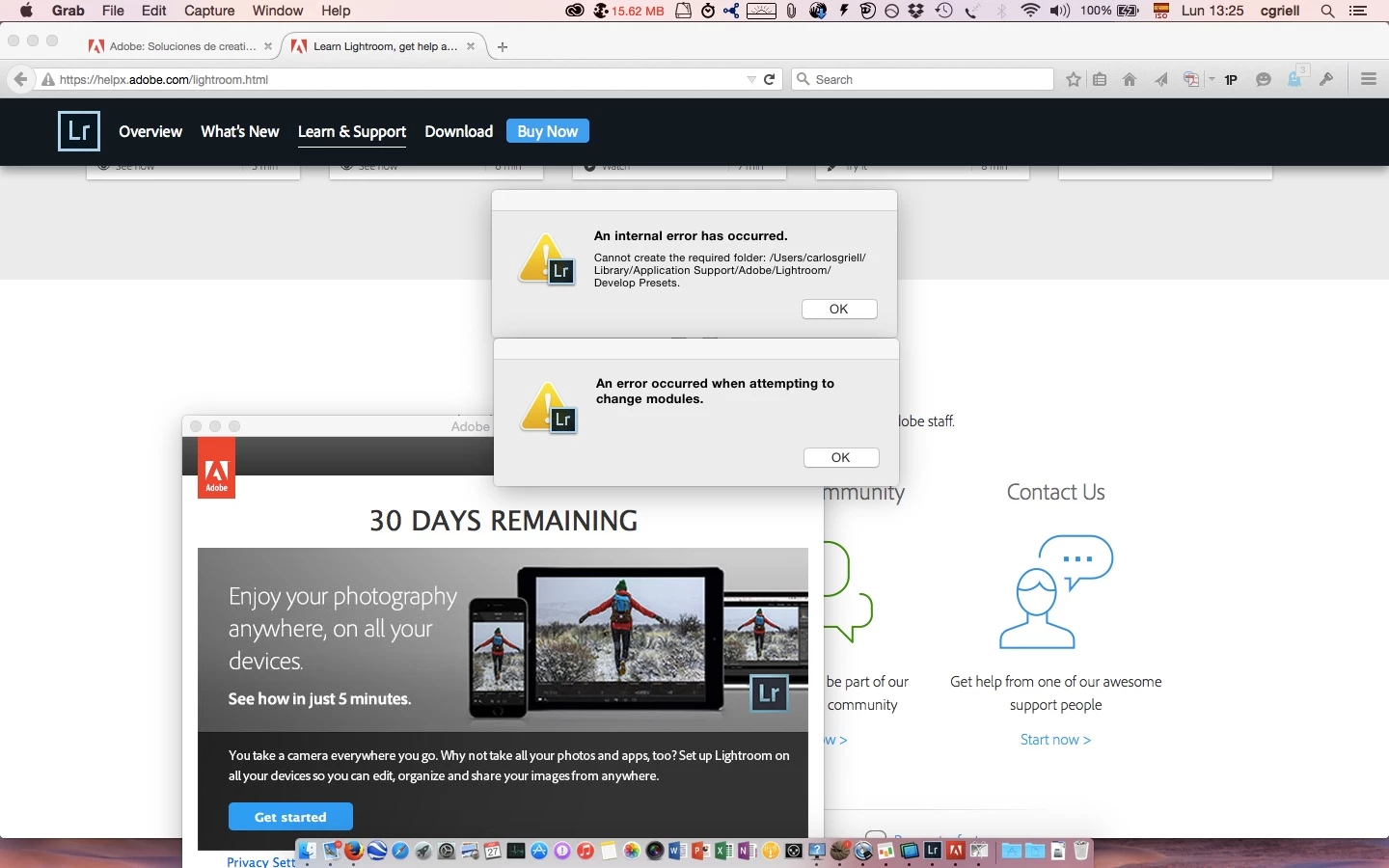
Cannot create the required folder

  • April 27, 2015
  • 23 replies
  • 31019 views

I am on a Mac with Yosemite, and I plan to migrate from Aperture (BTW, thanks, Apple!) to something else, and one of the options is LR. So, I downloaded the trial version but when launching it presents a window with a fatal error "Cannot create required folder). I am the sole user on my system, I have administrator privileges, I have tried to create a folder in the exact place where LR can't, and I created it with no error messages.. so, what's wrong? I add a copy of my error screen
    This topic has been closed for replies.
    Correct answer Govardhan.V

    Please follow below steps :

    1) Right click on Finder icon and  select "Go-To" Folder option.
    2) You will get a text box, type-in below command and then hit 'Return' key.( Do not miss ~ symbol)

    ~/library

    3)Then navigate to Application Support>Adobe.

    Right click on Adobe folder and select GetInfo option.

    Expand the Sharing & Permissions section.

    Click the lock icon in the lower-right corner. Enter your administrator user name and password when prompted, and then click OK.

    Please click on '+' symbol , it will open list of user accounts.

    Add all user accounts and then provide "Read & Write" permission to all user accounts. ( If not okay , just add currently logged in user name and Administrator)

    Click the Gear icon, and select Apply to Enclosed Item. Close the Get Info dialog box.

    Then launch Lightroom application and check.

    Let me know if you still face any issue .

    23 replies

    Participant
    September 17, 2020

    Well that's not great. Inherenlty step one makes no sense...


    1) Right click on Finder icon and  select "Go-To" Folder option.

    Participant
    July 26, 2020

    Hi. I applied what you said but the problem continues. 

    DdeGannes
    Community Expert
    Community Expert
    July 26, 2020

    Make no sense resurrecting this thread which is 5 years old. Please create a new thread describing your present experience with pertinent information.

    Your post will not attract much attention in that it has already been marked as answered. 

    See the screen capture for info on the forum guidelines.

    Regards, Denis: iMac 27” mid-2015, macOS 11.7.10 Big Sur; 2TB SSD, 24 GB Ram, GPU 2 GB; LrC 12.5,; Lr 6.5, PS 24.7,; ACR 15.5,; (also Laptop Win 11, ver 24H2, LrC 15.3; PS 27.0; ) Camera Oly OM-D E-M1.
    Just Shoot Me
    Legend
    July 26, 2020

    As above you need to start your own conversation. TRhere has been many changes to both Windows and OS X since this discussion started and until we know your system setup it is hard for use to help.

    IgorOliveira1501
    Participant
    February 24, 2020

    Perfect!!!!!!!!

    Thanks

    Participant
    November 5, 2017

    WOW! I have been stuck with this error for over a year..... thank you SO much.

    Participant
    February 20, 2017

    brilliant,worked for me-thanks!

    Participant
    February 1, 2017

    Thanks Brucgovn !

    Participant
    August 22, 2016

    THANK YOU!!!! I was ready to cry, but you saved the day!
    Great step-by-step instructions.

    Thanks again!

    Participant
    January 30, 2016

    Good write up!

    Participant
    December 17, 2015

    Thank you so much!!! =) BIG HELP!

    Participant
    December 9, 2015

    Thank you so much!  I was about to rip my hair out! 

    Lifesaver