

Participant
June 4, 2018
質問

Color in exported JPG not matching edit in Lr

  • June 4, 2018
  • 返信数 2.
  • 2739 ビュー

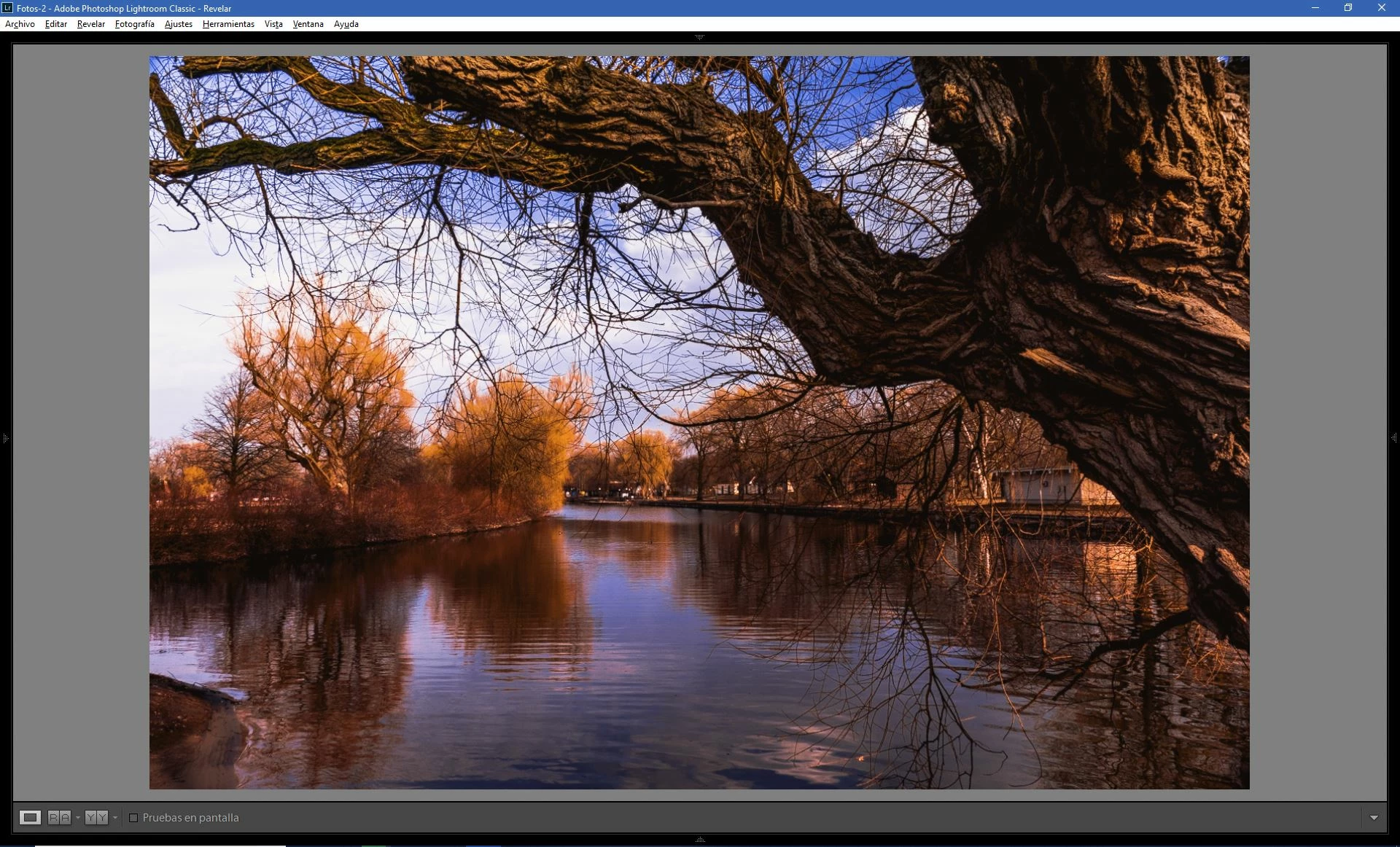
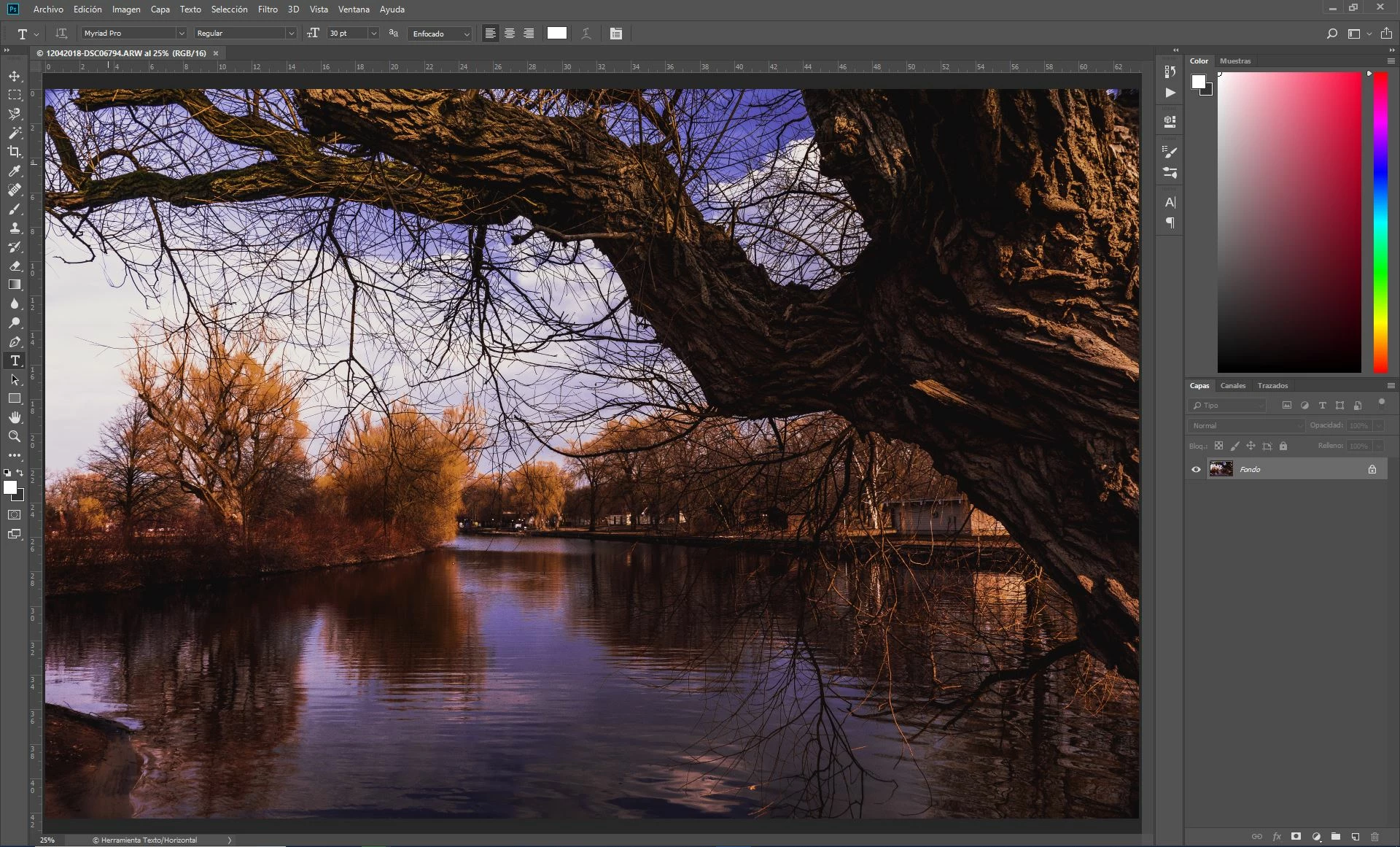
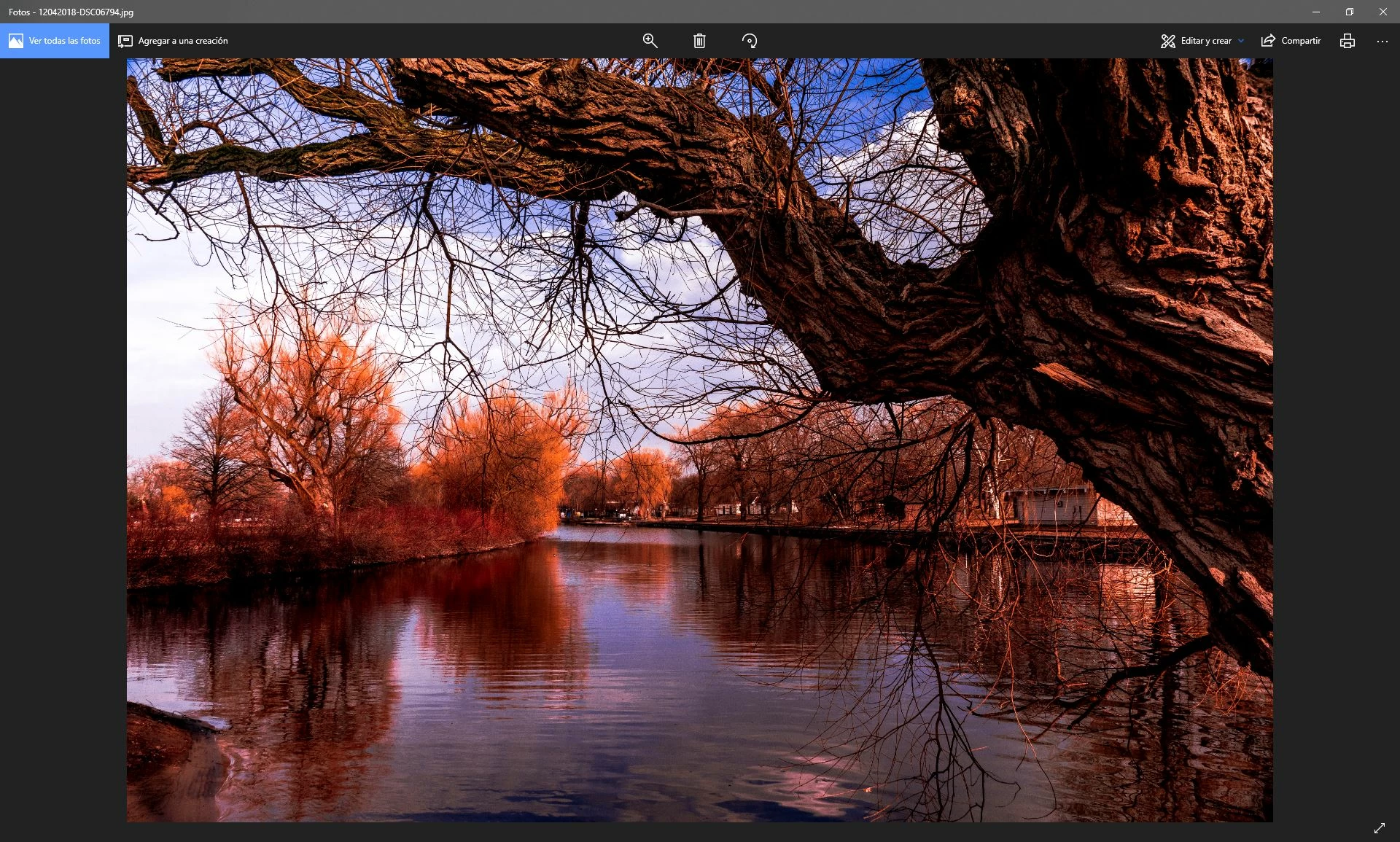
Hi! Since I updated the app, I am having problems when I export the images in Lr, as the colors shown in the app (Lr or Ps) do not match with the colors I see when I open the JPG in another app (windows photos for example) or even when I open the JPG in another device (such an iphone or surface or in the web browser in another computer). i have attached pictures to show the difference.

Does anyone know what may be causing it? I have tried changing the color profiles but nothing has changed.

I'm using the latest version of Lr Classic CC, in a Dell computer with a Dell monitor.

Here the image in Lr
Here the image in Ps
and the image in any other app
    このトピックへの返信は締め切られました。

    返信数 2

    Per Berntsen
    Community Expert
    Community Expert
    June 4, 2018

    It seems that you have a wide gamut monitor, in which case you must use only color managed applications to view your work.

    In applications like the Photos app, which is not color managed, you will inevitably get over saturated colors on a wide gamut monitor.

    I suggest that you use Bridge, or the free Irfanview - where you need to enable color management under Settings.

    A good paid option is ACDSee.

    You also have different colors in Lightroom and Photoshop, which indicates a defective monitor profile, probably delivered by a Windows update. As troubleshooting and a possible temporary fix, try setting the monitor profile to Adobe RGB. If that fixes the issue, you should ideally calibrate your monitor with a hardware calibrator.

    Go to Control Panel > Color management, add the Adobe RGB profile and set it as default.

    Make sure that Use my settings for this device is checked.

    DdeGannes wrote

    The LR image is being viewed in the develop module which uses a variant of Pro Photo RGB to render the image.

    The PS image is probably set to use Adobe RGB to display the image.

    It's a persistent myth that profiles and working spaces need to match.In color managed applications, images will display identically regardless of the document profile or the working space. If they don't, it's almost always due to a defective monitor profile,

    The only other possibilities are that users have messed up their color settings in Photoshop, or gamut clipping resulting from an image being converted from a wider color space (Adobe RGB or ProPhoto) to a narrower one (sRGB). But this would only be visible on a wide gamut monitor - standard gamut monitors cannot display wider color gamuts than sRGB. And gamut clipping does not change the color balance in the image affect the image globally, like it does in the example we have here.

    See also Color Shift Lightroom -> Photoshop -> Lightroom

    Edited by Per Berntsen

    DdeGannes
    Community Expert
    Community Expert
    June 4, 2018

    Just a guess in view of the limited info provided.

    The LR image is being viewed in the develop module which uses a variant of Pro Photo RGB to render the image.

    The PS image is probably set to use Adobe RGB to display the image.

    The image being viewed in any other application is using a jpeg with sRGB colour space.

    And your monitor has not been profiled / calibrated using a hardware calibrating device, hence the differing colour rendition.

    Regards, Denis: iMac 27” mid-2015, macOS 11.7.10 Big Sur; 2TB SSD, 24 GB Ram, GPU 2 GB; LrC 12.5,; Lr 6.5, PS 24.7,; ACR 15.5,; (also Laptop Win 11, ver 24H2, LrC 15.3; PS 27.0; ) Camera Oly OM-D E-M1.