


Answered
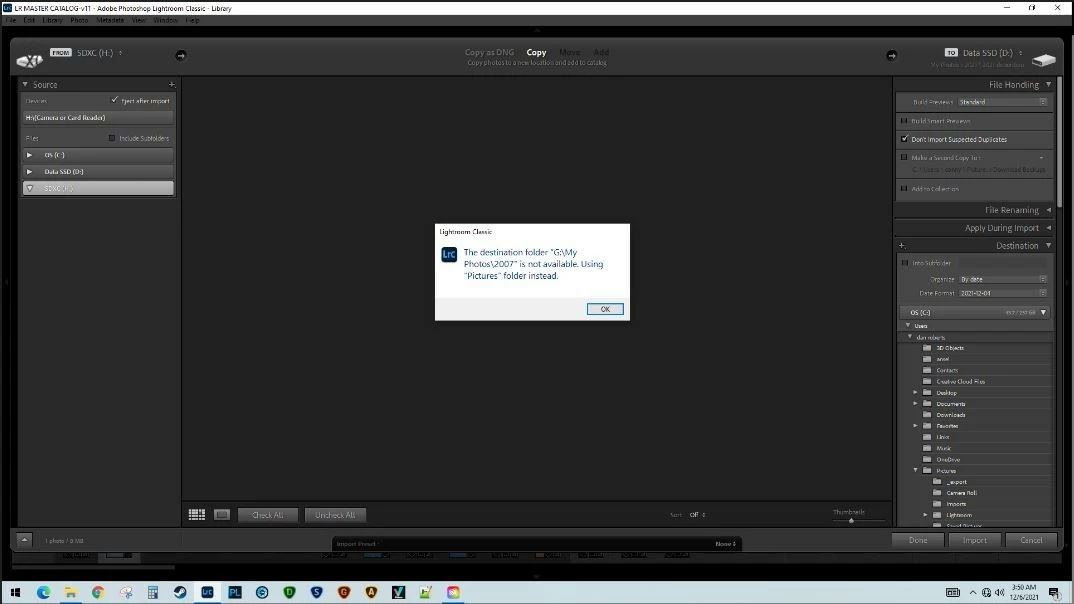
Error message every time I start import process
Every time I initiate the import process I get a popup saying "the destination folder G\My photos\2007 is not available. Using Pictures folder instead". This happens immidiately and no matter how I initiate the import process. IOW if I right click on a specific folder and then select "import to this folder" I still get this popup/error message. In the past I stored my files on an external "G" drive but since upgrading my internal HDD migrated to that. Ever since then I've been getting this error. I can't find a way to specify a default folder. This is not a major problem but is annoying and adds a few seconds to every import that I do.
 AdChoices