
Participant
July 14, 2023
Question

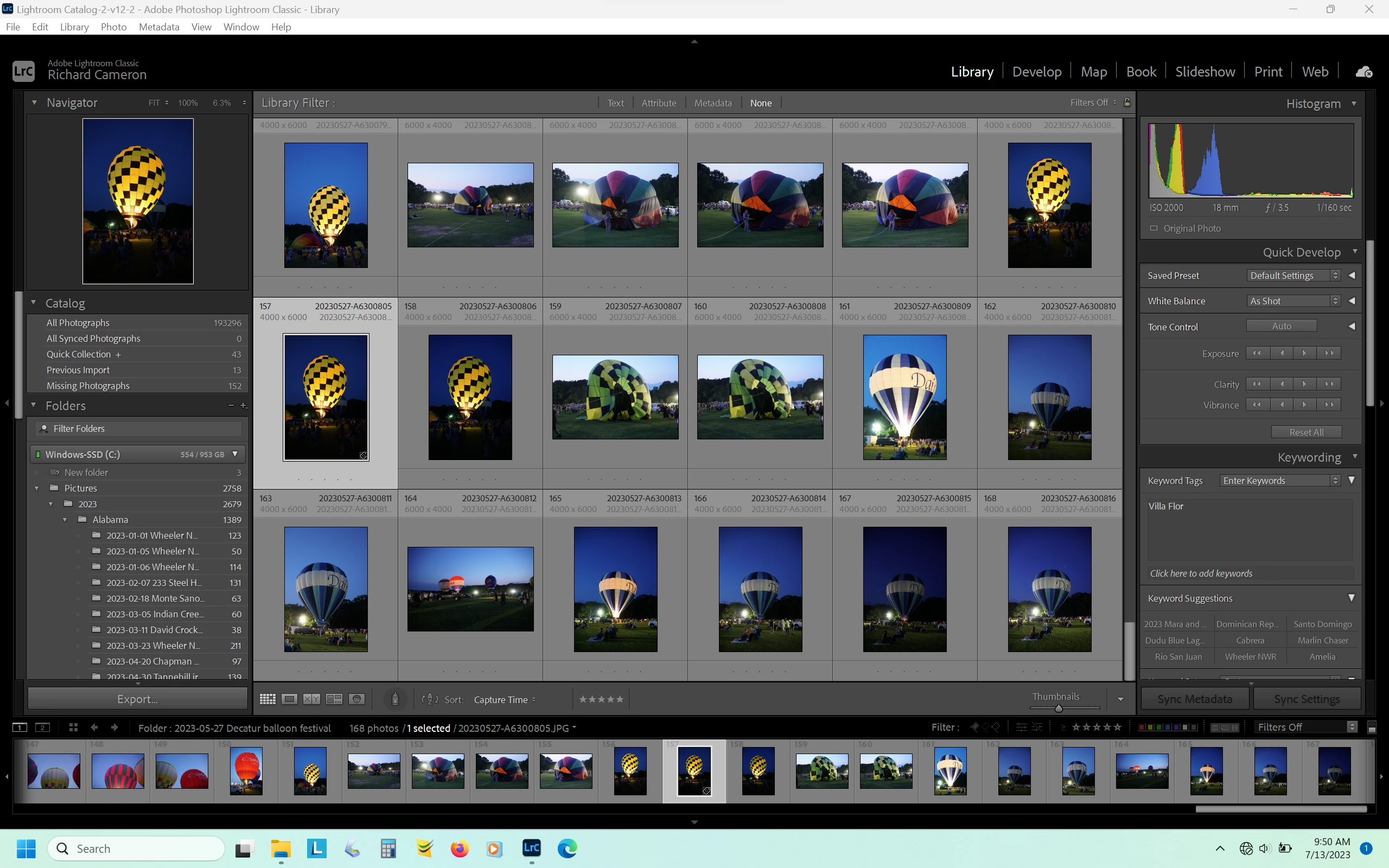
Import button missing when using Lightroom Classic offline

  • July 14, 2023
  • 1 reply
  • 2299 views

I run Lightroom Classic 12.4 on a Lenovo Legion 5 Pro laptop which has an AMD Ryzen 7 5800H processor with Radeon Graphics. 16 GB RAM, 64-bit Windows 11 Home version 22H2. It has a NVIDIA GeForce RTX3060 6GB laptop GPU. Currently the graphics processor is turned off in Lightroom because Lightroom had been crashing. Since turning off the graphics acceleration it no longer crashes, however a ne issue has surfaced. I use the classic version of Lightroom mostly offline. When it is online, both the import and export buttons are visible, but when offline, the import button is missing. Using the keyboard shortcut for import, Control Shift I, does nothing, and the import line is missing from the File menu. I am unable to get online regularly and so need to use Lightroom offline, which is why I need the Classic version. Has anyone else had trouble with the import button missing when using Lightroom offline, or does anyone have any suggestions for me to try? Thanks
This topic has been closed for replies.

1 reply

johnrellis
Legend
July 14, 2023

There have been a few reports in the last six months about the Import button missing and the Import command missing from the File menu:

https://community.adobe.com/t5/lightroom-classic-discussions/no-import-option/m-p/13350686

https://community.adobe.com/t5/lightroom-classic-discussions/all-import-options-have-disappeared/m-p/13412918 

https://community.adobe.com/t5/lightroom-classic-discussions/my-import-button-has-dissapeared/m-p/13435624

https://community.adobe.com/t5/lightroom-classic-bugs/p-no-import-button-in-library-module-develop-module-gives-me-an-error-more/idi-p/13543161


In at least two of those reports, the users' screenshots show they were online (based on the cloud icon in the upper-right corner).  Adobe says that LR 12.2 fixed a problem causing those symptoms (see the last link).


The standard magic spells were recommended but no one reported they fixed the symptoms:


- Reset preferences.

- Uninstalling all Creative Cloud apps with the Creative Cloud Cleaner Tool and reinstalling


You could try those incantations -- who knows, they might help you. It may well be there are multiple causes of these symptoms.

Participant
July 14, 2023

Thanks, I'll give your suggestions a try. Not real good with incantations, but who knows? I'll let you know if they work.

Participant
July 15, 2023

The reset worked, hopefully it will continue to let me use Lightroom import offline. Thank you for your help