


Marby
Known Participant
October 5, 2021
Question

Lightroom 6 not responding

  • October 5, 2021
  • 5 replies
  • 2912 views

Well I am absolutely miffed that LR decided to not open after working perfectly well for 2 years on Windows 10. Nothing hs changed, no software update etc and yet when I try and open the program it hangs endlessly. I have tried everything, including rolling back windows to an earlier date, to no avail. As I haven't backed up the catalogue (thinking the xmp files were checked to write, which I have now found were NOT) I can't afford to lose all the 2 years worth of edits that must be locked into the programe.


Is there any way I can rescue them, or better still, get LR running again ? My older LR 5.7 still opens but I need 6 with improved features. 


I have a clone of my system drive if that I could copy over (in the hope of fixing any corrupt files) but I need to know where LR stores all its edit info for each file so I don't wipe over them. But my maion concern is why LR has just stooped opening.
This topic has been closed for replies.

5 replies

johnrellis
Genius
October 5, 2021

"get LR running again ?"


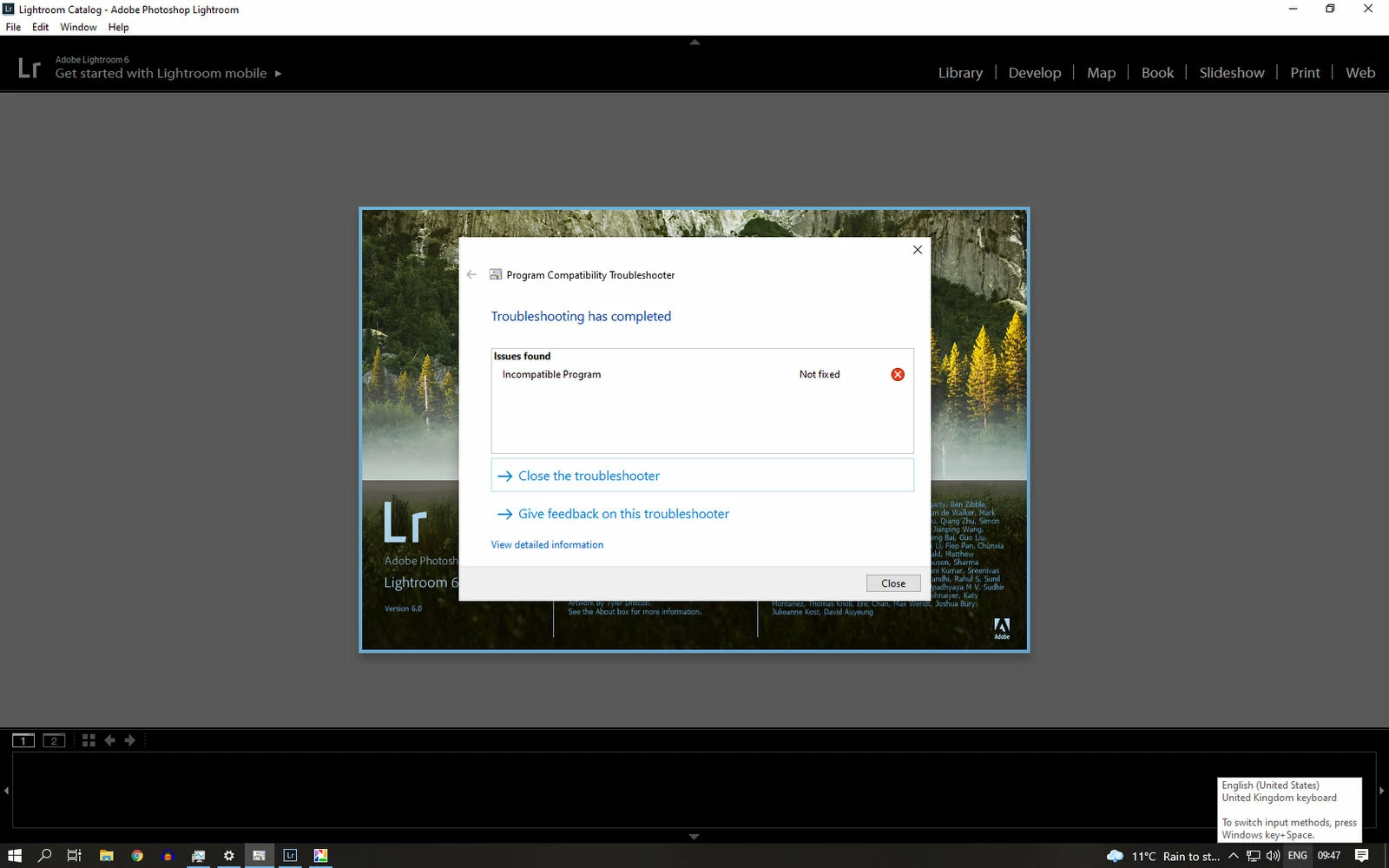
Your screenshot shows the Program Compatibility Troubleshooter saying that LR 6 is an "incompatible program". That's curious, since when I run it on my LR 6.14's "lightroom.exe", it doesn't show any incompatibilities.  


Troubleshooting steps:


1. Try resetting LR's preferences:
https://www.lightroomqueen.com/articles-page/how-do-i-reset-lightrooms-preferences/


(Follow the instructions for manually resetting preferences on Windows for LR 6.) LR sometimes soils its preferences file, and resetting it can fix all sorts of wonky behavior. That article explains how to restore the old preferences if resetting doesn't help.


If your LR is trunning to start in People view (which no longer works in LR 6 and can crash LR 6 on startup), resetting preferences will cause it start in Grid view.


2. Do Help > System Info. If you don't have 6.14 installed (the last version of LR 6), download and install it following the instructions here:

https://community.adobe.com/t5/lightroom-classic-discussions/update-lightroom-6-0-to-6-14/m-p/10819370#M170107


3. Run the Adobe Creative Cloud Cleaner Tool to remove all Adobe software:

https://helpx.adobe.com/creative-cloud/kb/cc-cleaner-tool-installation-problems.html 


Then reinstall LR 6 (step 2).


4. If you can't get LR 6.14 running on your computer, you can buy a subscription to the most recent version, LR Classic 10. When it starts, it will ask if you want to convert your LR 6 catalog to LR 10.

Marby
MarbyAuthor
Known Participant
October 12, 2021

Tried to download the LR 6 from the link but when I click to download I get 

Access Denied

You don't have permission to access "http://trials3.adobe.com/AdobeProducts/LTRM/6/win64/Lightroom_6_LS11.exe?" on this server.

Reference #18.3aed655f.1634056886.3d11b97b

johnrellis
Genius
October 12, 2021

I think you missed 'be sure to read "Very Important Instructions" above the table' in the instructions:

https://community.adobe.com/t5/lightroom-classic-discussions/update-lightroom-6-0-to-6-14/m-p/10819370#M170107 

johnrellis
Genius
October 5, 2021

"I need to know where LR stores all its edit info for each file"


LR stores all edits and other metadata in its catalog file (a .lrcat file). You can find it by doing Edit > Catalog Settings > General > Show, which will open File Explorer on the folder containing the .lrcat file.


Assuming your catalog file hasn't been corrupted by hardware failure (and if it has, you have a recent valid backup), you don't need .xmp files to recover all your edits.

Marby
MarbyAuthor
Known Participant
October 5, 2021

Hi, As I can't open Lightroom to view this .lrcat file, how can I find it please ? I have searched in  the Adobe folders in App data with no results. 

DdeGannes
Community Expert
Community Expert
October 5, 2021

By default the Lightroom Catalog file would be stored in your user files > your user name> Pictures (Mac)/ My Picturers (Win) > Lightroom. The Lightroom Catalog (.LRCAT) and ancillary files will be in that sub folder. Lightroom is the only application that will open the Catalog file.


Regards, Denis: iMac 27” mid-2015, macOS 11.7.10 Big Sur; 2TB SSD, 24 GB Ram, GPU 2 GB; LrC 12.5,; Lr 6.5, PS 24.7,; ACR 15.5,; (also Laptop Win 11, ver 24H2, LrC 15.0.1, PS 27.0; ) Camera Oly OM-D E-M1.
GoldingD
Legend
October 5, 2021

Do you stll have either a CD/DVD of the Lr 6 install or a downloaded file?

Marby
MarbyAuthor
Known Participant
October 5, 2021

I have the disk for LR 5 but subsequent versions I think were downloaded from Adobe direct. I don't want to re-install as I will lose all the edits of my images in the catalogue file withng LR 6 ( not backed up unfortunatley)  

johnrellis
Genius
October 5, 2021

"I don't want to re-install as I will lose all the edits of my images in the catalogue file withng LR 6"


Uninstalling and reinstalling LR 6.14 won't touch your catalog -- it will still be available for the reinstalled LR 6 to open. Even if you can't get LR 6.14 working again on your computer, LR 10 (soon, LR 11) will find the catalog and upgrade it to the LR 10 format.

GoldingD
Legend
October 5, 2021

In the future keep multiple backups. The xmp files would not be a proper backup of the catalog. Do not keep backups on the same drive as whatever you are backing up.. And remember the photos are not in the catalog,  they need their own backup.


Marby
MarbyAuthor
Known Participant
October 5, 2021

Hi, Yes, I keep my images on a seperate drive to the main system drive and also back them up on an external usb drive. I wrongly assumed with my last 2 years of images edited, LR was saving xmp files to their folders. Hence why I am paniking at LR not opening. Xmp files leave a much smaller footprint on your drive than a full catalogue backup, but in this instance I am wishing I did just that. 

GoldingD
Legend
October 5, 2021

When you click on View Detailed Info, what is presented?