



Lightroom Classic, Sync with Lightroom -> Lightroom Sync, Drive/Folder, Cant sync to D:\ drive
I use Lightroom Photoshop CC to sync images to my Lightroom Classic. I do this using the "Sync to Lightroom" setting.
I then edit my pictures in Lightroom Classic.
In Lightroom Classic, when I start the "Sync with Lightroom" and start importing to my C drive pictures folder (C:\Users\<user>\Pictures\Lightroom).
I attempted to modify this location using the:
Edit -> Preferences -> Lightroom Sync -> "Specify Location for Lightroom's Synced images" Choose & Select, I select a location on the D:\ drive. I have done this but it always reverts to the C drive pictures folder.
After importing the images are stored on the C:\ drive. My C:\ drive is almost full.
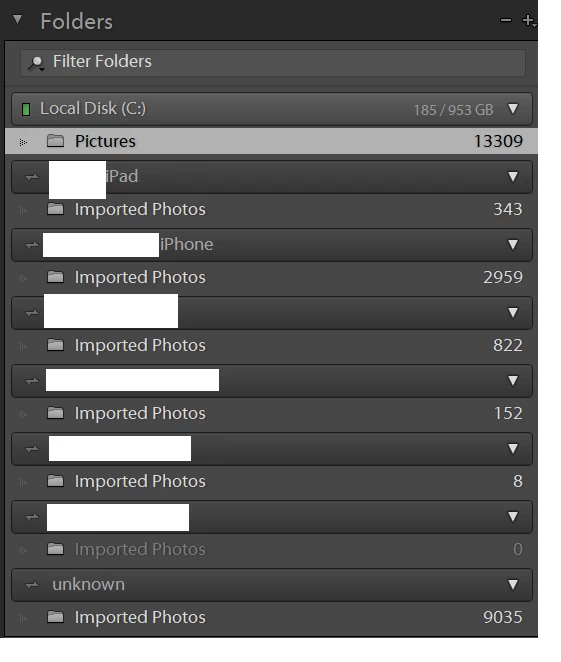
Folders View after syncying with Lightroom CC:
Setting I try to change that does not save:
How do I import from Lightroom CC directly to my D:\ drive?
 AdChoices