

Answered

This topic has been closed for replies.
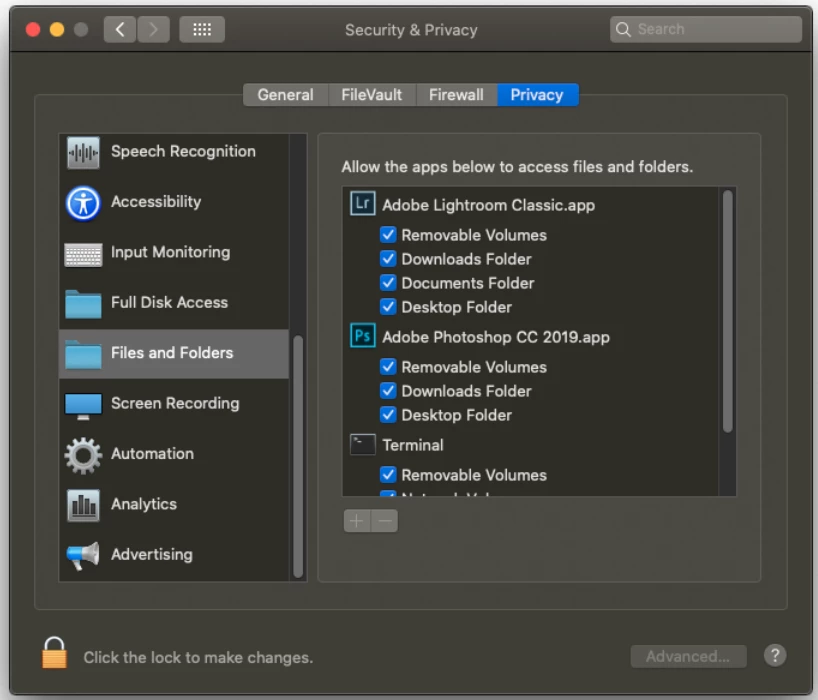
No answers from Mac users yet! Have you checked "Permissions" for the original files in the new Apple Studio system?
In particular Look at Files and Folders. Make sure LrC can access everything.
Other Forum answers have suggested faulty drives (not unheard of in new systems!), and 'Missing' files that need re-linking (but usually a different error message).
Sign up
Already have an account? Login
To post, reply, or follow discussions, please sign in with your Adobe ID.
Sign inSign in to Adobe Community
To post, reply, or follow discussions, please sign in with your Adobe ID.
Sign inEnter your E-mail address. We'll send you an e-mail with instructions to reset your password.
 AdChoices