



hyund39164868
Participant
April 1, 2024
Answered

P: (GPU) Develop/Edit view & Export artifacts after 14.4.1 Update (AMD-only) (affects Cr, LrC & LrD)

  • April 1, 2024
  • 139 replies
  • 100167 views

Hi,


Since just now, I've been experiencing a weird bug / crash in Lightroom Classic (on a Mac), where ALL my photos suddenly are fully covered in artefacts in the Develop module.
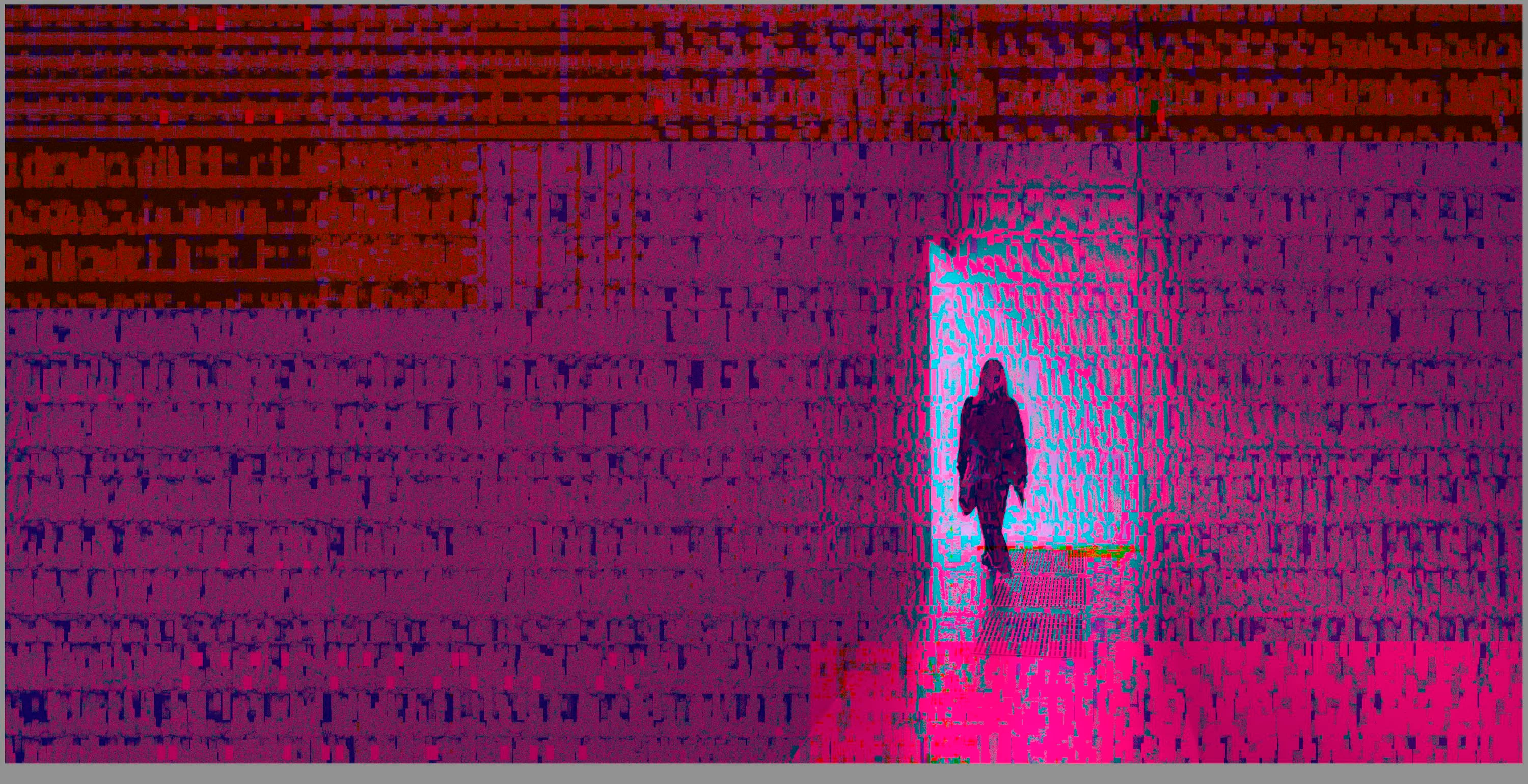
 

(Screengrab from the Develop module in Lightroom Classic)


When I check the linked RAW + JPEG source files in Finder, they all seem ok (they don't look corrupted, nor show any artefacts here), meaning the issue is within Lightroom.
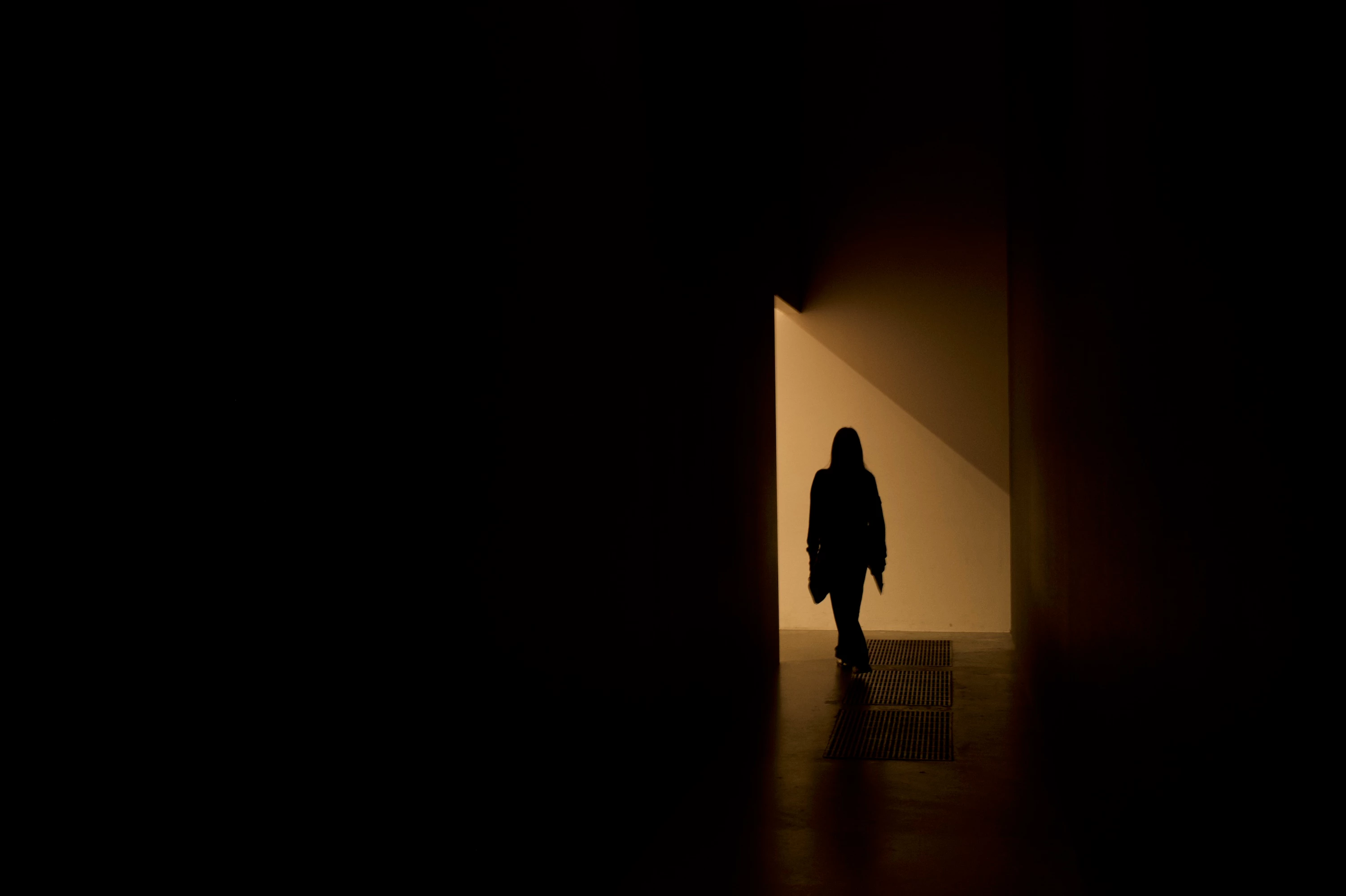
 

(Screengrab from the RAW source file in Finder)


When I export images out of Lightroom (with any setting, edited or even not edited), the artefacts are also present on the export files.
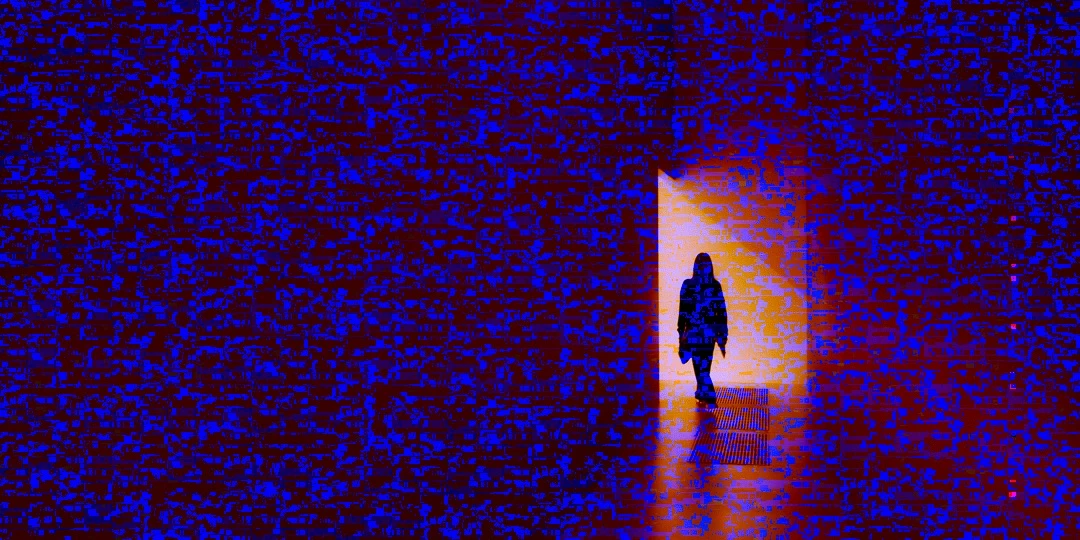
 

(Screengrab from the exported JPG image)


This problem started occuring soon after I applied the new AI noise reduction feature on just ONE (1) photo. 


I already tried:


  • Closing and re-opening Lightroom
  • Shutting down (fully), and restarting the computer after 1 minute
  • Switching the GPU accelrator setting in Lightroom on/off


MY SPECS

  • Lightroom Classic 13.0.1 - Build (202310121438-d2af310c)
  • Macbook Pro 16" - 2019
  • 2,3Ghz 8-core Intel Core i9
  • AMD Radeon Pro 5500M 8GB 
  • 32GB 2667MHz DDR4 memory
  • OS Sonoma 14.4.1


Any help would be greatly appreciated, because this makes the whole software unusable....

Thank you!

139 replies

johnrellis
Legend
May 23, 2024

@Bonnie Lampley, do the menu command Help > System Info and verify you're on an Intel Mac with an AMD series 5000 GPU. If you are, then see here for the cause and two workarounds:

https://community.adobe.com/t5/lightroom-classic-bugs/p-gpu-develop-edit-view-amp-export-artifacts-after-14-4-1-update-amd-only-affects-cr-lrc-amp-lrd/idc-p/14602754#M52470


If you don't have an AMD series 5000 GPU, please copy and paste the entire Help > System Info contents here.

Legend
May 21, 2024

Apple has released Sonoma 14.5 and Adobe has ACR and Photoshop updates out today, hopefully those will fix the problem.

johnrellis
Legend
May 21, 2024

@tomw58006331 , "Graphics AMD Radeon Pro 5500 XT 8 GB

macOS Sonoma 14.5"


Mac OS 14.4.1 included buggy graphics drivers for the AMD Radeon 5000 series graphics processors. Adobe says they're working with Apple and AMD on the issue (see the pinned reply at the top of this thread). Most people report images filled with "static", though there have been some reports about problems with the AI commands including Denoise, which haven't been merged here.


You could try restarting your computer and see if the problem goes away (at least for a while). The other workaround, setting Preferences > Performance > Use Graphics Processor to Off, won't help you, since Adobe inexplicably refuses to have the AI commands obey that setting -- the commands always use the GPU regardless.

johnrellis
Legend
May 21, 2024

xxx

Participant
May 20, 2024

Subject, Sky and Background masking was working fine up until today.  Now when I select any of them I'm getting a dialog that indicates that no Subject, Sky or Background can be found.  I haven't changed anything, the only thing I did was install some Presets. 


System Info: 

Lightroom Classic version: 13.2 [ 202402141005-bf1aeb84 ]
License: Creative Cloud
Language setting: en-US
Operating system: Mac OS 14
Version: 14.4.1 [23E224]
Application architecture: x64
Logical processor count: 12
Processor speed: 2.6GHz
SqLite Version: 3.36.0
Built-in memory: 16,384.0 MB
Dedicated GPU memory used by Lightroom: 2,664.9MB / 4,080.0MB (65%)
Real memory available to Lightroom: 16,384.0 MB
Real memory used by Lightroom: 2,260.9 MB (13.7%)
Virtual memory used by Lightroom: 42,358.9 MB
Memory cache size: 409.6MB
Internal Camera Raw version: 16.2 [ 1763 ]
Maximum thread count used by Camera Raw: 5
Camera Raw SIMD optimization: SSE2,AVX,AVX2
Camera Raw virtual memory: 695MB / 8191MB (8%)
Camera Raw real memory: 698MB / 16384MB (4%)

Cache1:
Preview1- RAM:22.0MB, VRAM:0.0MB, 2024-04-04 04.43.22-Enhanced-NR.dng
Final2- RAM:189.0MB, VRAM:0.0MB, 2024-04-04 04.44.05-Enhanced-NR.dng
NT- RAM:211.0MB, VRAM:0.0MB, Combined:211.0MB

Cache2:
final1- RAM:189.0MB, VRAM:0.0MB, 2024-04-04 04.43.22-Enhanced-NR.dng
final2- RAM:206.0MB, VRAM:56.0MB, 2024-04-04 04.44.05-Enhanced-NR.dng
T- RAM:395.0MB, VRAM:56.0MB, Combined:451.0MB

Cache3:
m:409.6MB, n:337.2MB

U-main: 119.0MB

Standard Preview Size: 3584 pixels
Displays: 1) 3584x2240, 2) 3440x1440

Graphics Processor Info:
Metal: AMD Radeon Pro 5300M
Init State: GPU for Image Processing supported by default
User Preference: Auto

Application folder: /Applications/Adobe Lightroom Classic
Library Path: /Users/meythere/Pictures/Lightroom/Lightroom Catalog-v13.lrcat
Settings Folder: /Users/meythere/Library/Application Support/Adobe/Lightroom

Installed Plugins:
1) AdobeStock
2) Aperture/iPhoto Importer Plug-in
3) Flickr
4) Nikon Tether Plugin
5) Topaz Photo AI

Config.lua flags: None


johnrellis
Legend
May 20, 2024

"Operating system: Mac OS 14
Version: 14.4.1 [23E224]

Metal: AMD Radeon Pro 5300M"


Mac OS 14.4.1 included buggy graphics drivers for the AMD Radeon 5000 series graphics processors:

https://community.adobe.com/t5/lightroom-classic-bugs/p-gpu-develop-edit-view-amp-export-artifacts-after-14-4-1-update-amd-only-affects-cr-lrc-amp-lrd/idi-p/14563606


Adobe says they're working with Apple and AMD on the issue. Most people report images filled with "static", though there have been a smaller number of reports about problems with the AI commands. 


You could try restarting your computer and see if the problem goes away (at least for a while). The other working, setting Preferences > Performance > Use Graphics Processor to Off, won't help you, since Adobe inexplicably refuses to have the AI commands obey that setting -- the commands always use the GPU regardless.

Participant
May 19, 2024

Yes AMD!

johnrellis
Legend
May 18, 2024

@Mollup, "When I close end re-open Lightroom, the failure still exists. To fix this issue for a while I need to shut down the Mac and start again."


Disabling the graphics processor has helped many with similar symptoms:

https://community.adobe.com/t5/lightroom-classic-bugs/p-gpu-develop-edit-view-amp-export-artifacts-after-14-4-1-update-amd-only-affects-cr-lrc-amp-lrd/idc-p/14602754#M52470

Legend
May 16, 2024

Apple just released Sonoma 14.5, I am seeing this issue intermittently so I don't know if Apple has fixeďit. If not, it may be a while since all the developers at Apple will be getting ready for the yearly developer conference in a few weeks.

johnrellis
Legend
May 16, 2024

"Will you and / or Apple be fixing this problem so that all the other people experiencing this same problem, including me, can use this Graphic Processor once again?"


Rikk's pinned reply at the top says, "The team is working with the OS manufacturer to identify the cause and effect a fix."

Known Participant
May 15, 2024

Hi Rikk, Thank you! This worked. Will you and / or Apple be fixing this problem so that all the other people experiencing this same problem, including me, can use this Graphic Processor once again?


johnrellis
Legend
May 14, 2024

@Hines Hands-On Media, the issue is caused by a buggy graphics driver for the AMD 5300/5500 GPUs in the most recent release of Mac OS. See here for workarounds that have helped others:

https://community.adobe.com/t5/lightroom-classic-bugs/p-gpu-develop-edit-view-amp-export-artifacts-after-14-4-1-update-amd-only-affects-cr-lrc-amp-lrd/idc-p/14602754#M52470