

hyund39164868
Participant
April 1, 2024
Answered

P: (GPU) Develop/Edit view & Export artifacts after 14.4.1 Update (AMD-only) (affects Cr, LrC & LrD)

  • April 1, 2024
  • 139 replies
  • 100167 views

Hi,


Since just now, I've been experiencing a weird bug / crash in Lightroom Classic (on a Mac), where ALL my photos suddenly are fully covered in artefacts in the Develop module.
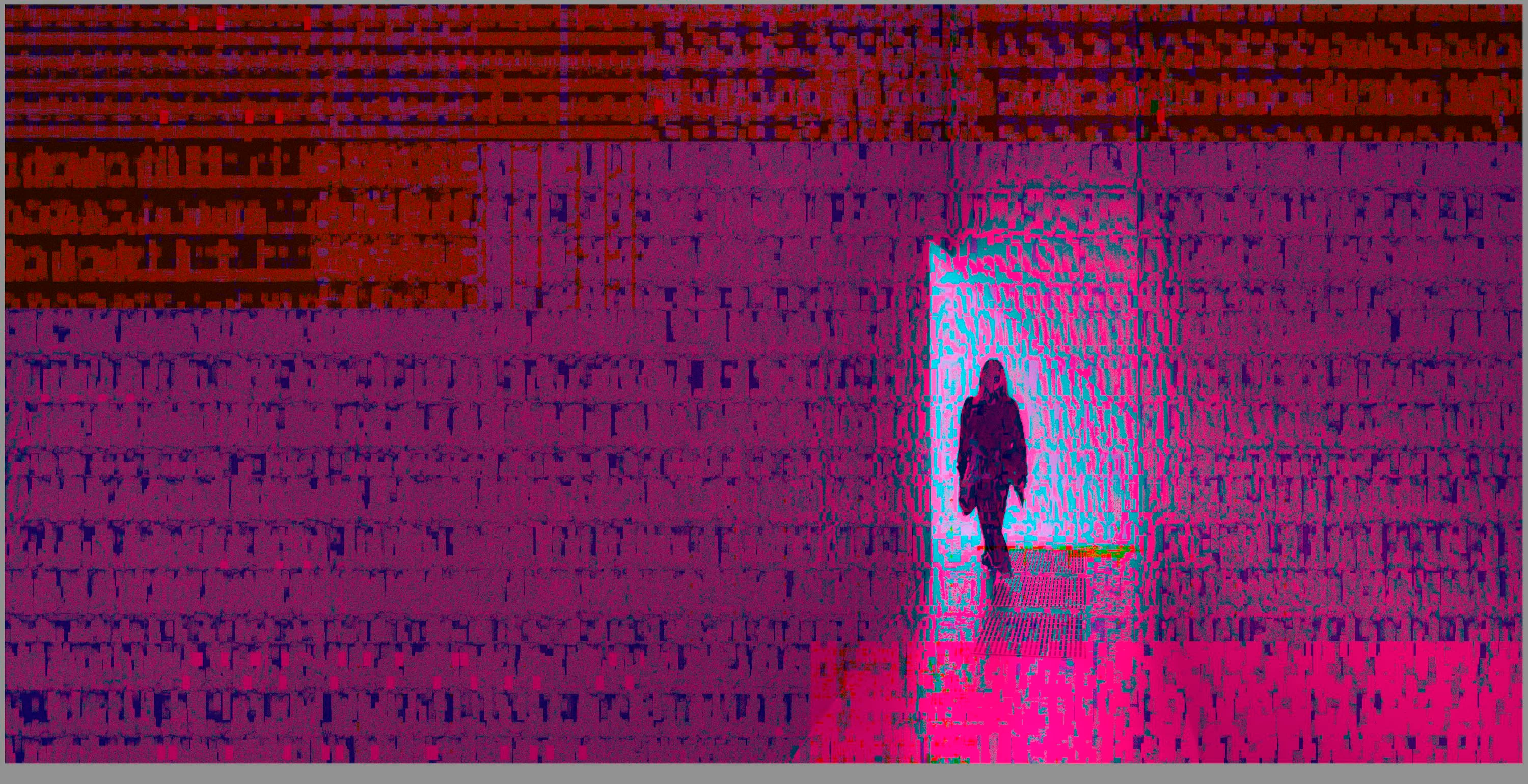
 

(Screengrab from the Develop module in Lightroom Classic)


When I check the linked RAW + JPEG source files in Finder, they all seem ok (they don't look corrupted, nor show any artefacts here), meaning the issue is within Lightroom.
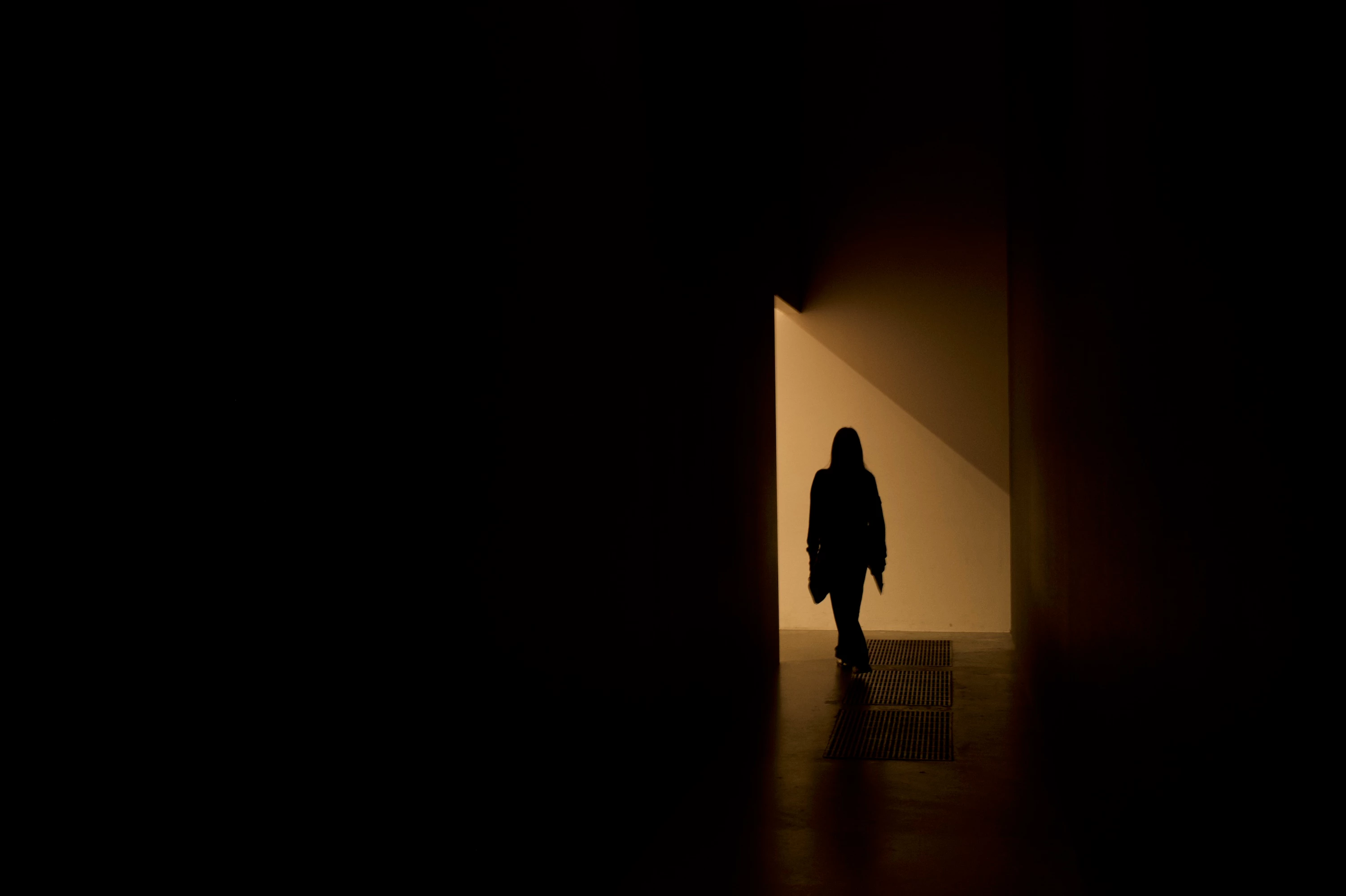
 

(Screengrab from the RAW source file in Finder)


When I export images out of Lightroom (with any setting, edited or even not edited), the artefacts are also present on the export files.
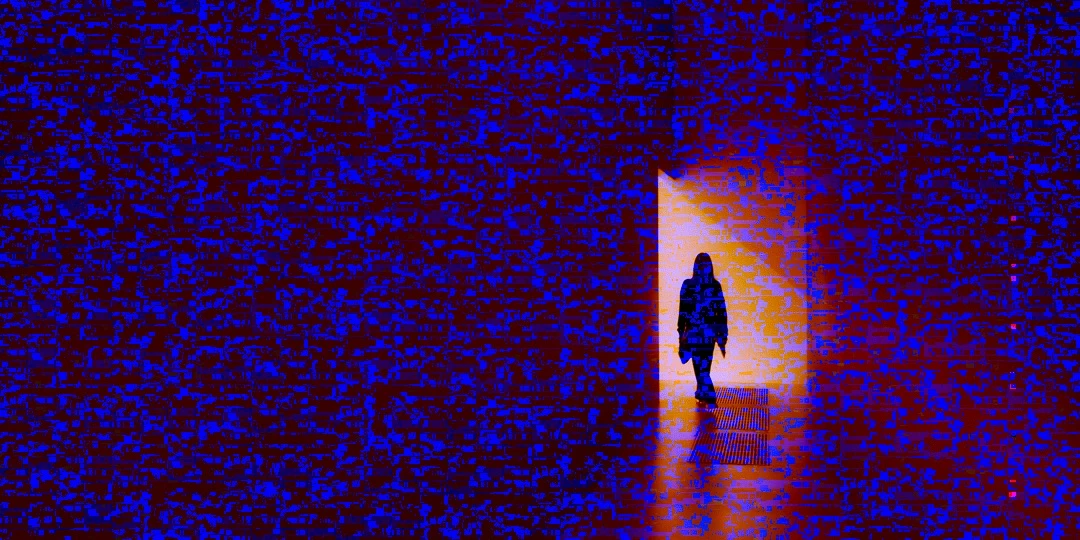
 

(Screengrab from the exported JPG image)


This problem started occuring soon after I applied the new AI noise reduction feature on just ONE (1) photo. 


I already tried:


  • Closing and re-opening Lightroom
  • Shutting down (fully), and restarting the computer after 1 minute
  • Switching the GPU accelrator setting in Lightroom on/off


MY SPECS

  • Lightroom Classic 13.0.1 - Build (202310121438-d2af310c)
  • Macbook Pro 16" - 2019
  • 2,3Ghz 8-core Intel Core i9
  • AMD Radeon Pro 5500M 8GB 
  • 32GB 2667MHz DDR4 memory
  • OS Sonoma 14.4.1


Any help would be greatly appreciated, because this makes the whole software unusable....

Thank you!

139 replies

Hines Hands-On Media
Participating Frequently
May 14, 2024

Has anyone given you a fix for this yet? Can't seem to find anything. 

Hines Hands-On Media
Participating Frequently
May 14, 2024

I am also experiencing this issue and am on 13.2

Hines Hands-On Media
Participating Frequently
May 14, 2024

What in the world is going on here?? I have literally never had this issue before but today It has happened multiple times. I have restarted lightroom. Unplugged an external monitor. And created a new Lightroom Cataloge. The first time it happened I solved it by creating a new lightroom cataloge, after that the display cleared up. But I had it happen AGAIN on a different job, created yet another cataloge but the static/fuzz came back. 
Does anyone know whats happening here and what my fix would be?

Thanks in advance for any help!

Ian Lyons
Community Expert
Community Expert
May 14, 2024

If your Mac has an AMD based CPU, then it's highly likely that your issue is the same as described in https://community.adobe.com/t5/lightroom-classic-bugs/p-gpu-develop-edit-view-amp-export-artifacts-after-14-4-1-update-amd-only-affects-cr-lrc-amp-lrd/idi-p/14563606


Pleas confirm whether your GPU is an AMD or not as we will merge your thread into above if it is.

Hines Hands-On Media
Participating Frequently
May 14, 2024

Yes, It does look like that is correct! I will take a look at that thread. 

johnrellis
Legend
May 8, 2024

[This post contains formatting and embedded images that don't appear in email. View the post in your Web browser.]


@KILLIAN98A2, uncheck the option Use GPU For Image Processing:


Legend
May 8, 2024

Have you restarted the computer? That's working for me.

Participant
May 8, 2024

I am now trying to upload an image to photoshop and its also happening with camera raw. I have edited the performance settings for both camera raw and photoshop and restarted both to no avail. Please advise!

johnrellis
Legend
May 8, 2024

@alsalphotography, "...restart the computer. The it works well for a little while and comes back to the artifacts issues at some stage after a day or so."


Others have reported this workaround also helps:


Set Preferences > Performance > Use Graphics Processor to Custom / Use GPU For Display

Legend
May 8, 2024

This is a known issue, Apple is getting ready for their developers conference so there may be one more release of Sonoma before then. Who knows if this will be fixed or have to wait until summer.

alsalphotography
Participant
May 8, 2024

I have a similar problem.

I also get the artifacts in the develop module but when I look at the images in the Library module or even export from the develop module the images look fine.

The only way to get around this for me is to switch all apps off and restart the computer. The it works well for a little while and comes back to the artifacts issues at some stage after a day or so. Really wierd and annoying!

My Specs:

  • Lightroom Classic 13.2
  • Macbook Pro 16" - 2019
  • 2,3Ghz 8-core Intel Core i9
  • AMD Radeon Pro 5500M 4GB 
  • 32GB 2667MHz DDR4 memory
  • OS Sonoma 14.4.1


Any solution to the problem yet?

johnrellis
Legend
May 7, 2024

"is there an timeline for the dev team to get this taken care of?"


Adobe rarely comments on schedules. If, as seems likely, this is a bug in the AMD driver for the 5300/5500 GPUs, then AMD has to produce a fixed driver and then Apple include it in the next release of Mac OS