



hyund39164868
Participant
April 1, 2024
Answered

P: (GPU) Develop/Edit view & Export artifacts after 14.4.1 Update (AMD-only) (affects Cr, LrC & LrD)

  • April 1, 2024
  • 139 replies
  • 100167 views

Hi,


Since just now, I've been experiencing a weird bug / crash in Lightroom Classic (on a Mac), where ALL my photos suddenly are fully covered in artefacts in the Develop module.
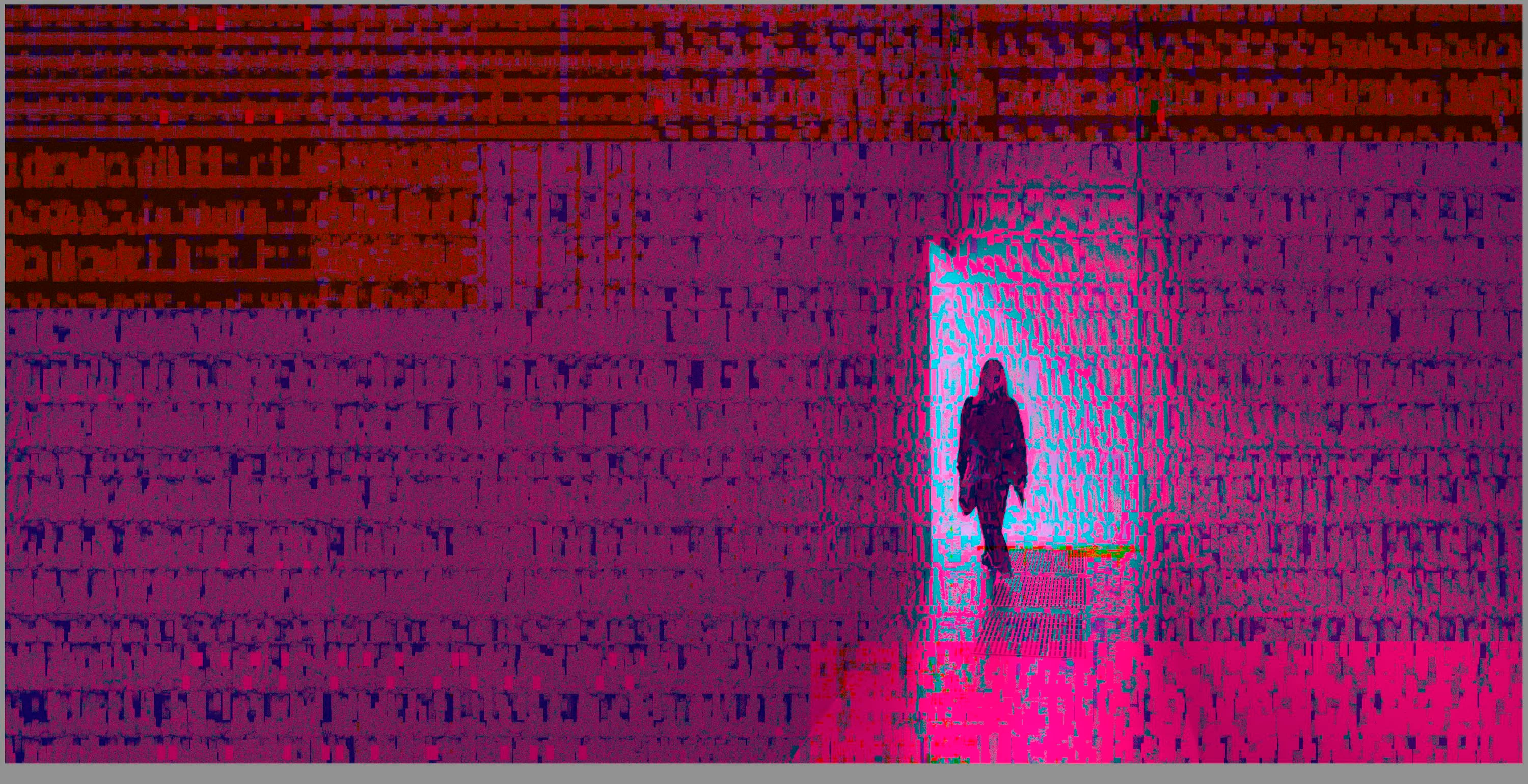
 

(Screengrab from the Develop module in Lightroom Classic)


When I check the linked RAW + JPEG source files in Finder, they all seem ok (they don't look corrupted, nor show any artefacts here), meaning the issue is within Lightroom.
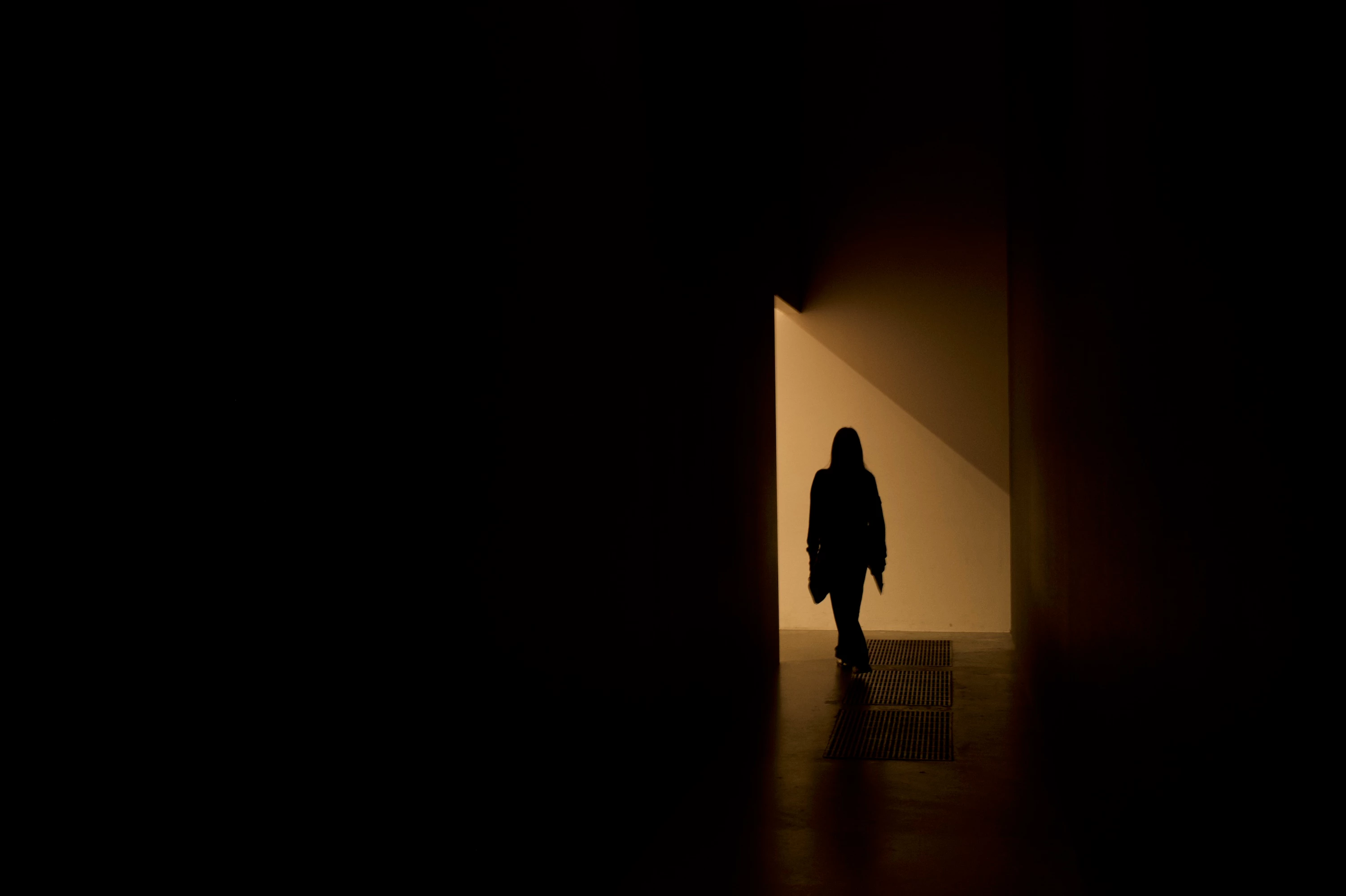
 

(Screengrab from the RAW source file in Finder)


When I export images out of Lightroom (with any setting, edited or even not edited), the artefacts are also present on the export files.
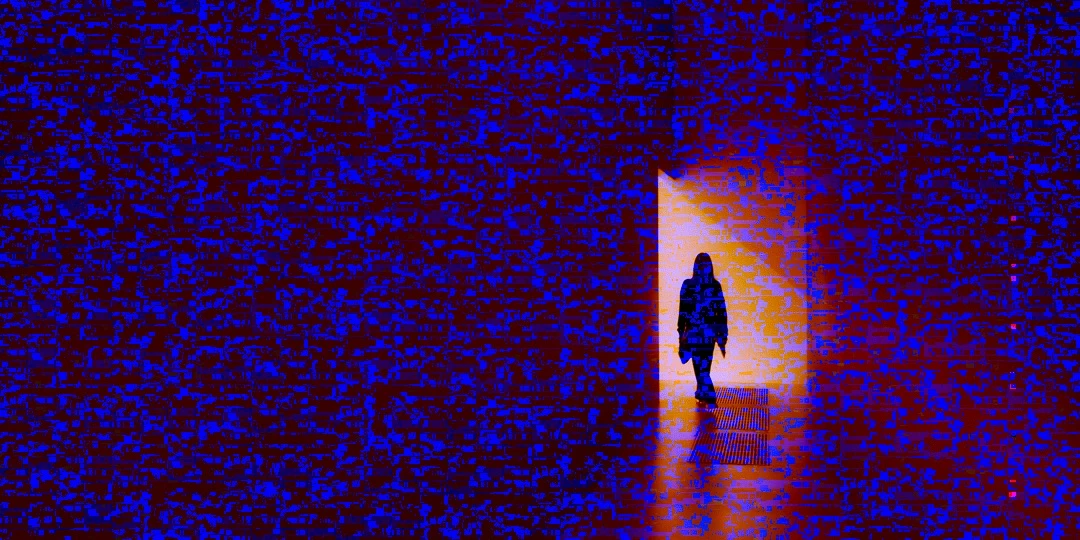
 

(Screengrab from the exported JPG image)


This problem started occuring soon after I applied the new AI noise reduction feature on just ONE (1) photo. 


I already tried:


  • Closing and re-opening Lightroom
  • Shutting down (fully), and restarting the computer after 1 minute
  • Switching the GPU accelrator setting in Lightroom on/off


MY SPECS

  • Lightroom Classic 13.0.1 - Build (202310121438-d2af310c)
  • Macbook Pro 16" - 2019
  • 2,3Ghz 8-core Intel Core i9
  • AMD Radeon Pro 5500M 8GB 
  • 32GB 2667MHz DDR4 memory
  • OS Sonoma 14.4.1


Any help would be greatly appreciated, because this makes the whole software unusable....

Thank you!

139 replies

johnrellis
Legend
June 5, 2024

Assuming, as is most likely, this is a graphics driver bug, we'll have to wait for Apple to release a new version of Mac OS containing the fixed driver. (It's conceivable that Adobe might decide to work around the bug in a new version of LR, but in general developers are very reluctant to include such workarounds, since they quickly accumulate and make the code very hard to maintain and upgrade.)

Participating Frequently
June 5, 2024

I haven't commented on this in a few days but thought I would jump in.  I understand Adobe and Radeon are working on getting this issue sorted out.  I was notified of a "Critical update" for Lightroom this morning.  There were no details on what it was (see the included image).  So, I updated to the latest version of LR and sure enough, when using Enhance to remove noise from high ISO images, it still creates these random, white, static filled boxes in various spots on the completed edit.  These artifacts appear on the preview in LR and the preview of the image on my Mac (using Preview).  When I open the edited image however, the artifacts only show up on a few of the images.  If I delete the images with the artifacts from my hard drive and from LR catalog and re-run Enhance, about 75% of the time it will process the image correctly.  This is very strange.   Does anyone actually know the details of what this update purportedly fixed?  What was the critical issue?    (Because it wasn't the radeon graphics driver issue...).  Thanks!!

Known Participant
June 2, 2024

The artifact problem appears to be resolved with the workaround suggested but now I'm seeing another problem. The Blur function in LR Classic no longer works for me. Once I select "Apply" it goes through its usual spin cycle and then when it's done, there is no focus range. The entire image becomes blurred. I've used this quite extensively previously with some pretty good results (I think this needs further refinement anyway. If I select the mask and then background, it usually does a really good job. I would expect the blur to be the same but in fact, it's not as refined.)

johnrellis
Legend
May 30, 2024

"Will this [GPU problem] be fixed or is this the end of story?"


If, as is most likely, this is caused by a buggy graphics driver, then AMD will have to supply a fixed driver to Apple, which will include it in its next Mac OS release. Adobe has said they're working with Apple on the issue, but Adobe rarely discloses if or when bugs will be fixed.

Legend
May 30, 2024

Apple engineers are getting ready for the annual developer conference in less than two weeks, there will almost certainly not be any updates to Sonoma before then. FWIW, I have not seen this happen since installing 14.5 but that may not mean anything.

Known Participant
May 30, 2024

A number of days ago I upgraded to OS 14.5 Sonoma and updated to the latest version of LR Classic 13.3 Camera Raw 16.3. Turned on the Graphics Processor and everything was fine until a few moments ago, when I started getting the strange artifacting again. Did as was suggested and put the Graphics Processor on Custom and set it for the monitor only and the problem went away. I assume that the Graphics Processor is no longer working to full capacity now. Will this be fixed or is this the end of story?

Bonnie Lampley
Participant
May 23, 2024

Thank you, @johnrellis.  Restarting fixed it (at least temporarily).  And thanks for moving my question to the appropriate forum.

Legend
May 23, 2024

Macs use macOS, not iOS (which is iPhones.)

This is a known problem. I'm seeing it intermittently on a 2019 MacBook Pro/Radeon card. Restarting the computer seems to fix it.