



hyund39164868
Participant
April 1, 2024
Answered

P: (GPU) Develop/Edit view & Export artifacts after 14.4.1 Update (AMD-only) (affects Cr, LrC & LrD)

  • April 1, 2024
  • 139 replies
  • 100167 views

Hi,


Since just now, I've been experiencing a weird bug / crash in Lightroom Classic (on a Mac), where ALL my photos suddenly are fully covered in artefacts in the Develop module.
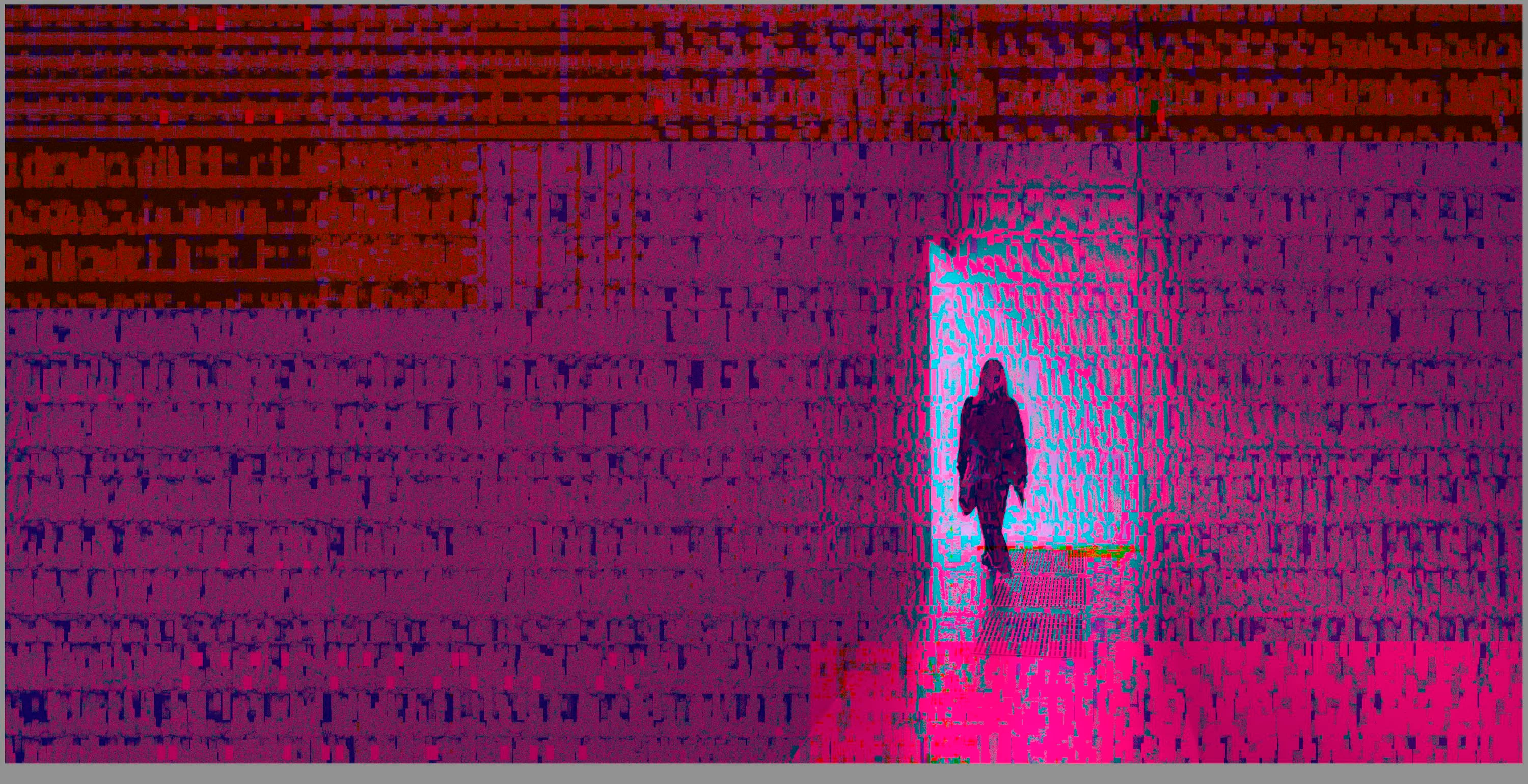
 

(Screengrab from the Develop module in Lightroom Classic)


When I check the linked RAW + JPEG source files in Finder, they all seem ok (they don't look corrupted, nor show any artefacts here), meaning the issue is within Lightroom.
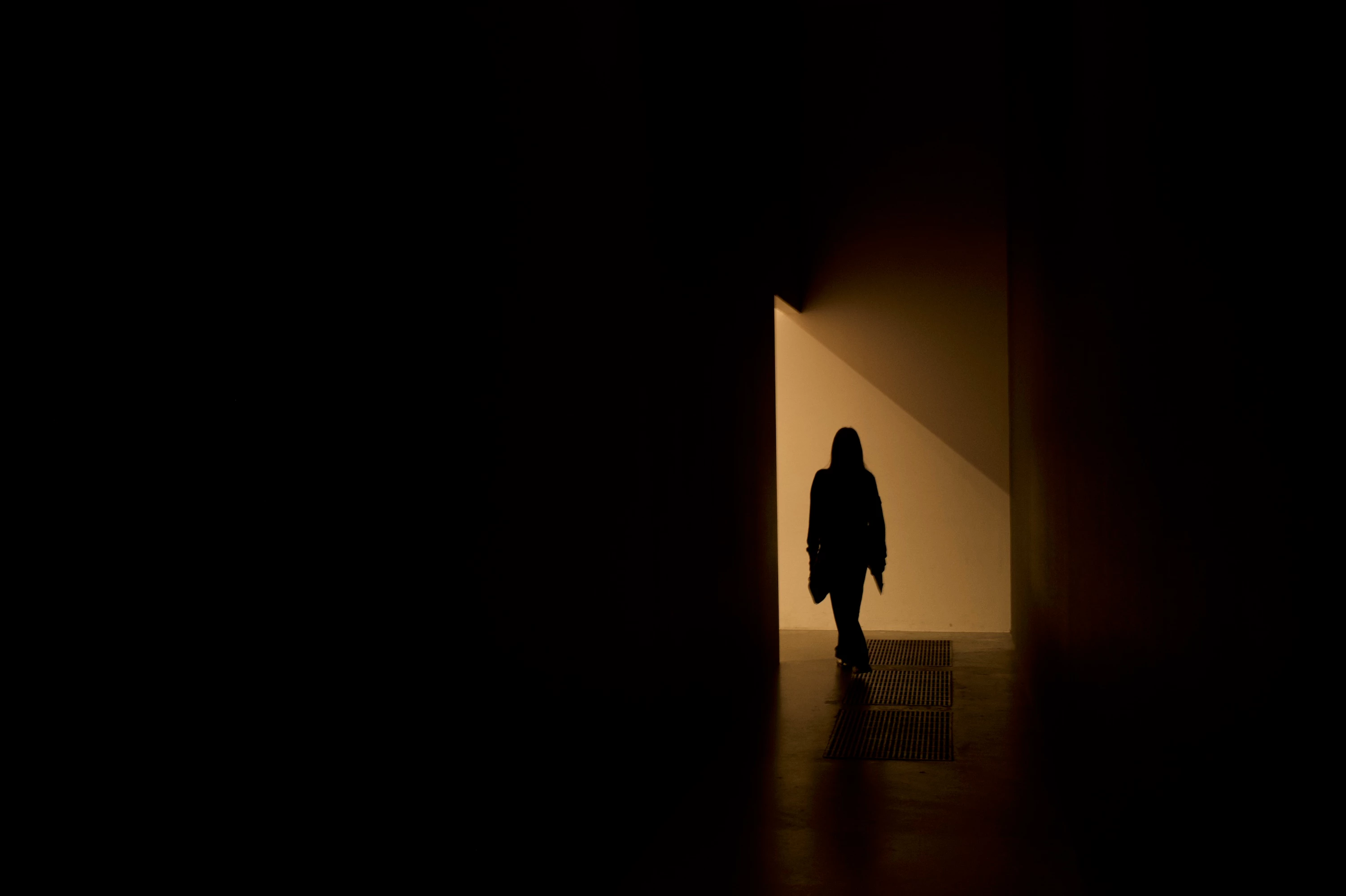
 

(Screengrab from the RAW source file in Finder)


When I export images out of Lightroom (with any setting, edited or even not edited), the artefacts are also present on the export files.
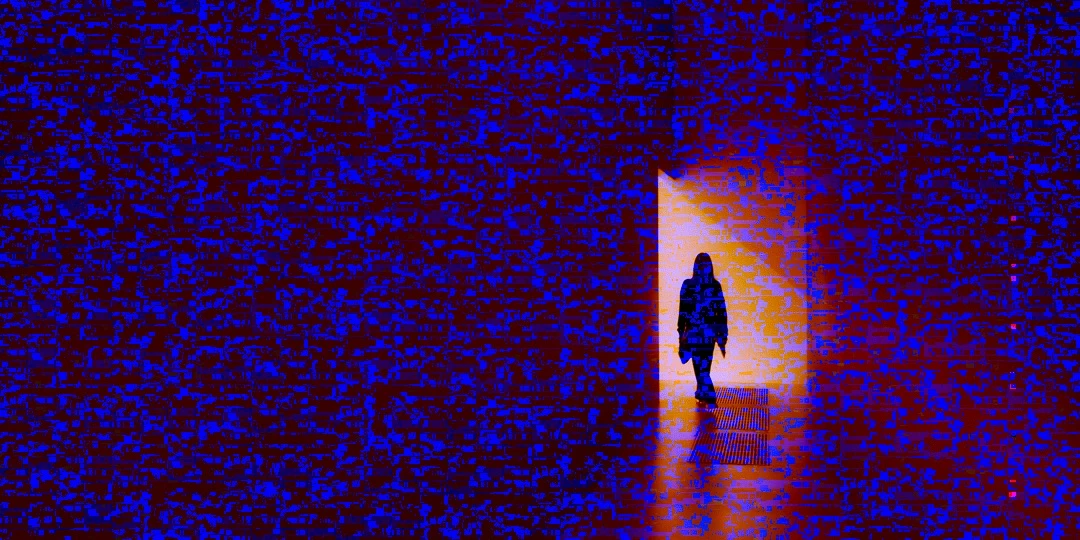
 

(Screengrab from the exported JPG image)


This problem started occuring soon after I applied the new AI noise reduction feature on just ONE (1) photo. 


I already tried:


  • Closing and re-opening Lightroom
  • Shutting down (fully), and restarting the computer after 1 minute
  • Switching the GPU accelrator setting in Lightroom on/off


MY SPECS

  • Lightroom Classic 13.0.1 - Build (202310121438-d2af310c)
  • Macbook Pro 16" - 2019
  • 2,3Ghz 8-core Intel Core i9
  • AMD Radeon Pro 5500M 8GB 
  • 32GB 2667MHz DDR4 memory
  • OS Sonoma 14.4.1


Any help would be greatly appreciated, because this makes the whole software unusable....

Thank you!

139 replies

Participating Frequently
July 7, 2024

Having this same issue, Intel based Macbook, info below.  Problem does go away when GFX is turned off.  Hopefully this gets fixed soon! 


Lightroom Classic version: 13.4 [ 202406181129-60d181b7 ]
License: Creative Cloud
Language setting: en-US
Operating system: Mac OS 14
Version: 14.5.0 [23F79]
Application architecture: x64
Logical processor count: 16
Processor speed: 2.4GHz
SqLite Version: 3.36.0
Power Source: Plugged In, 100%
Built-in memory: 65,536.0 MB
Dedicated GPU memory used by Lightroom: 6,403.4MB / 8,176.0MB (78%)
Real memory available to Lightroom: 65,536.0 MB
Real memory used by Lightroom: 22,882.4 MB (34.9%)
Virtual memory used by Lightroom: 77,061.9 MB
Memory cache size: 3,223.1MB
Internal Camera Raw version: 16.4 [ 1897 ]
Maximum thread count used by Camera Raw: 5
Camera Raw SIMD optimization: SSE2,AVX,AVX2
Camera Raw virtual memory: 1749MB / 32767MB (5%)
Camera Raw real memory: 1759MB / 65536MB (2%)

Cache1:
Final1- RAM:352.0MB, VRAM:0.0MB, Americana Night June 24-491.dng
Final2- RAM:352.0MB, VRAM:0.0MB, Americana Night June 24-280.dng
Preview3- RAM:17.0MB, VRAM:0.0MB, Americana Night June 24-59.dng
Final4- RAM:352.0MB, VRAM:0.0MB, Americana Night June 24-255.dng
NT- RAM:1,073.0MB, VRAM:0.0MB, Combined:1,073.0MB

Cache2:
m:3,223.1MB, n:1,072.2MB

U-main: 154.0MB

Standard Preview Size: 1440 pixels
Displays: 1) 6016x3384

Graphics Processor Info:
Metal: AMD Radeon Pro 5500M
Init State: GPU for Export supported by default
User Preference: Off

Application folder: /Applications/Adobe Lightroom Classic
Library Path: /Users/MichaelG/Pictures/Lightroom/Lightroom Catalog-2-2-v13-4.lrcat
Settings Folder: /Users/MichaelG/Library/Application Support/Adobe/Lightroom

Installed Plugins:
1) AdobeStock
2) Aperture/iPhoto Importer Plug-in
3) Flickr
4) Nikon Tether Plugin

Config.lua flags:


Participant
July 4, 2024

Image gets pixelated all of a sudden in Lightroom CC "Develop" module. Looks fine in "Library". Gets fixed once I restart the Mac

johnrellis
Legend
July 4, 2024

You probably have an older Intel Mac with an AMD GPU. Mac OS 14.4.1 released a buggy AMD graphics driver. But let's confirm -- please do the LR menu command Help > System Info and copy/paste the entire contents here so we can see exactly which versions of hardware and software LR thinks you're running and important LR options that are set.


Besides restarting, another workaround is to set Preferences > Performance > Use Graphics Processor to off. Depending on your hardware, that may provide acceptable performance.

Beastmodel
Participating Frequently
July 2, 2024

Yeah exact same problem, if I turn off the GPU then the issue in Lightroom is resolved but obviously the benefits of having the gpu on are lost. Hope this issues is resolved quickly 🙏🙏🙏

Participant
July 2, 2024

I have this problem with Sonoma14.5 and LR Classic 13.4 on a 2019 MBP with AMD graphics card.

I was able to clear it by turning off the GPU. Restarting LR did not help. Restarting the Mac did not help.


Participant
June 24, 2024

Legend
June 17, 2024

What graphics card do you have?

Participating Frequently
June 15, 2024

still happening for mac os 14.5 with lightroom 13.3.1 with camera raw 16.3.1

Participant
June 15, 2024

I have edited my photos in LR13.3.1.  After I exported the photos, the colour of the photos do not look the same.  The epxort photos seemed to be weired with zigzag colour (like reading an image with file rror).  It is not consistent, I sometimes have a very small file 60Kb containg a dark photo (when my originals are not dark at all). 

I also deleted the old Preview data file.  But the export are still the smae (problematic)

I reset the edits in LR  and exported.   The exported files looked the same. 


The exported files seem to have problems after I edited them in LR.  


johnrellis
Legend
June 15, 2024

This may be an issue with the particular model of your Mac. To confirm that and suggest workarounds, please do the LR menu command Help > System Info and copy/paste the entire contents here so we can see exactly which versions of hardware and software LR thinks you're running and important LR options that are set.
 

Participant
June 17, 2024

Lightroom Classic version: 13.3.1 [ 202405311538-6d7c0308 ]
License: Creative Cloud
Language setting: en-SG
Operating system: Mac OS 14
Version: 14.5.0 [23F79]
Application architecture: x64
Logical processor count: 16
Processor speed: 2.4GHz
SqLite Version: 3.36.0
Power Source: Plugged In, 72%
Built-in memory: 32,768.0 MB
Dedicated GPU memory used by Lightroom: 977.3MB / 8,176.0MB (11%)
Real memory available to Lightroom: 32,768.0 MB
Real memory used by Lightroom: 4,188.6 MB (12.7%)
Virtual memory used by Lightroom: 49,588.3 MB
Memory cache size: 214.2MB
Internal Camera Raw version: 16.3.1 [ 1889 ]
Maximum thread count used by Camera Raw: 5
Camera Raw SIMD optimization: SSE2,AVX,AVX2
Camera Raw virtual memory: 1307MB / 16383MB (7%)
Camera Raw real memory: 1343MB / 32768MB (4%)

Cache1:
Final1- RAM:37.0MB, VRAM:0.0MB, 53FB3DF4-EAF6-4126-9437-1CB081E0E651.dng
Final2- RAM:147.0MB, VRAM:0.0MB, DSC08645.JPG
Final3- RAM:37.0MB, VRAM:0.0MB, 2CCF5053-8179-406F-BA63-6C6CDF4F4C6F.dng
Preview4- RAM:6.0MB, VRAM:0.0MB, DSC08635.JPG
Final5- RAM:37.0MB, VRAM:0.0MB, 71A86236-DD83-4406-A233-62E8ADF9C8E2.dng
Preview6- RAM:6.0MB, VRAM:0.0MB, DSC08655.JPG
Final7- RAM:37.0MB, VRAM:0.0MB, 8FF0EAE5-7F18-4353-B3F3-F7B75324D854.dng
Final8- RAM:37.0MB, VRAM:0.0MB, 30B6764C-E37B-404B-922A-70ECE795DFFA.dng
Final9- RAM:147.0MB, VRAM:0.0MB, DSC08648.JPG
Final10- RAM:348.0MB, VRAM:0.0MB, DSC08646.JPG
Final11- RAM:37.0MB, VRAM:0.0MB, F48E6B14-B5B7-4FB7-9444-2A51AA8AC5E8.dng
NT- RAM:876.0MB, VRAM:0.0MB, Combined:876.0MB

Cache2:
m:214.2MB, n:768.0MB

U-main: 135.0MB

Standard Preview Size: 1024 pixels
Displays: 1) 5120x2880, 2) 3584x2240

Graphics Processor Info:
Metal: AMD Radeon Pro 5500M
Init State: GPU for Export supported by default
User Preference: GPU for Display Enabled

Application folder: /Applications/Adobe Lightroom Classic
Library Path: /Volumes/Centaurus/My iView Photo Libraries 2024Jan01 (2024 onwards)/2024/2024 Photo Library-v13-3.lrcat
Settings Folder: /Users/NgWeeNgheeRetina/Library/Application Support/Adobe/Lightroom

Installed Plugins:
1) JPEGmini
2) Loupedeck2
3) Luminar Neo
4) Negative Lab Pro v3
5) SmugMug

Config.lua flags:


Beastmodel
Participating Frequently
June 11, 2024

For the past few weeks I've had an issue arise where I am editing and then suddenly the image and subsequently any image I click on becomes what looks like a corrupted file. I have attched a screen shot for ref, sometimes I can just quit and restart Lr and it will be okay for a while. If I open the image in Ps via Lr it is completely fine so I believe the problem is isolated within Lr.

I would try and reinstall Lr and see if the problem persists but I'm in the middle of an important job, if I back up the catalog after quiting will this mean my work will be saved and open where I left off even if I reinstall?! (including any files that have been opened and saved back into Lr after editing in Ps?)

Hope someone can shed some light on this! 🙏🙏🙏


johnrellis
Legend
June 5, 2024

You can see what's been fixed in a release by doing the menu command Help > What's New, and then clicking "fixed bugs" near the top.


I prefer the Lightroom Queen's release notes, which are more comprehensive, detailed, and accurate and less focused on marketing fluff:

https://www.lightroomqueen.com/whats-new-in-lightroom-2024-05/