
Participating Frequently
June 20, 2026
Answered

P: Lightroom Denoise suddenly stopped working

  • June 20, 2026
  • 117 replies
  • 1561 views

Hi everyone,

I'm having an issue with the latest version of Lightroom CC on a MacBook M5 Pro running macOS Tahoe 26.5.1. (I was experiencing the same problem on 26.5 and decided to update hoping it would fix it, but unfortunately it didn't.)

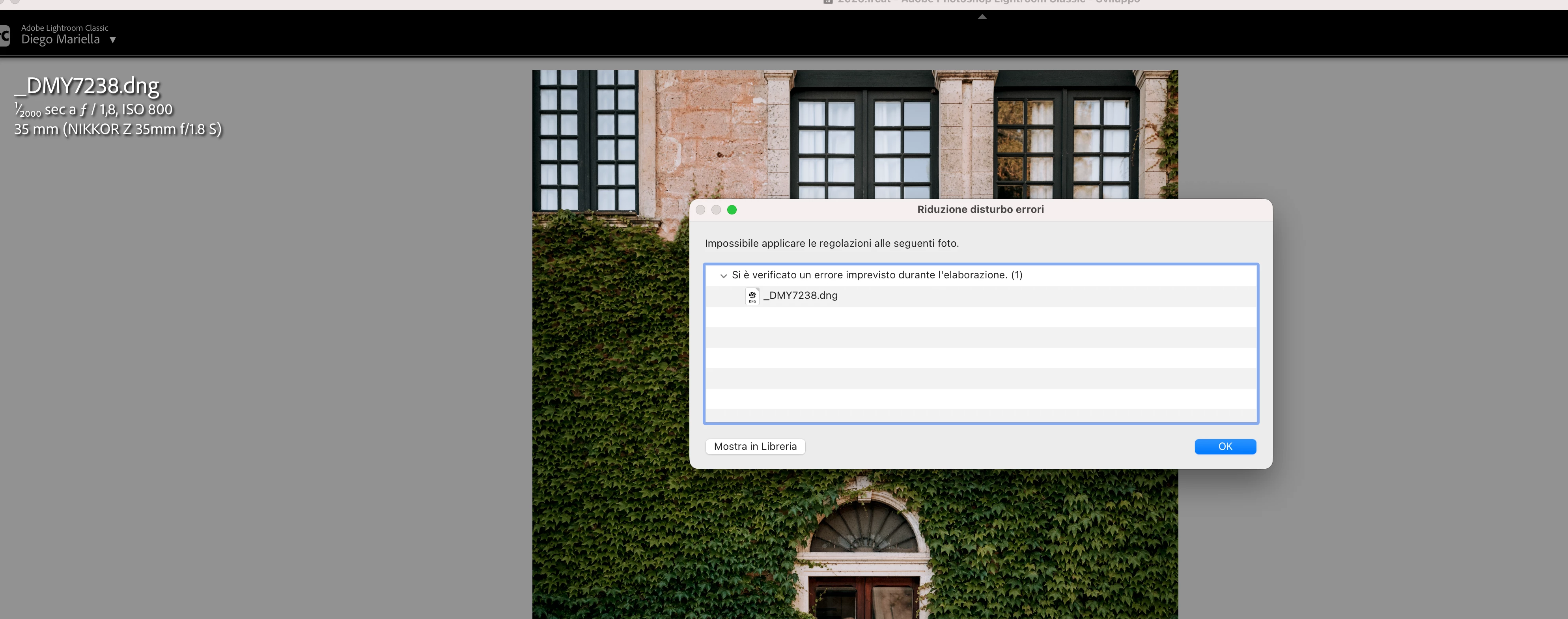
Since this morning, it's been impossible to to use Noise Reduction, even though my internet connection is working perfectly. I've already updated both Lightroom CC and macOS, cleared the cache, and optimized the catalog, but I keep getting this error screen whenever I try to use Noise Reduction.

Has anyone experienced the same issue or knows how to fix it? Any help would be greatly appreciated. Thanks! 🙏
 

    Correct answer Sameer K

    Hi All! Lightroom Classic v15.4.1 is now available for downlaod via the Creative Cloud desktop app with the following critical bug fiixes for the issue reported in this thread and the other: 


    Thanks!
    Sameer K

    117 replies

    Galdypr
    Participating Frequently
    June 21, 2026

    But in Windows 11 It works perfectly! 

    Galdypr
    Participating Frequently
    June 21, 2026

    I try all of that step by step and problem continues:" Failed to apply adjustments to the following photos. An unexpected error occurred while processing" 


    Jason353782033vlv
    Participant
    June 20, 2026

    I now receive an error message when I want to denoise an image.
    Message says “An unexpected error occurred while processing. (1)”

    bildkonsulterna
    Participant
    June 20, 2026

    It's the same for me. Just did the upgrade on the programs that had new versions in Creative Cloud, and just completely lost the denoise function in Lightroom Classic. I´m not interested in any special solutions like searching in folders and so on. I just want to know if there will be a quick update from Adobe addressing the issue. Seems there are more people than me having this issue...

    Breeze2121
    Participant
    June 22, 2026

    Me too! i’m having the same issue since the camera raw updated.

    JohanElzenga
    Community Expert
    Community Expert
    June 20, 2026

    When Lightroom Classic 15.4 is once again available, that problem should be fixed.

    -- Johan W. Elzenga
    mobmat
    Participant
    June 21, 2026

    Well, when is that supposed to happen? I’m kind of stuck right now with my current work. Huge oversight from adobe to update camera raw that breaks older versions of lightroom and not have the current version available for everyone. I’ve seen some people are on 15.4 but its not available for me.

    JohanElzenga
    Community Expert
    Community Expert
    June 21, 2026

    The 15.4 update was pulled again due to a serious bug. There should be a 15.4.1 update soon, but nobody can tell you exactly when.

    -- Johan W. Elzenga
    Joel24961805vbco
    Participant
    June 20, 2026

    I am having the same issue after doing an update.  How do we correct this issue.

    Joel24961805vbco
    Participant
    June 20, 2026

    Having the same issue after doing  the upgrade.  None of the recommendations are working.

    sevca
    Participant
    June 20, 2026

    Hello,

    I have been experiencing the same issue all day. I have installed two previous versions of Lightroom Classic, but I still get the same error.

    I have tested RAW files stored locally on my computer as well as RAW files located on a LaCie external hard drive, and the problem persists in both cases.

    My system is:

    • Mac M3 Pro
    • 36 GB RAM
    • macOS Tahoe 26.5.1

    Could you please help me resolve this issue?

    Thank you.


    James+Morton+Photography
    Participant
    June 20, 2026

    Similar to what I see many other users reporting.  

    James+Morton+Photography
    Participant
    June 20, 2026

    Hello Srishti.  I too am having this problem in LR Classic after the updates to LR and Camera Raw.  I’ve tried everything and it still doesn't work.  Is this a new issue due to the updates?