



Performance on Windows 11 + HDR monitor + GPU acceleration
My computer is a desktop with an Intel i9 13900k, 64GB DDR5, GTX 1080 8GB. So fairly modern, except for the GPU. I don't want to upgrade the GPU because I have no use for a more modern GPU, I don't play games on this machine.
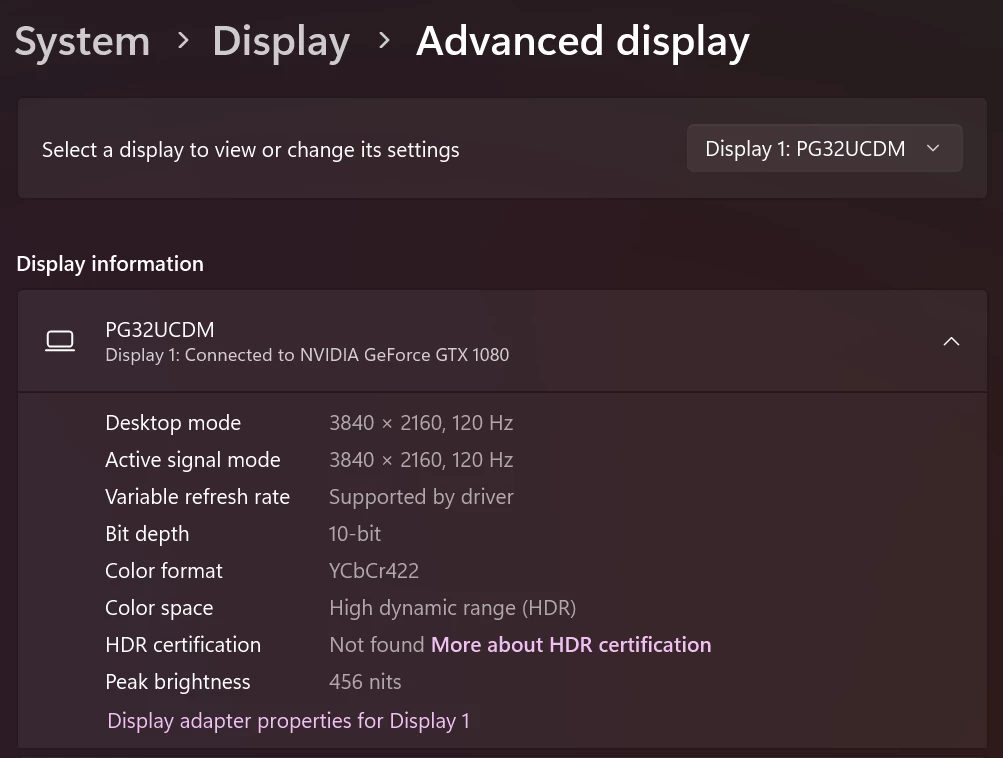
I recently upgraded to an OLED, 4K, HDR Monitor: ASUS ROG Swift OLED PG32UCDM. Monitor is connected to my GPU via DisplayPort 1.4. And after upgrading the monitor I had to enable HDR on Windows, otherwise the colors would not look accurate:
--------
Now comes the Lightroom settings:
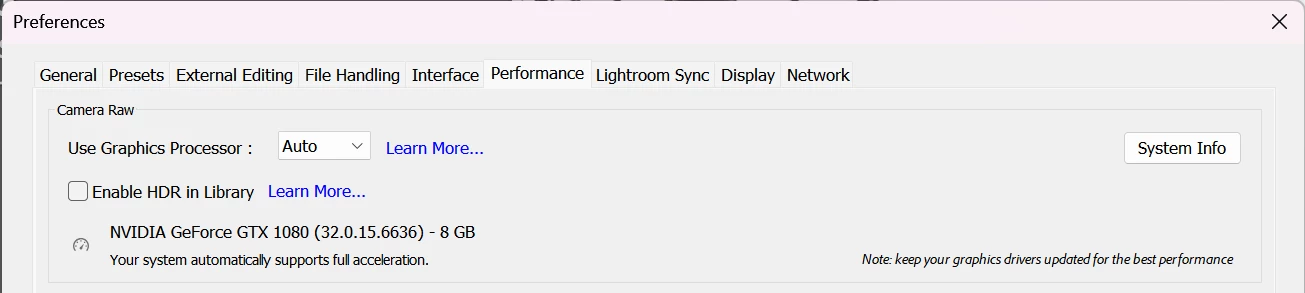
As we can see, Lightroom is correctly detecting my GPU and is going to use it, but the problem is that if I have GPU acceleration enabled Lightroom gets completely laggy and unusable. I can't do anything on it.
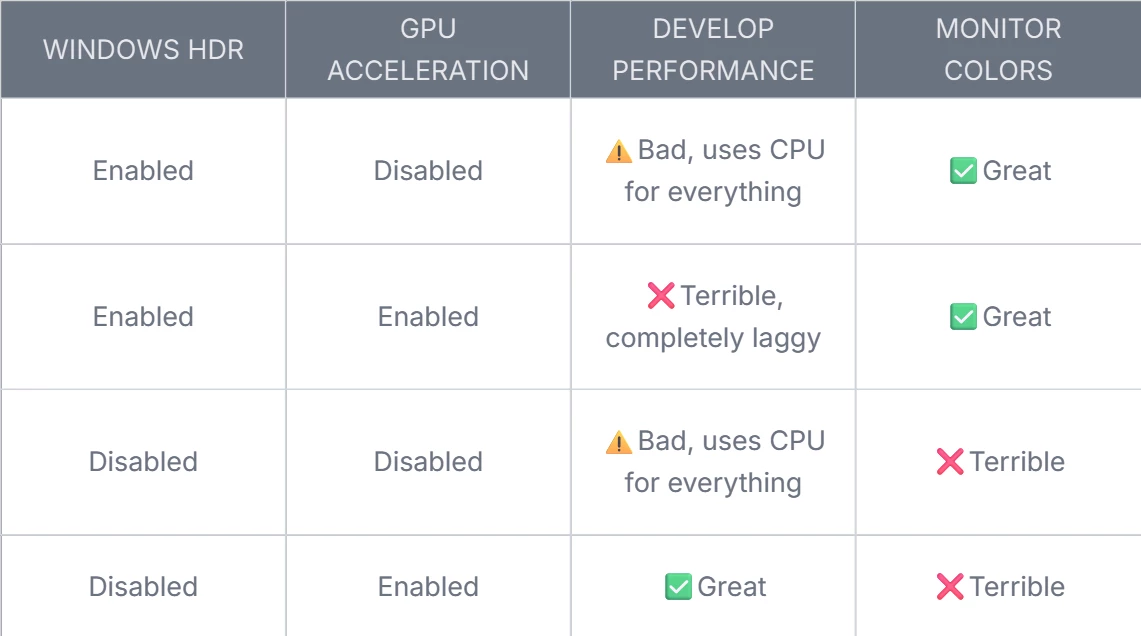
I have tried disabling Windows HDR, and that fixes the issue, but then I get awful colors on the monitor.
I have tried disabling GPU acceleration and that improves it a bit, but then it uses the CPU for everything and is also not great (but still much better than with acceleration enabled).
Here is a table describing the things I have tried and the result.
What can I do to improve this? It's hard to believe that a 2,000$+ system is not able to run Lightroom in 2025.
 AdChoices