


Heirloom Bob
Inspiring
January 4, 2021
Answered

Photo previews not appearing

  • January 4, 2021
  • 1 reply
  • 431 views

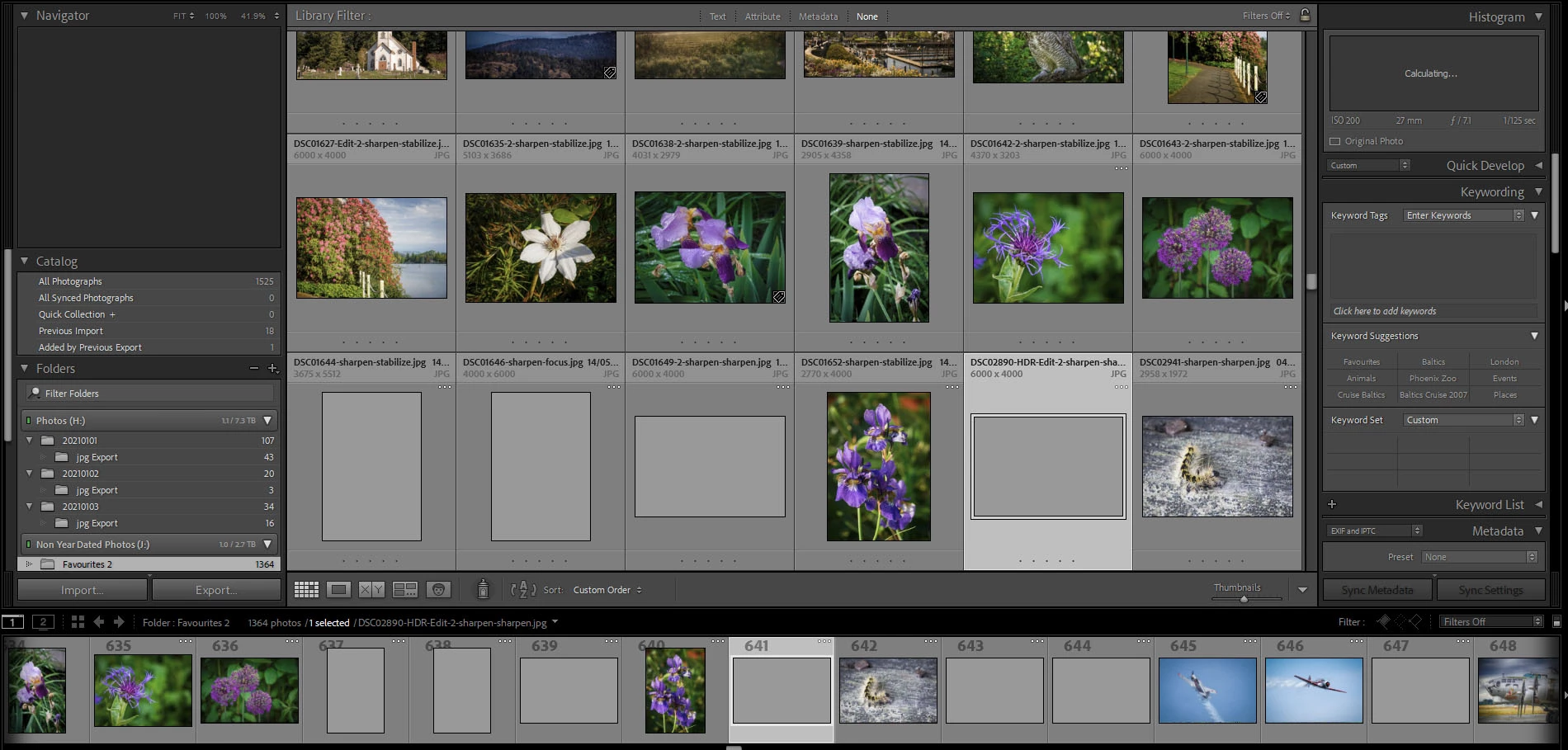
Created a new catalog for the new year. Imported all my Facourites from my external drive, into this new catalog. The issue is many of the photos show solid grey. If I click on one of them, the histogram says calculating andit will eventually appear. The issue is this takes anywhere from a few seconds to several minutes, for the image to come up.And I have to do eacj image on it's own.
 

This topic has been closed for replies.
Correct answer JohanElzenga

It has not. Instead I have to click on each image that is grey and/or three dots. After a few minutes, the image appears and I can go onto the next.


That's a bit odd. You can force it by selecting all images, and then choosing menu 'Library - Previews - Build Standard-sized Previews'.


1 reply

JohanElzenga
Community Expert
Community Expert
January 4, 2021

The three white dots mean that Lightroom is still busy building those previews. But why create a new catalog for the new year? That makes zero sense.


-- Johan W. Elzenga
Heirloom Bob
Inspiring
January 4, 2021

Because my previous catalogue contains 544,000 images and Lightroom was becomg sluggish.